
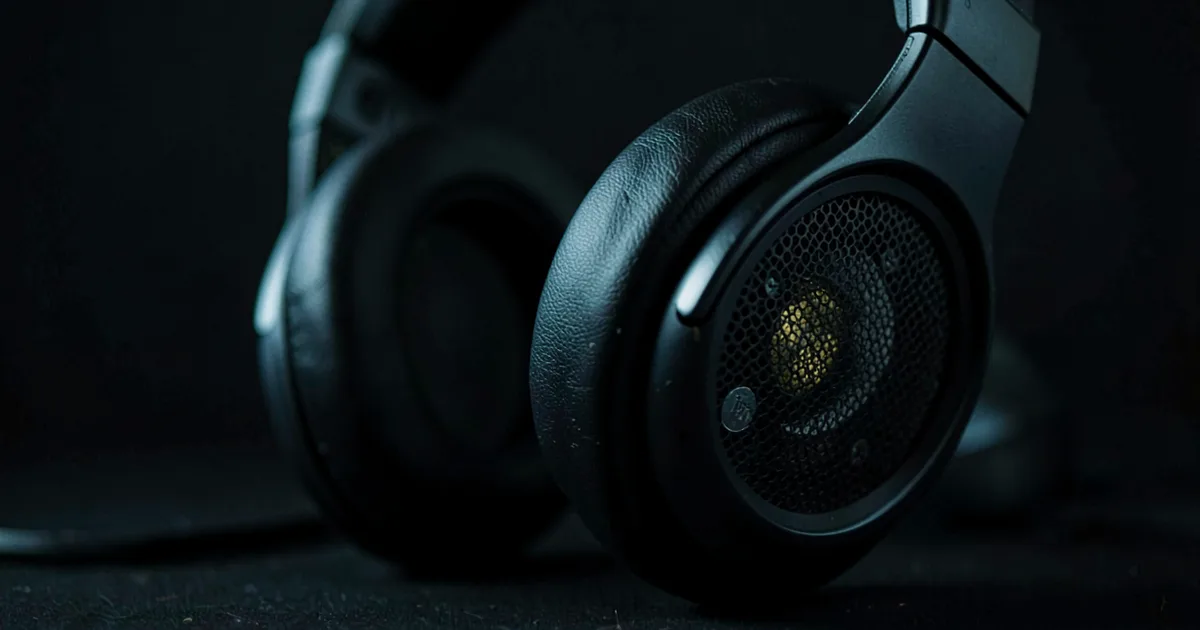
The best headphones for mixing have a flat or near-flat frequency response, an open-back design for accurate stereo imaging, and an impedance low enough to drive from your audio interface without a separate headphone amp. For most producers, a pair in the $100–$400 range covers every critical mixing decision you'll need to make.
Why Your Mixing Headphones Matter More Than You Think
Open-back headphones with honest frequency response are the right tool for mixing. That's the short answer. Everything below is the detail that stops you buying the wrong pair twice.
Studio monitors are the gold standard. We know that. But outside of treated rooms, monitors lie. Reflections smear the stereo image. Room modes make 80Hz sound enormous when it isn't. For a lot of us, headphones are where most of the real mixing happens.
The problem isn't headphones as a format. The problem is choosing the wrong ones, or not understanding what their limitations are before you commit.
We've mixed on headphones costing $29 and headphones costing $1,500. We've learned more from the $29 pair than we expected, and been frustrated by the $1,500 pair more than we'd like to admit. This guide tells you exactly what to look for, what to skip, and how to get real translation out of whatever you end up buying.
Open-Back vs. Closed-Back: Which Do You Actually Need?
Open-back headphones are for mixing. Closed-back headphones are for tracking. That's the position we're taking, and here's why it holds.
Open-Back for Mixing
Open-back designs vent the earcups to the outside air. Sound bleeds in and out. This is a feature, not a flaw.
Because the driver isn't working against a sealed air pocket, bass pressure doesn't artificially build up. You get a wider, more natural stereo image that behaves more like a speaker setup. Low-end decisions translate better. Panning decisions feel less exaggerated.
The Beyerdynamic DT 990 PRO is the benchmark here. At 250Ω, it needs a decent headphone output, but the soundstage is genuinely wide. We ran a full drum bus through it and could place the overheads with the same confidence we'd have on monitors. That's not always the case with closed-backs.
Closed-Back for Tracking
When you're recording vocals or live instruments, bleed from open-backs destroys your take. The mic picks up the cans. Closed-backs seal that off.
The Sony MDR-7506 has been doing this job for 30 years. $100, 63Ω, coiled cable. It's not the most comfortable pair over long sessions and the 9kHz peak is annoying if you don't know it's there. But every engineer in every session knows exactly what they're looking at. That kind of familiarity is worth something.
The Practical Answer for Budget-Constrained Producers
If you can only buy one pair right now, get a closed-back with a relatively flat tuning. Mix on them. Learn their coloration. Then buy the open-backs when you can.
Knowing your headphones well beats chasing flatness on paper.
What Does "Flat" Actually Mean for Mixing?
No headphone has a flat frequency response. None. This is the most important thing we can tell you in this guide.
Speakers in a room interact with your ear canal, head, and shoulders to produce what's called the head-related transfer function (HRTF). Headphones sit right on your ear and bypass all of that. To sound "flat" in the perceptual sense, headphones actually need to follow a diffuse-field or free-field compensation curve. The Harman target curve is the most widely validated version of this.
What this means practically: a headphone measuring flat on a graph will sound thin and bass-light to human ears. A headphone that sounds neutral has a gentle low-end shelf and a controlled but present high-frequency range.
How to Read a Frequency Response Plot
Look for these things on any measurement you're evaluating:
Bass below 100Hz should be controlled, not elevated. A 3–5dB shelf lift below 80Hz is fine. More than that, and you'll mix out bass that needs to be there.
Mids between 500Hz and 2kHz are where most mix decisions live. Any sharp peak or dip here will cause real problems. A 3dB peak at 1kHz makes everything sound present. You'll under-drive presence in real playback.
High-end above 8kHz is where a lot of headphones get aggressive. The MDR-7506's well-documented 9kHz peak is a clear example. It makes sibilance more obvious than it is. Annoying on long sessions. Useful if you know to compensate.
Flat Response Doesn't Guarantee Translation
We mixed a folk record almost entirely on a pair with excellent measurements. Flat bass, smooth mids, controlled highs. When we played it back on speakers, the stereo width sounded unnatural. Too wide. The headphone was technically accurate but the spatial information didn't translate.
This is the gap most guides don't address. Linear frequency response is necessary but not sufficient. You also need to account for headphone imaging, crosstalk absence, and how your brain processes binaural audio differently from speaker audio.
Impedance: Do You Need a Headphone Amp?
Short answer: under 80Ω, your interface drives it fine. Above 150Ω, you want a dedicated amp. Between 80Ω and 150Ω, it depends on your interface's headphone output quality.
The Numbers That Matter
The Beyerdynamic DT 990 PRO comes in 32Ω, 80Ω, and 250Ω versions. The 250Ω sounds the best. It also won't reach adequate listening volume from a laptop headphone jack without distortion at the output stage. You need at least 100mW into 250Ω to hit 110dB SPL. Most laptop jacks deliver 10–30mW. That's a real problem.
The Sennheiser HD 490 Pro sits at 120Ω. Most audio interfaces with a dedicated headphone output will drive it properly. The Focusrite Scarlett series, Universal Audio Volt, and SSL 2+ all manage it without a separate amp.
The Audeze MM-100 at $399 runs at 20Ω and 101dB/mW sensitivity. It's deliberately designed to drive from anything. That's a smart choice from Audeze for a mixing headphone aimed at in-the-box producers.
Planar Magnetic vs. Dynamic Drivers
Dynamic drivers are in 90% of headphones. They use a moving coil in a magnetic field. They're well understood, relatively forgiving, and cheap to make well.
Planar magnetics use a thin membrane suspended between two magnet arrays. The distortion figures are lower. The transient response is faster. The trade-off is weight and power requirements. The Audeze MM-100 is the lightest planar option at a mixing-relevant price. We'd choose it for long sessions over heavier planar options at twice the price.
Budget Tiers: What to Buy at Each Price Point
Here's where we draw clear lines. No "it depends" soft-pedalling.
Under $60: The Audio-Technica ATH-M20x
The ATH-M20x is the honest answer at this price. Closed-back, 47Ω, 96dB/mW sensitivity. It runs from anything. The frequency response has a small mid-bass warmth around 150Hz and a modest presence boost at 5kHz, but neither is severe enough to wreck mix decisions once you've spent a week getting to know them.
We put a student mix engineer on these for a month. Their low-end control improved because they could hear it clearly without exaggerated sub. Good starting point.
Under $35: The OneOdio Pro-10
At $29.99, the OneOdio Pro-10 achieves ±4dB accuracy across 80Hz to 8kHz. That's a respectable window for the price. It's not a mixing headphone we'd choose for professional work. But if you're producing on a phone or laptop and need any kind of frequency accuracy, it beats consumer earbuds by a significant margin. Hard to complain at $30.
Around $100: Sony MDR-7506
The industry standard closed-back. 63Ω, 106dB/mW. You'll find these in every broadcast studio, film set, and small recording space in the world. The 9kHz peak is a known quantity. Learn it and it stops being a problem. We'd buy this for tracking before we'd buy it for mixing, but a lot of engineers mix on these professionally and translate well because they know the headphone cold.
$300–$400: Sennheiser HD 490 Pro Plus or Audeze MM-100
The HD 490 Pro Plus ships at around $350 with two sets of ear pads: leatherette and velour. The leatherette pads give a warmer low-end with about 2dB more energy below 100Hz. The velour pads open up the top end and tighten the bass. Sennheiser's stated intention is to use different pads for different listening contexts. We love this idea. Clever design.
The Audeze MM-100 at $399 brings planar magnetic resolution to a near-universal impedance. The imaging is the best in this price range. Extended high-frequency detail without harshness. We'd pick it for mastering work over the HD 490 Pro, but the HD 490 Pro edges it for general mixing because the frequency balance is more forgiving across genres.
How to Actually Get Your Mixes to Translate
Buy good headphones. Then do these things.
Use a Calibration Tool
Sonarworks SoundID Reference measures your specific pair of headphones with their calibration microphone and applies a corrective EQ curve inside your DAW. It doesn't make your headphones flat. It makes them flat for your ears in your headphones. The difference is real. We've heard mixes improve translation noticeably after calibration, not because the headphone changed, but because we stopped compensating for a curve we couldn't see.
The plugin runs on any DAW as a system-wide application. There's a free trial. Use it before deciding.
Use a Binaural Room Simulator
dearVR MIX-SE is a free plugin that simulates a reference listening room through headphones. It adds synthesised room reflections and speaker crosstalk to your headphone signal. Panning decisions that feel unnatural in straight headphone listening start to behave like speaker panning. It's not perfect, but it closes the gap meaningfully.
Waves NX does the same thing with head-tracking via webcam. If you're mixing entirely in the box on headphones, one of these should be in your chain before you bounce.
Reference Track Methodology
This is underused. Load a professionally mixed track in the same genre onto a reference track in your session. Match loudness. A/B against your mix every 20–30 minutes. You'll hear where your low-end is too thick or your top end has gone dull before you've made the problem worse. It doesn't matter that your headphones aren't perfectly flat. What matters is that the reference and your mix are playing through the same imperfect transducer simultaneously.
SPAN by Voxengo is free. It shows you a spectrum of your mix alongside your reference in real time. Pair it with a reference track and you have a workflow that compensates for headphone coloration more reliably than chasing flat specs ever will.
Worth Bookmarking
- Sonarworks SoundID Reference, headphone calibration software with individual measurement profiles
- dearVR MIX-SE, free binaural room simulator plugin for headphone mixing
- Waves NX, head-tracked binaural room simulation
- SPAN by Voxengo, free real-time spectrum analyser, ideal for reference track comparison
- RTINGS.com, independent headphone measurements and test data, including frequency response graphs
- AutoEq on GitHub, open-source headphone EQ correction profiles for over 2,000 models
- Reference Audio Analyzer, headphone measurement database with downloadable response data
Summary
Open-back for mixing, closed-back for tracking. Impedance under 80Ω if you're running from an interface without a dedicated amp. A flat measurement on paper means nothing without accounting for HRTF and how you process binaural audio. Learn your headphone's coloration and it becomes useful. Use Sonarworks, dearVR MIX-SE, and reference tracks to close the translation gap. The ATH-M20x owns the budget tier. The MDR-7506 owns tracking. The HD 490 Pro Plus and Audeze MM-100 are the honest recommendations at the professional tier. Buy one pair, know it well, then add the second type when you can.
Part of our complete Studio Signal Chain Guide: Build a Clean Audio Path series.
Frequently Asked Questions
Can I actually mix professionally on headphones?
Yes. A lot of professional work happens entirely on headphones, especially for in-the-box producers without access to treated rooms. The key is knowing your headphone's coloration, using a binaural room simulator, and checking every mix on multiple playback systems before delivery. Headphones aren't a compromise if you use them correctly.
What impedance headphones work best with a standard audio interface?
Most audio interfaces drive headphones up to 150Ω without issue. The Focusrite Scarlett 2i2, Universal Audio Volt 2, and SSL 2+ all handle 120Ω comfortably. Go above 200Ω and you'll want to check your interface's output wattage spec. The Beyerdynamic DT 990 PRO at 250Ω is right on the edge for many interfaces.
Do open-back headphones sound better for mixing than closed-back?
For most people, yes. Open-backs produce a wider stereo image that behaves more like speakers because the driver doesn't fight against sealed air pressure. This makes panning and stereo width decisions more reliable. The trade-off is sound bleed, which rules them out for tracking sessions with microphones.
What is Sonarworks SoundID Reference and do I need it?
Sonarworks SoundID Reference is a plugin and calibration system that applies a corrective EQ curve to your specific headphone model, targeting a perceptually flat response. It works as a DAW plugin or a system-wide app. It's not mandatory, but if you're doing serious mixing work on headphones, the improvement in translation is real and worth the subscription cost.
Is the Sony MDR-7506 still relevant for mixing in 2025?
For tracking, yes, it's still a top choice. For mixing, it's usable if you know the 9kHz presence peak is there and compensate for it. There are better options for dedicated mixing at similar or slightly higher prices, but the MDR-7506's longevity means every engineer knows it. Familiarity with a headphone's character is genuinely valuable.
What's the difference between a dynamic driver and a planar magnetic headphone for mixing?
Dynamic drivers use a moving coil and are found in most studio headphones. Planar magnetics use a thin membrane suspended between magnets and produce lower distortion with faster transient response. In practical mixing terms, planar magnetics tend to reveal detail in the high-mids and highs more clearly. The Audeze MM-100 is the most accessible planar for mixing at a $399 price point.
How do I stop my headphone mixes from sounding different on speakers?
Three things help the most: use a binaural room simulator plugin like dearVR MIX-SE or Waves NX to simulate speaker crosstalk, run Sonarworks SoundID Reference to correct your headphone's frequency curve, and A/B your mix against a reference track every 30 minutes throughout the session. None of these fully replaces speaker playback, but together they cut translation errors significantly.