
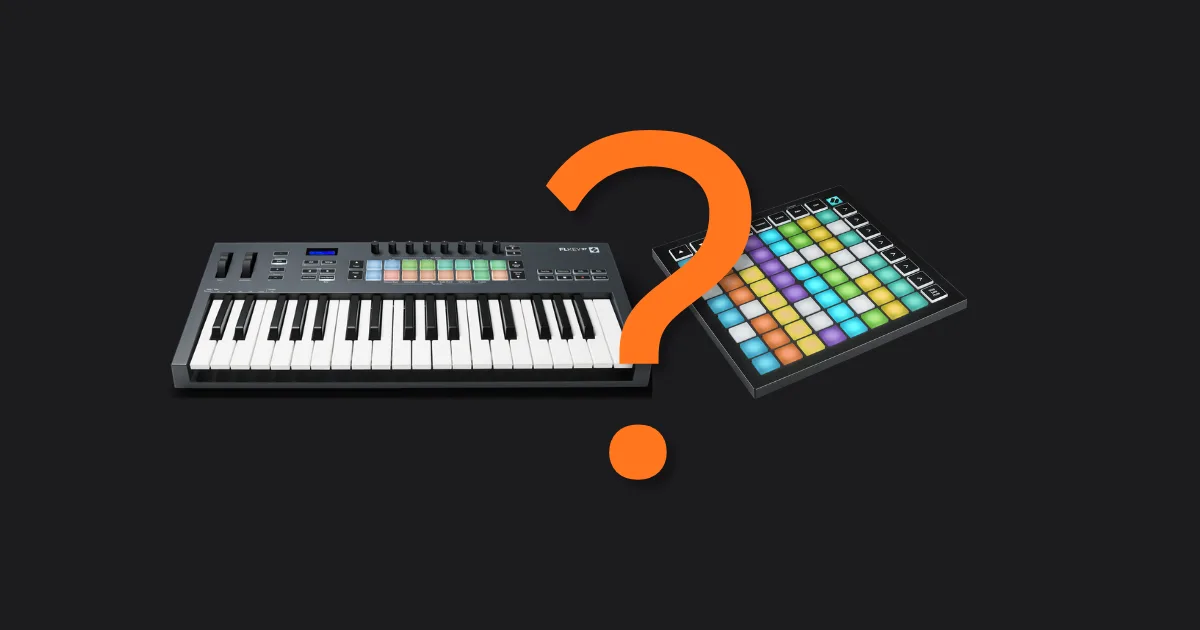
A keyboard controller gives you piano-style keys for melodic and harmonic work; a pad controller gives you a grid of velocity-sensitive pads built for beat-making and clip launching. Which one you need depends on what you actually make, not on what's trending on Instagram.
If you primarily write chords, basslines, or lead melodies, get a keyboard controller. If you finger-drum, trigger samples, or live-perform in Ableton, get a pad controller. Most producers eventually own both, but you don't need both on day one.
The debate gets murkier every year because the hardware is converging. Pad controllers now ship with chord modes. Keyboard controllers now include pad banks. But the core strengths haven't changed, and choosing the wrong tool first will slow you down for months.
We've spent time with everything from a $49 Arturia MiniLab to an Ableton Push 3 at $799. Here's what we'd tell you before you spend anything.
What Does Each Controller Actually Do?
A keyboard controller sends MIDI note data arranged in the chromatic piano layout: white keys for natural notes, black keys for sharps and flats. Most don't generate any sound on their own. They're messengers, not instruments. You plug them into your DAW and they trigger whatever software instrument you've loaded.
Some models do include onboard sounds. The Akai MPK Mini Play MK3 (~$99) ships with a built-in speaker and 128 internal sounds. It's the exception, not the rule.
A pad controller sends the same MIDI data, just from a different physical surface. Sixteen pads in a 4x4 grid is standard. Those pads are velocity-sensitive, meaning how hard you hit them changes the note's volume and often its timbre. Some controllers also read how long you press after the initial hit. That's aftertouch, and it's rarer than you'd think. More on that below.
The Sound Generation Confusion
We hear this question constantly: "Which one sounds better?" Neither produces sound without software behind it. Your keyboard controller doesn't sound like a piano. Kontakt does. Serum does. The controller is just a way to tell those plugins what note to play and when.
The only exception is a standalone synthesizer with a built-in keyboard. Something like the Arturia MiniFreak or the Korg Minilogue XD. Those are instruments first, MIDI controllers second. That's a different category with a different price bracket.
When Does a Keyboard Controller Win?
Keyboard controllers win any time you're working with pitch in a linear, scalar way. Writing a melody. Playing chord progressions. Recording bass guitar parts via a MIDI bass instrument. Practising scales to improve your theory.
The piano layout is a solved problem. It maps directly to standard musical notation. Every key is 22.5mm wide on a full-size controller. Your muscle memory from one keyboard transfers to every keyboard you'll ever touch.
Key Range Actually Matters
Controllers ship in 25, 37, 49, 61, 76, or 88-key formats. Here's the honest breakdown.
25 keys covers two octaves. Fine for basslines and single-voice leads. Frustrating for anything requiring both hands simultaneously. We've been there: trying to play a left-hand bass line and a right-hand melody on a 25-key and constantly hitting the octave transpose button. Annoying.
49 keys is the sweet spot for most producers. Four octaves. You can play two-hand parts without octave-jumping mid-take. It fits on any desk without rearranging your life.
61 keys gives you more range and feels closer to a real piano. Good if you have keyboard training. Overkill if you don't.
88 keys is for pianists. If you need to ask, you don't need 88.
Keyboard Controllers in FL Studio vs. Ableton
FL Studio's Piano Roll is arguably the best MIDI editor in any DAW. A lot of FL users draw notes in rather than playing them live. That makes a keyboard controller feel less necessary on first glance. But dialing in melodies live and then editing them is still faster than drawing every note from scratch, especially for expressive phrasing. Step-time input via keyboard is also faster in FL than most people realize.
Ableton rewards live keyboard playing more directly. Session View records what you play, when you play it. Capture MIDI grabs what you just improvised even if you didn't hit record. A 49-key or 61-key controller pairs well here.
When Does a Pad Controller Win?
Pad controllers win at anything rhythmic and anything grid-based. Finger drumming is the obvious one. But the deeper use case is clip launching in Ableton's Session View, or scene triggering in a live electronic set.
We put this to the test with a Novation Launchpad X ($119) running a live drum and bass set in Ableton. Triggering 64 clips from a grid with one hand while adjusting a filter with the other? That's what the Launchpad is built for. A keyboard in that situation would be slower and more confusing.
Pad controllers also handle drum programming differently than keys. Mapping a kick to a pad and a snare to an adjacent pad is immediate. Your hand learns the layout in minutes. Mapping kick and snare to piano keys always feels slightly wrong, like you're translating.
Velocity Sensitivity and Aftertouch: The Real Gap
This is where pad controllers vary more than the marketing suggests. Budget pads (under $75) often claim velocity sensitivity but ship with pads that have a narrow dynamic range. You hit lightly and get a quiet note. You hit hard and get a loud one. But the middle range is compressed and you lose nuance.
Mid-range pads like the Akai MPD226 ($149) or the Novation Launchpad Pro MK3 ($299) have better pad sensitivity. The dynamic range is wider. A ghost note actually sounds like a ghost note.
Aftertouch on pad controllers is rare. Most pads, including most Akai and Novation models, don't offer polyphonic aftertouch. You press harder after the initial hit and nothing happens. Keyboard controllers at the $150+ level more commonly include channel aftertouch. Polyphonic aftertouch (each key independent) only appears on controllers like the ROLI Seaboard or the Expressive E Osmose, which are in a different category entirely.
Pad Controllers in FL Studio vs. Ableton
Ableton is where pad controllers feel like native hardware. The Ableton Push 3 ($799) maps directly to Session View, Browse, Device, and Mix modes. Every pad has a specific function depending on what mode you're in. There's no translation required.
FL Studio's step sequencer can be triggered from pads, but the integration isn't as tight. You can map pads to patterns and mixer channels, but you're doing more manual mapping work. Pad controllers in FL are useful but they don't feel purpose-built the way they do in Ableton.
What About Aftertouch, Faders, and Pads on Keyboards?
Hybrid controllers are trying to close this debate. The Arturia KeyLab Essential 49 MK3 ($149) ships with 9 faders, 9 knobs, transport controls, 8 velocity-sensitive pads, and 49 keys. The Akai MPK249 ($299) adds MPC-style pads with four banks, giving you 64 pad slots from a keyboard controller.
We love this direction. A single controller that handles melodic input and basic pad performance is genuinely useful for solo producers working ITB.
The compromise is that the pads on keyboard controllers are almost always smaller and less responsive than dedicated pad controllers. The 8 pads on a Novation Impulse feel satisfying. The 16 pads on an MPK249 feel decent. The pads on a budget keyboard controller under $100 feel like an afterthought.
Which One Should You Actually Buy First?
Here's our position: buy a keyboard controller first, unless you already play drums or you're building a setup specifically around Ableton Session View.
The reason is transferability. Keyboard layout knowledge compounds. Learning where D minor is on a keyboard makes you better at theory, better at reading scores if you ever need to, and faster at programming MIDI. That knowledge transfers to every synth, every plugin, every session for the rest of your career.
Pad layout knowledge is deep but narrower. It makes you better at rhythmic programming in specific DAWs. That's still valuable, but it doesn't compound the same way.
The Budget Reality
Under $100: The Arturia MiniLab MK3 ($59) gives you 25 mini-keys, 8 pads, and comes bundled with Analog Lab Lite including 500+ synth presets. It's not perfect but it's a clever starting point. The Akai MPD218 ($59) is a clean 16-pad controller with three banks for 48 total pad slots. Both are honest entry points.
$100 to $250: The Novation Launchpad Pro MK3 ($299) is the premium pad pick for Ableton users. At the keyboard end, the Arturia KeyLab Essential 49 MK3 ($149) is one of the most complete packages in its price range. We'd honestly buy either.
$250 and up: The Ableton Push 3 ($799) is the best pad controller we've used. Brilliant for live performance and studio work in Ableton. If you don't use Ableton, there's less justification. At the high keyboard end, the Native Instruments Komplete Kontrol S49 MK2 ($499) is brilliant if you're deep in the NI ecosystem and want deep plugin browsing integration.
A Note on Hand Size and Ergonomics
Nobody talks about this enough. Mini-keys (found on 25-key and budget 49-key controllers) are roughly 14mm wide compared to the 22.5mm standard. If you have large hands, mini-keys are legitimately harder to play cleanly. We've watched producers with wide finger spread consistently trigger adjacent notes on mini-key boards. Frustrating and demoralizing when you're trying to build momentum.
If your hands are average or larger, budget for a full-size 49-key. The price difference is usually $30 to $60 and it's worth it.
Pad controllers have their own ergonomic story. Smaller pads (30mm x 30mm and under) punish finger drumming over long sessions. The Ableton Push 3's pads are 55mm x 55mm. Your wrist will thank you.
Worth Bookmarking
- MusicRadar: MIDI Controller Beginner Guide, solid overview of controller types and signal flow
- Sweetwater InSync: MIDI Controller Buyer's Guide, detailed spec comparisons with gear links
- Ableton Max for Live, if you're mapping pad controllers to custom functions, this is where you go
- Native Instruments Komplete Kontrol, the deep-integration keyboard ecosystem worth understanding before buying
- FL Studio MIDI Settings Manual, essential reading if you're mapping any controller in FL
Also worth reading before you buy: and .
Summary
Keyboard controllers win for melodic and harmonic production, theory development, and any workflow that involves pitch-based playing. Pad controllers win for beat-making, clip launching, and rhythmic live performance, especially in Ableton. Hybrid controllers exist and work well, but the pads and keys are usually a compromise on both sides.
Buy a keyboard first if you're a general producer. Buy a pad controller first if you're building a live Ableton rig or you already have drumming instincts you want to translate into your DAW. When budget allows, own both. They don't compete. They divide labour.
Frequently Asked Questions
Can I use a pad controller to play piano parts?
You can, but it's slower and less intuitive than a keyboard. Pad controllers in chromatic mode assign notes to pads in a scale-based or chromatic grid layout. You can play melodies this way, but the layout doesn't transfer to any real-world musical theory the way piano keys do. For anything melodic, a keyboard is faster.
Do I need music theory to use a keyboard controller?
No. You can record one finger at a time, use scale lock modes (which restrict playable notes to a chosen scale), or simply experiment until something sounds right. That said, even basic theory knowledge speeds up your workflow dramatically. Learning five chord shapes will change what you produce.
What's the difference between mini-keys and full-size keys?
Full-size keys are 22.5mm wide, matching a standard piano. Mini-keys are typically 14mm wide. Mini-keys save space and cost less, but they're harder to play cleanly if you have average-to-large hands. If you plan to actually play your controller rather than just tap in notes, full-size keys are worth the extra desk space.
Do pad controllers work with FL Studio?
Yes, but not as smoothly as with Ableton. FL Studio's step sequencer and mixer can be mapped to pads manually, and some controllers like the Akai Fire are built specifically for FL Studio integration. For most pad controllers, you'll spend time in the MIDI settings menu doing manual mapping. It's doable, just not plug-and-play.
Is aftertouch important for a beginner?
Not immediately. Aftertouch lets you modulate a sound by pressing harder into a key after the initial hit, which adds expressive pitch vibrato or filter movement. It's a beautiful feature and we wish more controllers included it. But it's an advanced expressive tool. Prioritise key feel, range, and integration before worrying about aftertouch.
Can one controller replace both a keyboard and a pad controller?
Hybrid controllers like the Akai MPK249 or Arturia KeyLab Essential 49 MK3 come close. You get real keys plus a bank of pads in one unit. The trade-off is that the pads on keyboard controllers are usually smaller and less dynamic than a dedicated pad surface. If you're tight on budget and desk space, a hybrid is a smart compromise. If pad performance is central to your work, a dedicated pad controller will always feel better.