
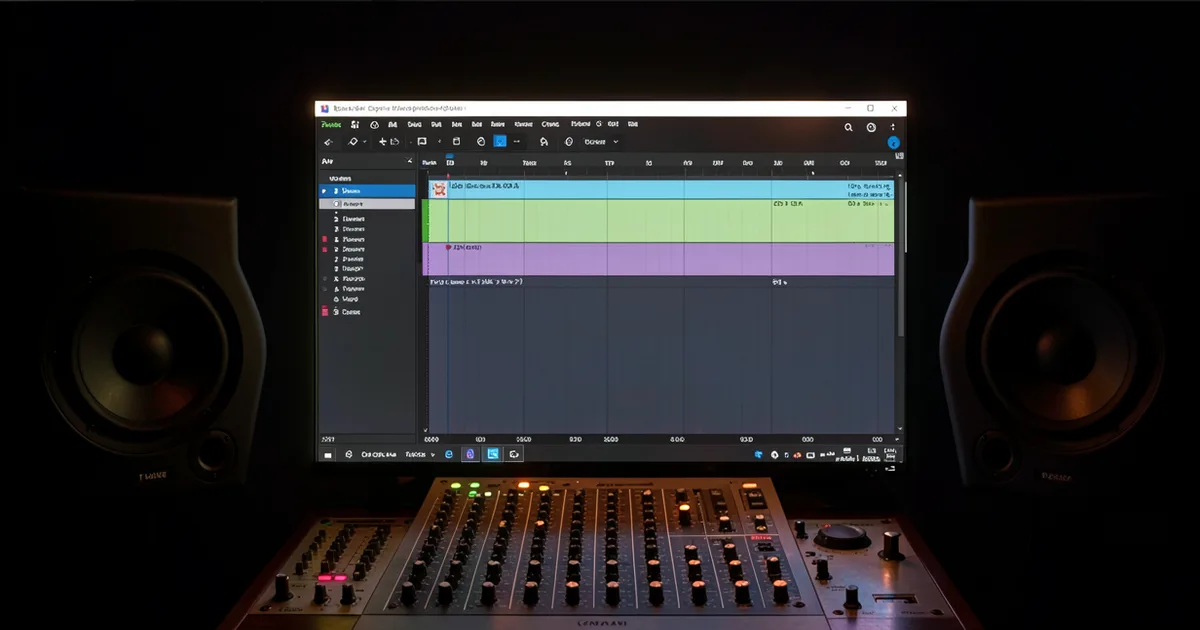
A DAW (Digital Audio Workstation) is software that lets you record, edit, arrange, mix, and master audio on a computer. The right one depends on your genre, workflow, and budget: Ableton Live suits electronic producers and live performers, Logic Pro is the best value for Mac users, FL Studio dominates hip-hop and beat-making, Pro Tools remains the industry standard for recording studios, and Reaper offers the most features per dollar at $60.
A DAW is the center of every modern music production setup. It's where your ideas go from your head to a speaker. Everything else in your signal chain, your audio interface, your plugins, your MIDI controller, feeds into it.
Choosing the wrong one wastes months. You'll learn a workflow that fights you, then spend a year unlearning it. We've seen producers restart from scratch at the $800 mark because someone on YouTube told them to buy the wrong tool.
This guide covers what a DAW actually does, which ones are worth your money in 2026, what hardware you need to run one properly, and how to avoid the switching costs that nobody talks about. We'll take a position on which DAW wins for each use case. No hedging.
What Does a DAW Actually Do?
Record audio. Edit it. Arrange it. Mix it. Master it. That's the job.
Every DAW does all of those things. The differences are in how they do them, what the interface prioritizes, and where the workflow friction shows up.
A DAW handles both audio tracks (live recordings, samples, vocals) and MIDI tracks (note data that triggers virtual instruments). Most productions use both. A pop record might have 12 audio tracks for vocals and live instruments, plus 30 MIDI tracks driving soft synths and drum machines.
The Core Components You'll Use Every Day
The arrangement view (or timeline) is where you build your song structure. Verse, chorus, bridge. It's a horizontal display of clips moving left to right in time.
The mixer gives each track its own channel with faders, panning, and insert slots for plugins. This is where you balance levels and shape your sound.
The piano roll is where you edit MIDI. It displays notes as horizontal bars on a grid. Draw in a melody. Quantize a drum pattern. Fix a flat note.
The plugin host is what lets you run third-party instruments and effects inside the DAW. VSTs, AU, AAX. Format depends on your DAW and operating system.
Which DAW Should You Buy?
There's no single right answer. But there's absolutely a right answer for you, based on three questions: What genre do you produce? Do you perform live? What platform are you on?
Ableton Live 12: Best for Electronic Music and Live Performance
Ableton's Session View is the thing no other DAW has matched in 20 years. It's a grid of clips you can trigger in any order. That's how electronic producers build sets and sketch ideas fast.
Live 12, released in 2024, was the biggest overhaul in over a decade. It added MIDI tools that include probabilistic sequencing, pitch expression, and per-note control that used to require Max for Live. These aren't gimmicks. They change how you program rhythm and melody.
Pricing: Intro at $99, Standard at $449, Suite at $749. The jump from Intro to Standard is worth it for the extra instruments alone. Suite adds Max for Live, which is a patching environment for custom devices. If you're into modular-style sound design, Suite pays for itself.
We opened a new set in Live 12 and had a four-bar loop running in under 90 seconds. The workflow clicks. The frustrating part is the arrangement view: it's functional, but producers who record live bands find it less natural than Pro Tools or Logic.
Logic Pro: Best Value for Mac Users
$199 one-time. No subscription. On Apple Silicon, it runs faster than anything else in this price range.
Logic Pro includes a full-featured sampler (EXS24/Quick Sampler), a serious step sequencer, Dolby Atmos mixing, and more than 70 included plugins. The Vintage gear emulations (Vintage B3, Vintage Electric Piano) sound genuinely good. The stock compressors are underrated.
GarageBand is the free on-ramp. It supports up to 255 tracks, ships on every Mac and iPad, and shares project files with Logic. If you're on Mac and starting out, open GarageBand first. If you outgrow it, Logic imports your sessions natively. That migration costs you nothing.
The catch: Logic is Mac-only. If you're on Windows, skip this section entirely.
FL Studio: Best for Beat-Making and Hip-Hop
FL Studio's pattern-based workflow is different from every other DAW. You build patterns in the step sequencer or piano roll, then arrange them in the playlist. It feels backward the first week. After that, it's brilliant for stacking loops and building beats fast.
Pricing: Fruity Edition at $99 (no audio recording), Producer Edition at $199, All Plugins at $299, Ultimate at $499. Producer Edition is the one to buy. It adds audio recording and full mixer routing, which you need.
One thing FL Studio does better than anyone: lifetime free updates. You pay $199 once. Every future version is included. That's a real financial advantage over subscription models.
The stock plugins are underrated. The Parametric EQ 2 is clean. Gross Beat is a love-it-or-hate-it stutter effect that hip-hop and future bass producers swear by. It's ugly to look at and satisfying to use.
Pro Tools: Best for Recording Studios and Post-Production
If you're recording live bands, scoring to picture, or working in a professional studio environment, Pro Tools is the industry standard. Full stop.
Its edit window is the benchmark for audio editing precision. Elastic Audio handles time-stretching. The clip gain workflow is fast. Session compatibility across studios is a real professional advantage.
The pricing model is annoying. Avid moved to a subscription at $9.99/month for Pro Tools Intro (limited) or $29.99/month for Pro Tools Studio (full). You can buy perpetual licenses, but check Avid's current pricing structure because it changes. The subscription tax adds up. Over three years, you're looking at over $1,000 for Studio.
For most home producers, it's overkill. For anyone billing clients for tracking sessions, it's table stakes.
Reaper: The Smartest Buy Nobody Talks About Enough
$60. Full-featured. Runs on Windows, Mac, and Linux. Tiny installation footprint. Exceptionally low CPU overhead.
Reaper is endlessly customizable. Its routing is the most flexible of any DAW. You can route anything to anything, build custom toolbars, and script repetitive tasks in Lua or Python. It doesn't hold your hand. The default theme looks dated. The workflow takes longer to learn.
We loaded a 64-track session with heavy plugin usage into Reaper and Pro Tools on the same machine. Reaper's CPU meter sat 15-20% lower at identical buffer settings. That matters if you're working on a laptop without a powerful audio interface.
Post-production professionals and sound designers love it. It doesn't ship with many instruments, so you'll need to budget for VST instruments separately.
Worth Bookmarking
- Reaper.fm, Download Reaper's fully functional trial (no time limit, nag screen only)
- Ableton Trial, 30-day full-featured Live 12 trial
- Image-Line, FL Studio trials and the lifetime update policy explained
- Logic Pro, 90-day free trial, Mac only
- KVR Audio, The best database for finding free and paid VST/AU plugins for any DAW
- Reaper Resources, Community scripts, themes, and tutorials
- Sound On Sound Techniques, Deep workflow tutorials covering every major DAW
What Hardware Do You Actually Need?
Three things. You need an audio interface, monitor speakers or headphones, and a MIDI controller. That's the minimum viable studio.
Audio Interface
Your audio interface converts analog signals (microphones, guitars, keyboards) to digital, and digital back to analog for playback. The built-in sound card in your laptop is not good enough. The latency is too high, the converters are poor, and you can't plug in an XLR mic.
A Focusrite Scarlett Solo or 2i2 handles most home studio needs. Two inputs, solid preamps, round-trip latency under 5ms at 64 samples on most computers. Check the guide for full comparisons.
Monitor Speakers and Headphones
Consumer headphones and laptop speakers lie to you. They exaggerate bass and high frequencies. Mixes made on them sound wrong everywhere else.
Studio monitors have a flat response curve. What you hear is what's actually there. If you can't monitor at volume (apartment, roommates), studio headphones like the Sony MDR-7506 or Beyerdynamic DT 770 Pro give you a more honest picture than consumer earbuds.
We mixed a track on laptop speakers once and thought the low-end was perfect. Bounced it to the car stereo. The kick had 6dB too much at 80Hz. We learned. You don't have to.
MIDI Controller
You don't strictly need one. You can draw notes in a piano roll with a mouse. But a 25-key MIDI keyboard makes melodic input faster and more expressive. It's a quality-of-life improvement, not a requirement.
For beat-making workflows in FL Studio or Ableton, a pad controller (Akai MPC, Native Instruments Maschine) can replace or supplement a keyboard. Pick based on how you think about rhythm.
What Are DAW Switching Costs, and Should They Scare You?
Yes. A little. Here's the honest picture.
When you switch DAWs, your project files don't transfer. An Ableton Set doesn't open in Logic. An FL Studio project doesn't open in Pro Tools. You can export stems (individual audio bounces of each track), but you lose plugin settings, automation, and arrangement structure. A complex session could take days to rebuild.
Your muscle memory resets too. Keyboard shortcuts. Where the mixer lives. How the routing works. Expect three to six months before a new DAW feels fluid.
The practical advice: pick one and commit for at least a year before deciding to switch. Download the free trials first, always. Ableton offers 30 days. Logic offers 90 days on Mac. Reaper's trial has no time limit. FL Studio's trial lets you export but not save (test the workflow, not just the sound). Pro Tools Intro is free with limitations.
The cost of switching is rarely financial. It's time. And time in the studio is the thing you never get back.
What's Actually New in DAWs for 2026?
AI stem separation is no longer a third-party thing. It's being built into DAW workflows directly. The ability to isolate drums, bass, and vocals from a mixed audio file now exists inside several hosts without routing to an external plugin.
Apple Silicon optimization is real and measurable. Logic Pro on an M3 MacBook Pro handles sessions that would have needed a Mac Pro five years ago. If you're on Mac and running Logic, the performance headroom is significant. No other DAW matches Logic's M-series optimization yet, though Ableton and others are improving.
Collaborative features are still catching up. Real-time multi-user editing (the way Google Docs works) doesn't exist in any major DAW yet. Splice handles version control and cloud backup. BandLab handles basic collaboration. But the DAW itself is still a single-user environment in 2026. This is a genuine gap in the market.
Remote recording, where a musician records in one location and sends audio to a session engineer in another, is handled by tools like Source-Connect or simple shared cloud drives, not the DAW natively. Worth knowing if you're working with remote collaborators.
Summary
A DAW records, edits, arranges, mixes, and masters audio. Ableton Live 12 wins for electronic and live performance. Logic Pro is the best value on Mac at $199. FL Studio dominates beat-making with the only lifetime update policy in the market. Reaper gives you the most features per dollar at $60. Pro Tools is non-negotiable for professional recording studios. You need an audio interface, honest monitoring, and a trial period before you commit. Download every trial before buying. Switching costs are real. Pick once, go deep.
Part of our complete Studio Signal Chain Guide: Build a Clean Audio Path series.
Frequently Asked Questions
What's the best DAW for beginners?
GarageBand on Mac is the strongest starting point: it's free, ships on every Mac, supports up to 255 tracks, and exports directly to Logic Pro when you're ready to upgrade. On Windows, FL Studio Producer Edition at $199 with lifetime updates is the best long-term investment for beginners who want to make beats.
Can I use a free DAW to make professional-quality music?
Yes. GarageBand has been used on charting records. Reaper's 60-day trial is fully functional, and the $60 license is the most honest software deal in the industry. The DAW rarely limits you. Your skills, your monitoring, and your plugin choices matter more.
Do I need a powerful computer to run a DAW?
A modern mid-range machine handles most sessions well. The key specs are RAM (16GB minimum for comfortable modern production) and CPU single-core speed. More tracks and more CPU-heavy plugins demand more power. Reaper runs leaner than most. Ableton Live with Max for Live devices can get hungry fast. Check the minimum specs for your DAW before buying hardware.
Is Pro Tools worth it for home studios?
Only if you're recording live instruments professionally and need to exchange sessions with commercial studios. For ITB production and mixing, Logic, Ableton, or FL Studio will serve you better at lower cost. The subscription pricing makes Pro Tools expensive over time without a clear workflow reason to justify it.
What's the difference between a DAW and an audio editor?
An audio editor (like Adobe Audition or iZotope RX) handles single audio files: repair, noise reduction, restoration. A DAW manages multitrack sessions with MIDI, mixing, and full arrangements. You'd use an audio editor to clean up a vocal recording before importing it into your DAW session.
How long does it take to learn a DAW?
Basic navigation takes a weekend. Making something you're proud of takes three to six months of regular work. Mastering the routing and advanced features takes years. The learning curve is steeper in Reaper and Pro Tools, and shallower in Logic and FL Studio. Don't let the curve stop you from starting.
Can I switch DAWs without losing my projects?
You can't transfer projects natively between different DAWs. The workaround is exporting stems: a separate audio bounce of every track in your session. You'll lose automation and plugin settings, but you keep the audio. Budget two to four hours per complex session for a stem export migration. It's painful once. After that, you stay put.