
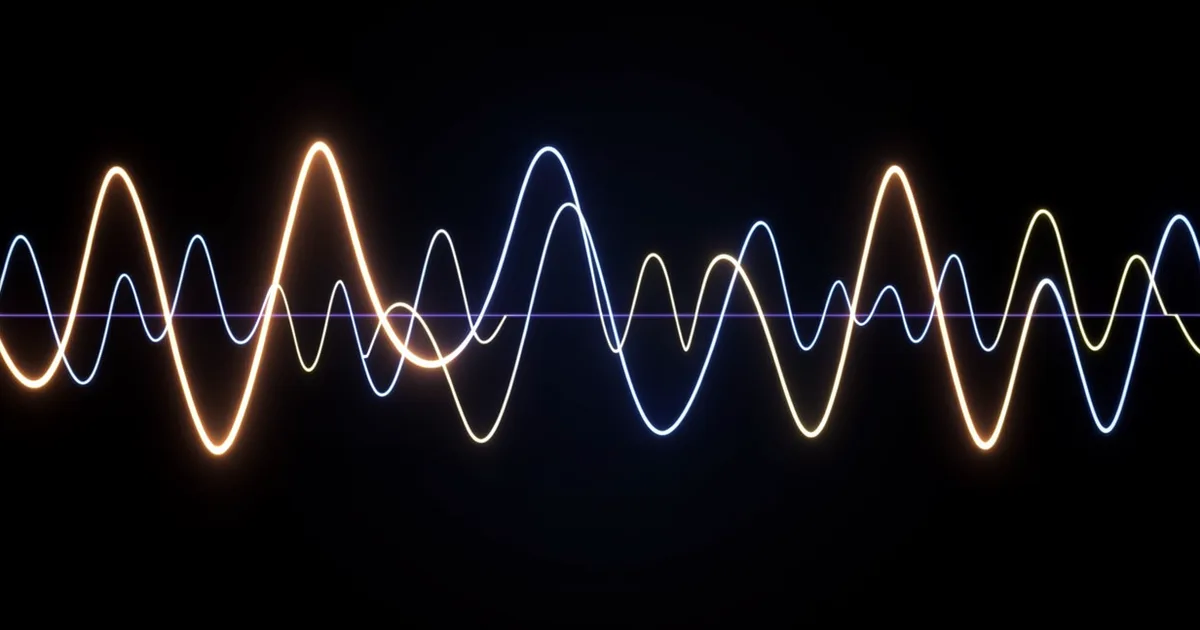
Tremolo plugins modulate the amplitude (volume) of your audio signal at a set rate and depth, creating rhythmic or wavering effects. The best options in 2026 range from Soundtoys Tremolator for analog character to MeldaProduction MTremoloMB for multiband control, with solid free picks like Pecheneg Tremolo and Adam Monroe's Tremolo for producers on a budget.
What Are Tremolo Plugins and Why Does Your Mix Need One?
Tremolo is amplitude modulation. The volume of your signal pulses at a rate you set, to a depth you control. That's the whole mechanism.
It's one of the oldest effects in music, wired into vintage guitar amps and lap steel pedals long before anyone thought to model it in software. But "old" doesn't mean simple. A well-dialed tremolo can glue a synth pad into a groove, transform a static guitar chord into something alive, or give a vocal take a seasick, dreamlike quality that reverb alone can't touch.
Before we go further: tremolo and vibrato are not the same thing. Tremolo modulates amplitude. Vibrato modulates pitch. Your Fender amp's "vibrato" channel is technically a tremolo. This mix-up has been annoying producers and guitarists for 70 years and shows no sign of stopping.
This guide covers every angle: the core concepts, the feature set worth caring about, our picks across different use cases, free options that punch above their price, and the workflow details that competing guides skip entirely.
What Features Actually Matter in a Tremolo Plugin?
Most tremolo plugins share a core set of controls. Knowing what each one does stops you from buying something that looks impressive but doesn't fit your workflow.
LFO Waveform Shape
The waveform you choose changes the character of the volume modulation completely. Sine gives you smooth, rounded swells. Square gives you hard cuts, on-off gating. Triangle sits between the two: linear ramps with sharper transitions than sine but softer than square.
Some plugins extend this. Action Tremolo offers five waveforms across three modulation sources: an envelope follower, an LFO, and a 32-step sequencer. That sequencer is where things get interesting for electronic production, because you're essentially programming rhythmic volume patterns, not just picking a wave shape.
We tested a 16th-note square wave tremolo on a pad synth at 128 BPM. The hard cuts turned an otherwise static chord into something that felt sequenced without touching the MIDI. Satisfying in a way that's hard to explain until you hear it.
BPM Sync and Subdivision Control
If your tremolo can't sync to your DAW's tempo, it's going to drift out of phase with everything else and ruin a take. Tempo sync is non-negotiable for most production contexts.
Beyond basic quarter and eighth notes, look for triplet and dotted subdivisions. A dotted-eighth tremolo at 120 BPM creates a polyrhythmic tension against a straight 4/4 grid. It's a clever trick that works on guitars, keys, and synth leads alike.
Depth and Bias Controls
Depth sets how far the volume drops at the trough of each modulation cycle. A depth of 100% cuts to silence. A depth of 20% is a gentle shimmer. Most producers live somewhere between 40% and 70%.
Bias shifts where the modulation sits. A positive bias means the signal spends more time louder. A negative bias means more time cut. It's underrated as a tone-shaping control and most guides don't mention it.
What's the Difference Between Tremolo and Vibrato in Plugins?
Tremolo: volume goes up and down. Vibrato: pitch goes up and down. Both use an LFO as the engine. The destination signal is different.
Some plugins blur this line deliberately. BLEASS Dragonfly does pitch-tracking modulation on incoming audio, so the tremolo rate syncs to the pitch of what you're playing. Run a vocal through it and the effect warps around the melody. It's a creative sound design tool more than a traditional tremolo, and it's the most interesting thing to happen to the effect in years.
If you're after pure pitch modulation, you want a dedicated vibrato plugin or the vibrato mode inside something like Soundtoys MicroShift. Don't confuse the two in your signal chain.
Which Tremolo Plugin Should You Actually Buy?
We've spent time with all the major options. Here's where we land.
Soundtoys Tremolator: Our Pick for Analog Character
Tremolator nails the feel of vintage amp tremolo. The BPM sync is tight, the waveform shaping is intuitive, and the analog-modeled behavior means the modulation doesn't feel mechanical.
We ran an arpeggiated electric piano through Tremolator at a dotted-eighth note rate with a sine wave and about 60% depth. It locked into the groove immediately. The volume swells felt like a human playing with a volume knob, not a robot toggling a switch. That's the difference analog modeling makes.
It's not cheap, but it's part of the Soundtoys bundle, so if you already own that, this is already in your rack. If you don't own the bundle, check whether the Soundtoys bundle review justifies the spend for your setup.
MeldaProduction MTremoloMB: Our Pick for Multiband Control
MTremoloMB does something no basic tremolo plugin can: it applies tremolo across up to six customizable frequency bands independently. Low end stays steady while the highs flutter. Or the mids pulse while the lows and highs hold still.
We loaded it on a full acoustic guitar bus and set the high band to a fast sine wave at 70% depth while leaving the low-mid band unmodulated. The body of the guitar stayed warm and present. The air on top shimmered. It sounded like the microphone was moving, not like we'd processed anything. Brilliant result for something most producers wouldn't think to try.
MeldaProduction's interface is dense. If you're new to their plugin family, budget 20 minutes to learn the layout before you judge the sound. Once it clicks, it's one of the most flexible modulation tools in any category.
Kuassa EFEKTOR TR3604: Our Pick for Minimalists
EFEKTOR TR3604 models four classic analog tremolo circuits. The interface has six knobs. That's it. You don't need a manual.
It's built for guitar processing and lives happily in a pedal-style signal chain. For electronic production it's less flexible than MTremoloMB, but for rock, indie, and blues production, it does the job without drama. Reviewers report the "optical" circuit mode is the standout, with a softness to the modulation curve that harder circuits can't replicate.
Goodhertz Trem Control: Our Pick for Character Seekers
Trem Control ships with eight standard presets that cover the main classic tremolo styles: optical, tube, bias, and photocell. Each preset changes the underlying circuit behavior, not just the cosmetics.
It's one of the more honest-sounding plugins in this category. Users keep running into the "Drive" control and wondering what it does. It adds harmonic saturation to the modulated signal, which thickens the effect and makes it feel more physical. Worth exploring beyond the defaults.
What Are the Best Free Tremolo Plugins?
Free tremolo plugins are genuinely good now. You don't have to compromise much.
Pecheneg Tremolo
Pecheneg Tremolo is the free pick we'd actually use on a session. It has sine, square, and triangle waveforms, BPM sync, and a clean interface that takes about 30 seconds to understand. CPU draw is negligible. It's not going to replace Tremolator for character, but it handles every basic tremolo task without asking for your credit card.
Adam Monroe's Tremolo
Adam Monroe's Tremolo adds stereo width control to the standard feature set. You can set the left and right channels to modulate out of phase, which creates a panning tremolo effect that works well on wide synth pads. Free, lightweight, and smarter than it looks.
Both plugins are available as VST/AU downloads. Neither requires an iLok or online activation. That matters for studio machines you want to keep offline.
How Do You Dial In a Tremolo Effect That Sits in the Mix?
The most common mistake: too much depth, too fast a rate. It pulls attention instead of supporting the groove.
Matching Rate to Tempo
Start with an eighth-note sync and a 40% depth. Listen in context. If it disappears into the mix, increase the depth in 10% increments until you hear it working. If it fights everything else, slow the rate to a quarter note or try a dotted subdivision.
For ambient or slow material, try a rate in the 0.3Hz to 0.8Hz range with a sine wave and 25% depth. It creates motion without rhythm. Good for pads, room-filling synths, and textural elements.
MIDI Control for Live Performance
If you're performing live ITB or using hardware controllers, MIDI-mapped tremolo rate is one of the more expressive controls you can assign. Pitch-to-rate mapping (where the incoming MIDI pitch controls the tremolo speed) is a feature that separates modern plugins from vintage-modeled ones. BLEASS Dragonfly does this natively. Most classic-circuit models don't.
Velocity-to-depth mapping is equally useful. Play hard, the effect deepens. Play softly, it backs off. It turns a static effect into something that responds to performance.
CPU Load: What to Expect
Basic tremolo plugins are among the lightest processors you'll run. Pecheneg and Adam Monroe's offerings barely register. Soundtoys Tremolator runs at moderate CPU cost, comparable to other Soundtoys plugins. MTremoloMB costs more CPU than the rest of this list because of the multiband processing. On a modern machine it's fine. On an older laptop running a dense session, instantiate it with care.
Worth Bookmarking
- KVR Audio Plugin Database: The most complete database of free and commercial tremolo plugins. Filter by format, OS, and price. Good for finding lesser-known options the major guides miss.
- Sound On Sound Technique Articles: Their modulation effects guides go deep on the physics of tremolo and amplitude modulation. Useful if you want to understand the circuit behavior behind the sound.
- Plugins4Free: Curated list of free plugin downloads including several tremolo options not covered in mainstream guides. Regularly updated.
Summary
Tremolo plugins modulate amplitude. That's the core. But the range from a free utility like Pecheneg to a multiband powerhouse like MTremoloMB is enormous, and which one you need depends entirely on what you're making.
For analog guitar character: Tremolator. For complex multiband modulation: MTremoloMB. For minimalist circuit modeling: EFEKTOR TR3604. For creative pitch-tracking weirdness: BLEASS Dragonfly. For free, reliable, no-drama tremolo: Pecheneg. Start there, add complexity only when the simpler tool can't get you where you need to go.
Part of our complete Music Production Plugins Guide: Complete Beginner's Overview series.
Frequently Asked Questions
What is the difference between tremolo and vibrato in plugins?
Tremolo modulates the volume of your signal. Vibrato modulates the pitch. Both use an LFO as the driving mechanism, but the destination is different. Many vintage amps mislabeled their tremolo circuit as "vibrato," which is why the confusion persists. If you want pitch wobble, look for a dedicated vibrato plugin or a pitch modulation mode specifically labeled as such.
Do tremolo plugins work for electronic music or just guitar?
They work across every genre. Square wave tremolo on synth pads creates gated, rhythmic movement that's a staple in techno and house. Slow sine wave tremolo on ambient textures creates organic breathing motion. The guitar amp association is historical, not functional. MTremoloMB and BLEASS Dragonfly are both built with electronic production in mind.
Can I use a tremolo plugin on a vocal track?
Yes, and it's underused on vocals. A shallow sine wave tremolo at 30% depth and a slow rate adds warmth and movement to a static lead vocal. For something more aggressive, BLEASS Dragonfly's pitch-tracking mode creates a warped, rhythmic effect that works on processed or doubled vocal tracks. Keep depth below 50% unless the effect is meant to be obvious.
What's the best free tremolo plugin in 2026?
Pecheneg Tremolo is our free pick. It covers the core waveforms, syncs to tempo, and costs nothing. Adam Monroe's Tremolo is the runner-up if you want stereo out-of-phase modulation for wider pad processing. Both run on light CPU and don't require online activation.
How do I sync a tremolo plugin to my DAW's BPM?
Look for a "Sync" or "Host Sync" button in the plugin interface. Enable it, then set the rate to a note subdivision: quarter, eighth, sixteenth, dotted eighth, or triplet values. The plugin will lock its LFO rate to your project tempo. If you change the BPM mid-session, the tremolo rate updates automatically. If the plugin doesn't have a sync button, it's running in free-running Hz mode, and you'll need to calculate the rate manually.