
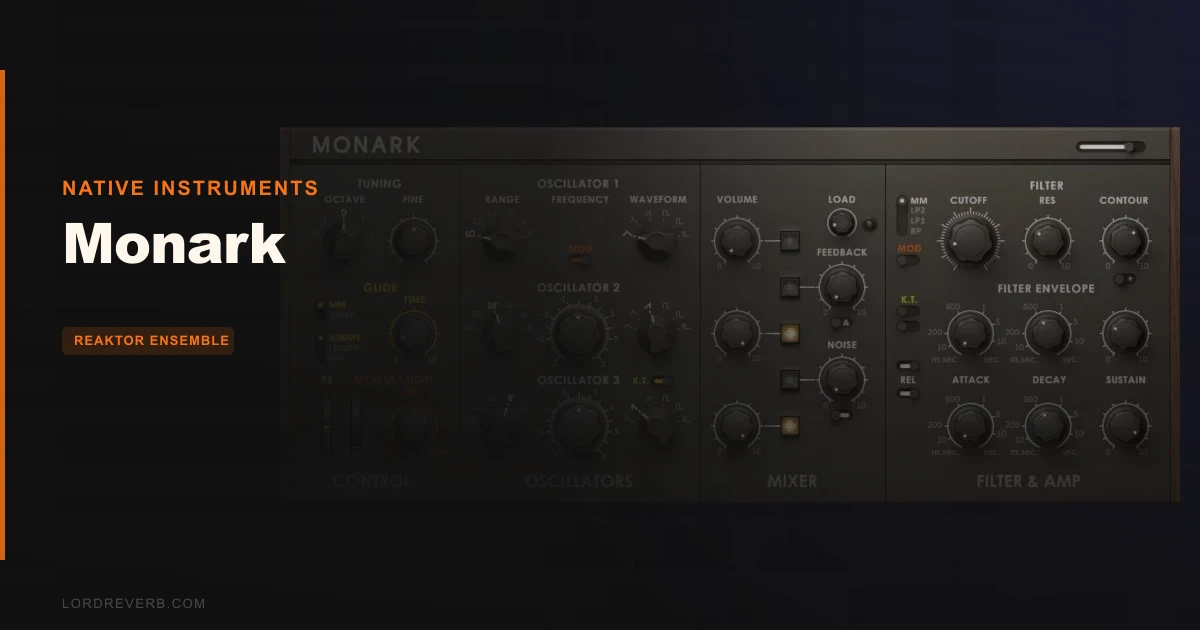
Monark is a monophonic virtual synthesizer that runs inside REAKTOR or the free REAKTOR Player, and that single dependency is the first thing you need to settle before spending $99 on it. If you don't already have REAKTOR or at least REAKTOR Player installed, you're not buying a plugin you open in your DAW directly. You're buying into Native Instruments' framework first, and then getting Monark.
That's not a dealbreaker for everyone. REAKTOR Player is free. But it does mean Monark doesn't slot into your signal chain the way a standard VST3 or AU does. Know that before you read another word.
If you clear that hurdle, what you get is one of the most satisfying mono bass and lead engines available in software. The Zero-Delay Feedback filter alone has owners talking about it like it's something special, and they're not wrong to. This thing is built for the producer who wants a Minimoog-flavored sound without chasing hardware.
At $99, Monark sits in the range where it needs to earn its spot. For REAKTOR users, it probably does. For everyone else, there are real alternatives worth looking at first.
The Catch Up Front
Let's be direct about the requirements. Monark doesn't run as a standalone plugin. It needs REAKTOR or REAKTOR Player. If you're not already in that world, that's one more piece of software to install, learn, and keep updated. It's not complicated, but it is an extra layer.
Beyond the dependency, Monark is strictly monophonic. One note at a time. That's by design, faithful to the monosynth tradition it's modeled on, but if you're after lush chords or stacked pads, this isn't your tool.
There's also no velocity response. None. Play a MIDI note at 20 velocity or 127 velocity and Monark doesn't care. For expressive melodic playing, that's a real limitation. It matters most when you're laying down leads and want dynamics baked into the performance rather than automated afterward.
Owners also report digital crackle at deep bass frequencies around 40Hz. That's a specific, known issue. Not a dealbreaker if you're working in the 60-120Hz range for bass, but worth knowing before you try to push sub-low content.
The mod wheel situation is frustrating. Reportedly, it doesn't affect around 80% of factory presets. For live performance or expressive filter sweeps via mod wheel, you'll be setting up those assignments yourself.
And the preset bank: 380+ presets sounds like a lot. Owners put the genuinely useful ones at closer to 1 in 5. The rest either don't showcase what Monark does well or are simply weak patches. Plan to build your own sounds.
What You Get If You Clear It
Monark's architecture centers on three oscillators, a filter and amp section, and modulation and glide controls. It's a deliberately focused feature set. You're not getting a Swiss Army knife. You're getting a scalpel.
The filter is the headline. Monark offers four filter types: MM 24dB, LP2, LP1, and BP. The MM 24dB is the one everyone's here for. It's modeled on the classic Moog ladder filter using Zero-Delay Feedback technology, a DSP approach formulated by Vadim Zavalishin that eliminates the sample delay produced when digitally modeling analog circuits with feedback. That delay is what makes cheaper virtual analog filters sound slightly digital at resonance. Remove it, and you get something that tracks and breathes more like the real thing.
The oscillators include drift emulation, recreating the natural pitch instability of analog oscillators. Monark also recreates the analog circuit behavior of wiring a headphone output into the VCF input, which produces the kind of feedback character that hardware users know from routing patch cables in ways they probably shouldn't.
Beyond the main instrument, Monark's oscillator, filter, and envelope modules are available individually in REAKTOR Blocks. If you want to combine Monark's filter with oscillators from somewhere else, or build a custom signal path, that door is open.
The envelopes are described as super-snappy. For stab lines and percussive electronic sounds, fast attack and release response is exactly what you need, and Monark's design prioritizes that feel. The 380+ presets span Bass, Lead, Classic, Perc/Seq, FX, and User categories, which at least shows range in intent even if the execution is uneven.
Monark also runs at 88.2/96kHz sample rate. That's a requirement worth checking your session settings against before you load it up.
The Oscillators in Detail
Three oscillators give you enough material to build fat, detuned unison tones or clean, precise single-oscillator lines. The detune behavior is what separates Monark from sterile digital mono synths.
The oscillator drift is modeled on the Minimoog's natural out-of-tune character. When you detune, it doesn't just shift pitch by a fixed interval. It introduces the kind of organic wobble that makes a bass line feel like it has weight. Owners report this comes with a catch: you'll need to tune carefully via your master keyboard because the drift can push notes slightly off center.
That's not a flaw so much as an accurate model. Real Minimoogs drift. If you want perfect, locked pitch, you probably want a different synth. If you want something that sounds like it was recorded through a console in 1973, the drift is a feature.
The feedback control is a separate element worth your attention. At lower values, it adds harmonic richness, a slight thickening of the signal. Push it to higher values and it turns aggressive. Owners describe it going harsh quickly. Keep it below 50% unless you're actively looking for that driven, slightly broken quality.
The headphone-output-into-VCF-input emulation is a genuinely clever piece of design. That routing trick is something hardware synth players have used for decades to self-oscillate the filter or add feedback harmonics. Getting it modeled accurately in software means you can explore that territory without owning the hardware.
The Filter and Why People Keep Talking About It
The Zero-Delay Feedback filter is the core reason Monark has a reputation at all.
Standard digital filter models introduce a one-sample delay in the feedback path when modeling analog circuits. At low resonance settings, you won't notice it. As you push resonance up, that delay becomes audible as a slight harshness or brittleness at the top of the filter's self-oscillation range. It's why a lot of virtual analog filters sound subtly wrong when you sweep them hard.
Vadim Zavalishin's Zero-Delay Feedback formulation removes that delay from the loop. The result is resonance that tracks smoothly all the way to self-oscillation without that metallic glaze. Owners describe it as producing natural-sounding resonance, among the best modeled filters available in a virtual instrument. That's not marketing. That's what people who bought it are reporting.
The four filter modes give you practical range. The MM 24dB is the classic 4-pole lowpass with that round, warm cutoff character, where "warm" means the harmonic content rolls off gradually rather than brick-walling, and the resonance adds even-order harmonics that sit below the fundamental. LP2 is a 2-pole variant with less roll-off. LP1 is a 1-pole, almost transparent high-cut. BP is the bandpass option, useful for nasal mid-focused tones and cutting through dense mixes.
Your bass work will benefit most from MM 24dB and LP2. Put a bassline through the MM 24dB mode, dial the cutoff to a low frequency, push resonance up, and use the envelope to give the attack a brief click. That's a classic analog bass sound that cuts through a mix without needing EQ work afterward.
The filter is also where the analog drift emulation shines hardest. Because both the oscillators and the filter have slight instability modeled in, the interaction between them produces movement that static digital filters simply can't replicate.
Envelopes and Modulation
The envelopes are described as super-snappy, and that design choice tells you exactly what Monark is optimized for. Fast transients. Tight stab sounds. Punchy electronic percussion.
If you're programming a Moog-style bass hit that needs a click on the attack and a sharp decay before settling into the note body, Monark handles that well. Set a fast attack on the amp envelope, a short decay, and a sustain level below unity. What you get is a shape that behaves like hardware, with the transient defined by the envelope rather than the signal's natural character.
For slower, evolving pad-type sounds, Monark is the wrong tool. It's monophonic, the envelopes are optimized for fast response, and there's no polyphony to stack voices. That's not a criticism. It's simply not what this synth is built for.
The modulation section and glide controls round out the performance side. Glide is essential for lead lines where you want smooth portamento between notes. The control gives you the classic monophonic slide behavior. For a lead synth, running a melody with glide on slower intervals and disabling it for faster runs is standard practice, and Monark's glide responds as expected.
The mod wheel situation is where frustration sets in. When 80% of presets don't have mod wheel assignments, it limits immediate expressiveness. You're not reaching for the wheel in a performance and getting filter movement or vibrato. You're getting nothing on most presets until you set it up yourself. For studio work, that's manageable. For live performance, annoying.
The Preset Bank: Honest Assessment
380+ presets across six categories sounds generous. The reality is more complicated.
Owners consistently report that roughly 1 in 5 presets actually demonstrate what Monark does well. The rest are either generic patches that don't leverage the filter's character, or worse, they're presets that make the synth sound ordinary. That's a real problem for a $99 instrument.
The six categories are Bass, Lead, Classic, Perc/Seq, FX, and User. The Bass and Classic categories are where the genuinely strong presets live, based on what owners report. The FX and Perc/Seq categories are more hit-or-miss.
The User category exists for your own patches, which is where you'll end up spending most of your time. Monark is reportedly easy to program. Owners describe it as hard to produce bad sounds with. If you give yourself an hour with the oscillators and filter, you'll likely build something you prefer over most of the factory bank anyway.
Don't buy Monark for the presets. Buy it for the engine, then build what you need.
REAKTOR Blocks Integration
Monark's oscillator, filter, and envelope are available as individual modules in REAKTOR Blocks. That means you can pull the Zero-Delay Feedback filter out of Monark's context and use it in a completely custom REAKTOR patch. You could pair Monark's filter with oscillators from a different NI instrument, or route external signals through it inside a Blocks setup.
For sound designers who work in REAKTOR's modular environment, this is a significant extension of Monark's value. You're not just buying a preset instrument. You're buying a set of high-quality DSP modules that live in a larger modular context.
If you've never touched REAKTOR Blocks, this benefit is invisible to you. But if you're already building things in REAKTOR, Monark's modular component availability makes the purchase more defensible.
MASCHINE Integration
Monark is optimized to integrate with the entire MASCHINE family. If your workflow centers on a MASCHINE controller, Monark is built to fit that context. Parameter mapping, workflow within the MASCHINE software environment, and the way the instrument is organized all reflect that integration.
For producers whose studio is organized around MASCHINE rather than a traditional DAW-with-controller setup, this is a genuine advantage. The instrument will feel native rather than bolted on.
If you're on a standard DAW without MASCHINE hardware, the integration doesn't hurt you, but it also doesn't help you. It's simply a neutral feature.
Where It Shines
Monark's strongest territory is mono bass and vintage lead sounds. The MM 24dB filter with the oscillator drift active produces bass tones that sit in a mix differently from most virtual analog instruments. There's movement in the sound, not just static pitch.
The filter's four modes give you practical range: MM 24dB for classic round bass, LP2 for a slightly brighter but still smooth cutoff, LP1 when you want minimal coloration, and BP for mid-focused leads that cut through dense arrangements. With resonance pushed higher on MM 24dB, the filter starts to ring. That ringing is musical. Owners describe it as natural, not brittle.
The feedback control adds a dimension that most preset bass sounds don't have. At low values, it thickens the fundamental. At moderate values, you start getting upper harmonic content that makes a bass line feel present in the high-mids even when the low end is the focus. Push past 60% and it turns aggressive, which is either right for the moment or completely wrong depending on what you're building.
Electronic percussion programming is a genuine strength. The super-snappy envelope response makes kick-style electronic drum sounds and percussive stab effects feel accurate. With a short attack, a tight decay, and resonance high with the cutoff low, you can program sounds that behave like physical drum synthesis.
Owners report Monark cuts through mixes for bass and vintage sounds without needing significant EQ work. That's a function of the filter character: the slight movement and harmonic content give the sound definition at multiple frequency ranges simultaneously.
Against the Field
The products people compare Monark to are worth looking at directly.
U-He DIVA offers broader sound capabilities and polyphony. If you need more than one note at a time, or want a virtual analog instrument that covers more sonic territory, some reviewers found DIVA superior. It's a different scope of instrument.
Synapse Audio The Legend is recommended by some owners as a superior Minimoog emulation specifically. If what you're chasing is the closest possible Minimoog clone, some users put The Legend ahead of Monark for that specific purpose.
Arturia Minimoog V offers polyphony and an extensive preset bank. If polyphony is non-negotiable and you want Moog-flavored sounds, Arturia's version is the more flexible instrument. Arturia also has a Moog-approved emulation in their catalog, which carries a different kind of authenticity claim.
Where Monark stands apart is the REAKTOR Blocks integration and the specific Zero-Delay Feedback implementation. If you're already in the REAKTOR ecosystem and want modular component flexibility alongside a finished instrument, the alternatives don't offer that combination.
Who Should Buy This
- ✅ Buy if you already own REAKTOR or have REAKTOR Player installed and want a focused mono bass and lead engine with one of the best modeled filters in software.
- ✅ Buy if you work in MASCHINE and want an instrument optimized for that environment with analog oscillator drift and filter character built in.
- ✅ Buy if you use REAKTOR Blocks for custom synth building and want Monark's oscillator, filter, and envelope as individual modular components in your signal chain.
- ❌ Skip if you need a standalone plugin that opens directly in your DAW without REAKTOR or REAKTOR Player as a dependency.
- ❌ Skip if velocity response is essential to your playing style. There is none, and that won't change with settings or workarounds.
- ❌ Skip if you're looking for a polyphonic instrument or a broad multi-purpose synth. Monark is a monosynth by design and won't bend to other uses.
Specs & Technical Details
| Developer | Native Instruments |
| Price | $99 |
| Plugin Format | Runs in REAKTOR / REAKTOR Player (not standalone VST3/AU/AAX) |
| OS Support | N/A |
| Activation | N/A |
| CPU Usage | N/A |
| Trial Available | N/A |
| Version Reviewed | N/A |
| Sample Rate Required | 88.2 / 96kHz |
| Oscillators | 3 |
| Filter Types | 4 (MM 24dB, LP2, LP1, BP) |
| Presets | 380+ |
| Polyphony | Monophonic (1 note) |
| Velocity Response | None |
Score Breakdown
| Category | Score | Notes |
|---|---|---|
| Sound Quality | 4.5/5 | Zero-Delay Feedback filter and oscillator drift put it among the best-sounding virtual mono synths available |
| Value for Money | 4.0/5 | Strong value for REAKTOR users; weaker proposition for those buying in just for Monark |
| Ease of Use | 4.5/5 | Owners consistently describe it as easy to program and hard to make a bad sound with |
| Features | 3.5/5 | No velocity response, weak mod wheel implementation, and a disappointing factory preset bank limit the score |
| CPU Efficiency | N/A/5 | No CPU data available from current notes |
| Overall | 4.2/5 | A brilliant filter and genuine analog character make it worth it for the right workflow; the dependencies and missing features keep it from being a universal recommendation |
Alternatives to Consider
If Monark's requirements don't fit your setup, here are the instruments that come up most often in the same conversation.
U-He DIVA is the alternative most often cited when producers want broader virtual analog capability. It offers polyphony, a wider range of circuit models, and doesn't require a host framework like REAKTOR. Some reviewers found Diva superior to Monark overall. If you want one virtual analog instrument that covers more ground, Diva is the more versatile choice.
Synapse Audio The Legend is recommended by some owners specifically as a Minimoog emulation that beats Monark at that specific task. If the Minimoog character is your primary target and you want something that slots directly into your DAW as a standard plugin, The Legend deserves a listen before you commit to Monark.
Arturia Minimoog V adds polyphony to the Moog-inspired formula. If you want the tonal character of a Minimoog but need more than one note at a time, Arturia's version is the more practical instrument for studio work. Arturia also carries a Moog-approved emulation in their catalog, which is worth checking if official licensing matters to you.
The Working Producer's Take
You're programming a bass line. The session needs something with weight but also presence, something that sits under the kick without disappearing in a dense arrangement. You reach for Monark, load the MM 24dB mode, and dial in the cutoff and resonance to shape the tone, using the amp envelope to add attack character. What comes back has movement. It's not static.
That's where Monark earns its price. The oscillator drift means every repeated note has micro-variation in pitch and timbre. It doesn't phase or waver obviously. It just sounds alive in a way that programmed bass often doesn't.
The same session, same synth, same day: you try to add expression by playing dynamics into the MIDI. Velocity 100 and velocity 40 produce identical output. No velocity response means your performance dynamics are purely in pitch and timing. For studio programming, automate the filter cutoff or the amp level to fake dynamics. It works. But it's extra work, and it's a real limitation you feel immediately.
The Sound Designer's Take
You're building a custom REAKTOR Blocks patch and you want a filter that doesn't sound digital at high resonance. The self-oscillation is musical. It rings at the cutoff frequency without the metallic brittleness that most digital filters produce at the edge of stability.
If you're building a custom voice architecture, adding natural pitch instability to your oscillator stack changes the character of the whole instrument. It goes from precise to organic.
For sound designers who live in REAKTOR, Monark's modular availability is what makes it a smart buy. You're getting high-quality DSP components, not just a finished instrument.
The Live Performer's Take
You're playing live with a MASCHINE controller and you want to trigger mono bass sounds with real-time filter sweeps via mod wheel. Load a Monark preset and reach for the mod wheel. For about 80% of the factory presets, nothing happens. The mod wheel isn't assigned.
That's genuinely frustrating for live use. You'll need to build your own performance presets with mod wheel assignments set up before the show. It's not impossible, but it means Monark requires prep work that similar instruments don't.
The MASCHINE integration itself is solid once your patches are set up. If your performance setup is built around MASCHINE hardware, Monark responds to that environment well. The mono nature of the instrument fits perfectly for bass duty in a live context where you're running bass from one pad and leads from another.
Skip it if you need velocity sensitivity for live expression. That's a hard limit with no workaround on the instrument side.
Closing Verdict
Monark is a brilliant-sounding mono synth with a filter that earns its reputation. The Zero-Delay Feedback technology produces resonance that most virtual analog instruments can't match, and the oscillator drift gives it a physical quality that makes bass and lead sounds feel recorded rather than programmed.
But it's not for everyone. The REAKTOR dependency is real. No velocity response is a real limit. The mod wheel situation is annoying, and the preset bank is weaker than the instrument deserves. These aren't tiny complaints. They shape what kind of producer should buy this.
If you're already in the REAKTOR ecosystem, working with MASCHINE, or building custom synths in REAKTOR Blocks, Monark at $99 is a clear yes. The filter alone is worth it, and the modular component access extends that value.
If you're buying into REAKTOR just to run Monark, or if velocity response and polyphony matter to your workflow, look at the alternatives first. Monark is a specialist instrument. It knows exactly what it is, and it does that thing very well. The question is whether that thing is what you actually need.
Love the filter. Wish the presets were better. Recommend it, but only to producers who already know why they want it.
Frequently Asked Questions
Does Monark work as a standalone plugin in my DAW?
No. Monark runs inside REAKTOR or the free REAKTOR Player. It doesn't open as a standard VST3, AU, or AAX plugin directly in your DAW without that host framework. REAKTOR Player is free to download, so the cost barrier is low, but the installation step is real. Make sure REAKTOR or REAKTOR Player is on your system before purchasing.
What's the difference between running Monark in REAKTOR versus REAKTOR Player?
REAKTOR Player is a free, stripped-down version of REAKTOR that lets you run instruments like Monark without owning the full REAKTOR software. The main difference is that REAKTOR Player limits editing to instrument parameters, while full REAKTOR lets you get inside the architecture and modify the DSP structure. For most users running Monark as an instrument, REAKTOR Player is sufficient.
Why does Monark require 88.2kHz or 96kHz sample rate?
The Zero-Delay Feedback filter modeling and analog drift emulation operate at higher sample rates to maintain accuracy in the feedback paths. MONARK requires 88.2/96kHz sample rate. Check your DAW session settings before loading Monark, because a sample rate mismatch will prevent the instrument from functioning correctly or will require a session restart.
Is there any way to add velocity response to Monark?
Monark itself has no velocity response built in. There's no internal setting that enables it. You can approximate dynamics by automating the amp level or filter cutoff in your DAW, mapping those parameters to MIDI velocity through your DAW's MIDI routing tools. It works, but it's an external workaround, not a native feature.
How does Monark compare to Arturia Minimoog V for Minimoog emulation?
Both aim at the same source, but they prioritize different things. Monark is strictly monophonic and focuses on filter accuracy via Zero-Delay Feedback technology. Arturia Minimoog V adds polyphony and a larger preset bank, making it more flexible for studio use. Some owners prefer Monark's filter character specifically. If polyphony matters, Arturia is the more practical choice.
Can Monark's filter be used in REAKTOR Blocks outside of the main instrument?
Yes. Monark's oscillator, filter, and envelope modules are available as individual components in REAKTOR Blocks. You can pull the Zero-Delay Feedback filter into a custom Blocks patch and use it independently of the full Monark instrument. This is a significant advantage for producers who build custom synth architectures in REAKTOR.
Are the factory presets worth using or should I program my own sounds?
The preset bank has a real quality problem. With 380+ presets, owners report that roughly 1 in 5 actually showcase what Monark does well. The Bass and Classic categories have the strongest patches. The rest are inconsistent. Monark is reportedly easy to program and hard to make a bad sound with, so spending time building your own patches is the smarter approach. Use the factory bank as a starting point, not a destination.