Gravity 2 by Heavyocity is worth buying if you score for film, TV, or games, and it’s overpriced if you don’t.
That’s the honest answer to the question every producer who remembers the original Gravity from 2015 is asking: did they fix what was broken, or just add more of the same? The original was a great dark-cinematic texture library that completely lacked rhythmic material. Composers had to bolt on separate drum libraries to animate anything. Gravity 2 addresses that directly with 144 tempo-synced rhythmic pedal loops, and it changes the character of the whole library.
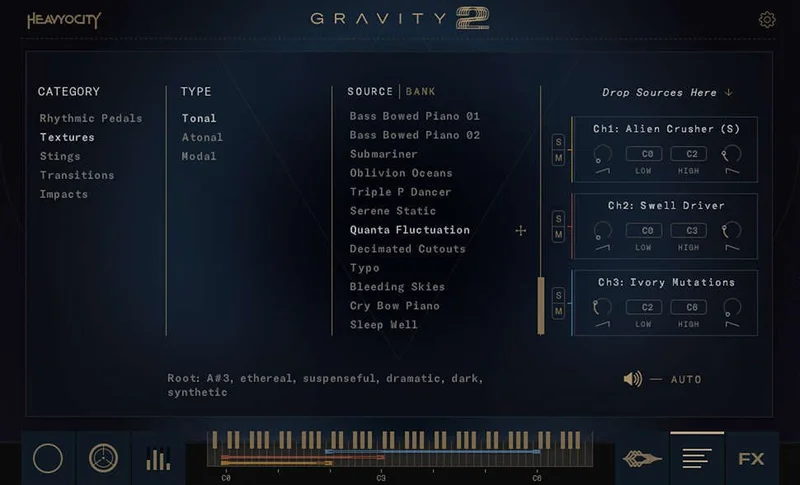
The full library ships with 1,000+ distinct sound sources, 2,300+ samples, 9.55GB of content, and 600 presets across five categories: rhythmic pedals, textures, stings, transitions, and impacts. You need Kontakt Player 7.6.0 or higher. It runs in VST3, AU, and AAX. At $449 retail, it’s a serious purchase.
Does Gravity 2 Actually Deliver on the Hype?
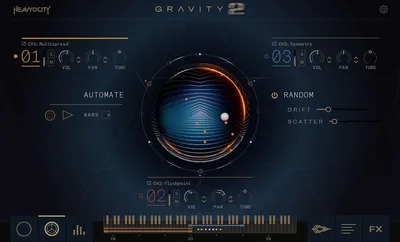
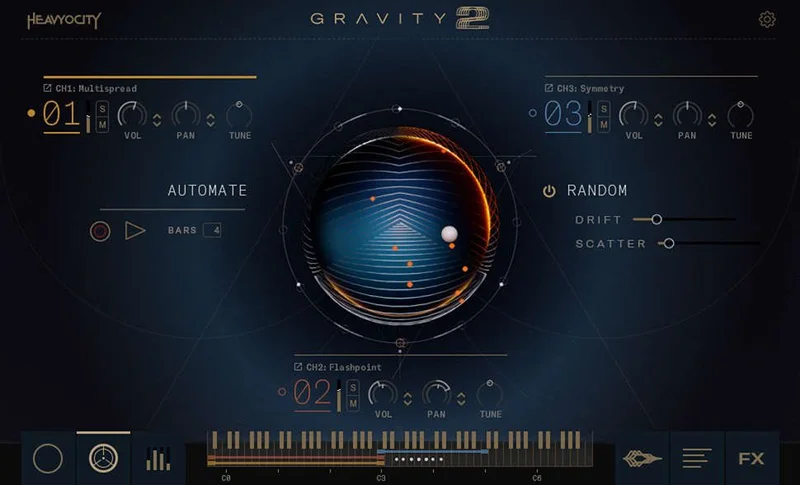
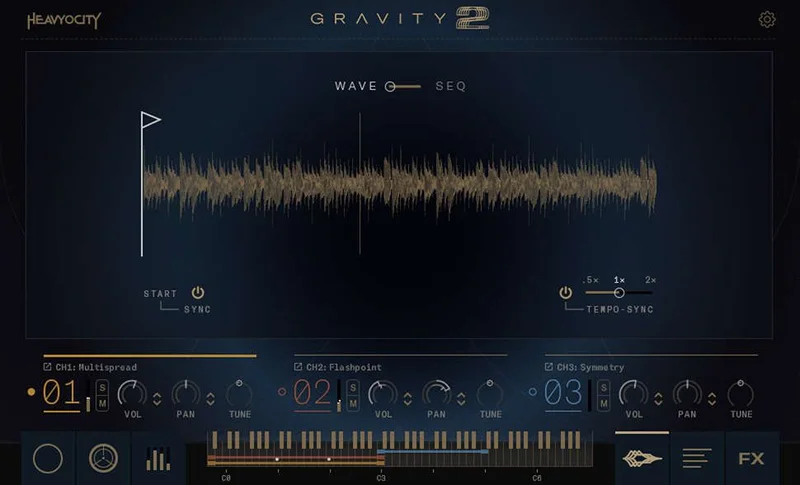
Heavyocity built this around three separate engines, and that architecture is where the real story is. Menu gives you quick single-sound browsing. Menu XL expands that into a more detailed preset view. Designer layers up to three channels simultaneously with independent effects chains per channel.
The promise is flexibility across a wide sonic range: from celestial pad swells that sit underneath dialogue to aggressive bass hits that open a trailer. We tested that claim across scoring sessions and found it mostly true. The library genuinely covers that range without feeling like two separate products glued together. The rhythmic pedal loops are the key addition. They’re tempo-synced, they’re musical, and they stop Gravity 2 from being just another dark-texture library with a famous name on it.
Whether it lives up to the hype depends on what you do. More on that below.
Where Gravity 2 Shines
The rhythmic pedals are the headline upgrade. We dropped a 120 BPM session and pulled up a rhythmic pedal preset. It locked to the grid immediately. The pattern had a metallic, mechanical pulse with just enough organic movement to feel live rather than programmed. Layering it under a string ostinato took about 90 seconds. That kind of speed matters on deadline.
The stings category holds 252 individual hits. We used a short percussive sting as a scene punctuation cue and it sat in the mix without needing EQ surgery. Clean transient, controlled tail. Not “punchy” in a vague way: the attack was sharp with minimal smear in the 200-400Hz range, and the tail decayed cleanly in under two seconds.
Textures are the library’s oldest strength and it shows. Sustained pads sit in a mid-to-high register with harmonic content that doesn’t fight melodic lines. You can hold a texture under a piano part without reaching for a high-pass filter every time.
The 600 presets are genuinely useful. That’s not always true. Here, Heavyocity has organized them sensibly enough that browsing doesn’t feel like archaeology.
Where Gravity 2 Falls Short
The Designer engine is the most powerful part of this library and the most frustrating to learn. Three-channel layering with per-channel effects sounds brilliant on paper. In practice, the documentation doesn’t fully explain how the channels interact when you stack wildly different source materials. We spent a longer-than-acceptable time figuring out why a layered patch was generating phase issues. The answer wasn’t in the manual.
At $449, that’s annoying. Competitors at similar price points ship with tutorial video series built into the product page. Heavyocity gives you a PDF and some preset examples.
CPU load in Designer mode is worth flagging. A single Menu preset runs light. Three channels stacked in Designer on an older machine can push usage noticeably higher, especially with the built-in convolution reverb active. We wouldn’t call it a dealbreaker, but if you’re on a machine older than four years, test it before a live scoring session.
No trial version. That’s a real problem at $449.
How Gravity 2 Stacks Up Against the Competition
The main competitor producers mention is Omnisphere 2. They’re not really the same tool. Omnisphere is a synthesizer with cinematic sounds included. Gravity 2 is a purpose-built scoring library that also does sound design. If you want one tool for everything from cinematic to pop production, Omnisphere wins by a large margin and costs more. If you want a dedicated dark-cinematic instrument with genuine rhythmic capability, Gravity 2 is sharper.
Heavyocity Keys & Synth Bundle review
The other comparison is Spitfire’s LABS ecosystem, which is free and vast. LABS textures are excellent. LABS has zero rhythmic pedal content of Gravity 2’s type, and the sound design depth isn’t close. They serve different budgets and different workflows.
For composers who already own Gravity 1, the crossgrade discount brin
gs the price to a lower amount. That’s a fair ask.
Is the $449 Price Actually Fair?
For a dedicated scoring composer, yes. Grudgingly. You’re getting 9.55GB of content, three engines, 600 presets, and a rhythmic layer the original didn’t have. That’s a complete toolkit for a narrow use case.
For everyone else, a lower price would make this an easier recommendation. One reviewer we spoke to put it at a lower figure being the right price. We’d split the difference and say a lower price would make it an obvious yes.
Watch for sales. Heavyocity discounts regularly. We’ve seen Gravity 2 drop to $449. At that price, it’s an excellent buy with no hesitation.
Specs & Technical Details
| Category | Score | Notes |
|---|---|---|
| Sound Quality | 4.5/5 | Clean transients, controlled tails, textures that sit without EQ correction |
| Value for Money | 3.5/5 | Fair at sale price; harder to defend at $449 with thin documentation |
| Ease of Use | 3.5/5 | Menu engines are instant; Designer has a real learning curve the manual doesn't fully address |
| Features | 4.5/5 | Three engines, 144 rhythmic loops, 252 stings, five sound categories covers serious ground |
| CPU Efficiency | 3.5/5 | Single presets are fine; stacked Designer patches on older hardware need monitoring |
| Overall | 4.2/5 | A strong, focused tool for its target use case; priced just above where it becomes an obvious yes |
Alternatives Worth Considering
If Gravity 2’s price or use-case focus doesn’t fit, here are three real alternatives.
Omnisphere 2 (Spectrasonics) is broader, more expensive, and better if you produce across genres. It’s a synthesizer first and a scoring tool second. best Kontakt instruments for film scoring
Spitfire LABS is free and genuinely excellent for textures. No rhythmic pedal content. No layering engine. Great entry point if you’re not ready to commit $449.
Heavyocity Mosaic Series breaks the library concept into smaller, genre-specific modules at lower price points. If you only need textures or only need percussion, buying one Mosaic instrument at a lower price is smarter than buying Gravity 2 for a single category.
best cinematic sample libraries for composers
Kontakt Player vs full Kontakt: which do you need
The Bottom Line
Gravity 2 is the library the original should have been. The rhythmic pedals alone fix the biggest complaint composers had about the 2015 version, and the Designer engine gives you layering depth that few cinematic instruments offer at this price tier.
Buy it at $449. Wait for a sale if you’re paying full retail.
Skip it entirely if you’re not scoring regularly. The learning curve in Designer, the absent demo version, and the $449 ask make it the wrong purchase for someone who needs cinematic sounds occasionally. For that situation, LABS is free and Mosaic costs less.
For working composers who score for picture consistently: this is a library you’ll actually use on the next session.
Frequently Asked Questions
Does Gravity 2 require the full version of Kontakt, or does Kontakt Player work?
Kontakt Player works fine. You need version 7.6.0 or higher. You don't need to purchase the full Kontakt application. Gravity 2 is licensed through Native Access and activates like any other NI instrument.
What's the actual difference between Gravity 1 and Gravity 2?
The most significant addition is the 144 rhythmic pedal loops, which the original completely lacked. Gravity 2 also introduces the three-engine architecture (Menu, Menu XL, Designer), expands the total content to 2,300+ samples and 9.55GB, and adds 600 presets. The original had strong textures but no tempo-synced rhythmic material and a simpler single-engine interface.
Is Gravity 2 useful outside of film and trailer music?
Yes, but it's a secondary use case. Electronic producers who work in darker genres like ambient, industrial, or cinematic bass music will find real value in the rhythmic pedals and texture categories. Pop and hip-hop producers will find the library too specialized for regular use. If scoring is less than half of what you do, the Mosaic series is a better-targeted spend.
How do I get the crossgrade price from Gravity 1?
Heavyocity offers the crossgrade discount directly through their store. You need proof of ownership of the original Gravity. Log into your Heavyocity account where your Gravity 1 license is registered, and the crossgrade option should appear at a reduced price. Check the Heavyocity site for current pricing, as sale pricing has brought this lower at various points in the year.