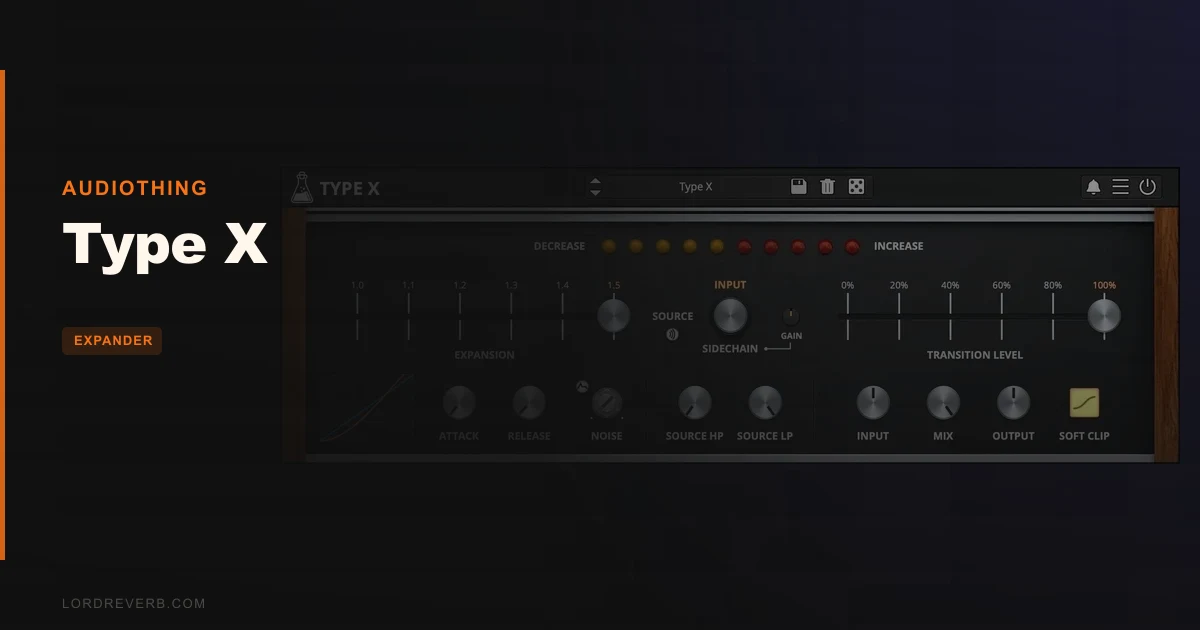
You’ve got a drum bounce that someone squashed to death, and no amount of EQ is going to bring the snare back to life. That’s the problem Type X exists to fix, and at $59 it’s worth a serious look if flattened dynamics are your daily frustration.
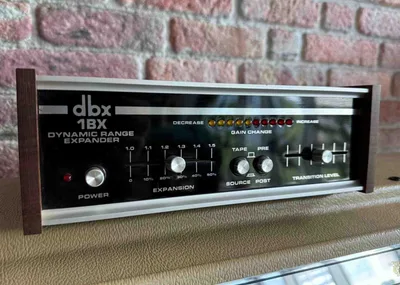
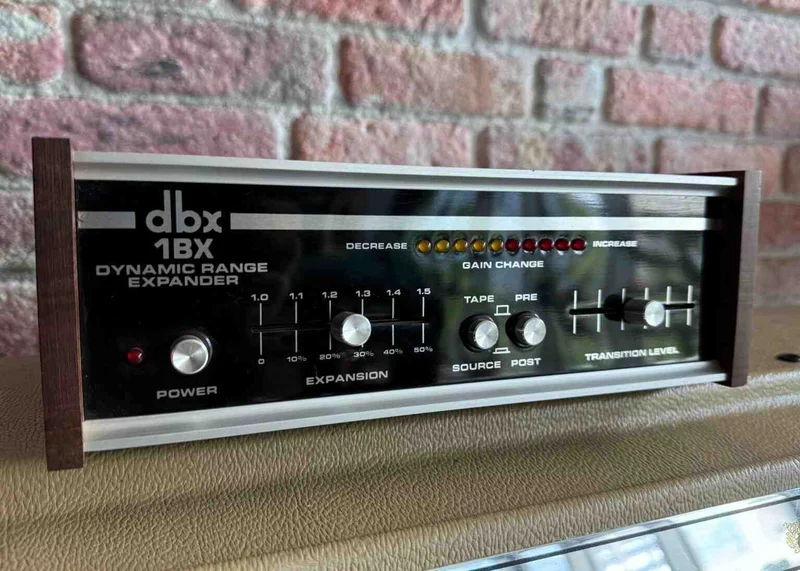
This is AudioThing’s emulation of the dbx 1BX, a dynamic range expander from 1978. It does the opposite of a compressor. It makes quiet material quieter and keeps loud material loud.
We’ll say it plainly: the case for this plugin is strong, and it’s strongest for producers who inherit compressed audio. Stems from clients, sample-pack loops, old bounces, anything where the transients got sanded off before it reached you.
How we know what we know about Type X
This review is based on the product page, the developer’s documentation and the documented feature set. It is not a hands-on test, and no listening session of ours is described below.
Where a number appears, it’s the developer’s. Where something can’t be verified yet, we say so.
No free trial is mentioned in the material reviewed. Check the developer’s page before you buy.
The problem this solves
Modern audio arrives pre-squashed. Streaming loudness targets, aggressive mastering and over-eager bus compression have taught a generation of producers to expect flat, dense material.
Then you try to add punch, and there’s nothing left to push against. The snare and the room tone sit at nearly the same level.
A compressor can’t help here. It’s the wrong direction. A transient shaper can add attack, but it works on the front edge of a hit and doesn’t touch the sustain or the gaps.
An expander attacks the problem differently. It widens the gap between loud and soft by pulling the quiet parts down. The result is contrast, and contrast reads as punch.
What Type X actually does
Type X applies wideband dynamic expansion. Quiet sounds get quieter. Loud sounds stay loud, or get slightly louder, according to the developer.
That’s different from a gate. A gate slams a door shut below a threshold. An expander turns the volume down gradually by a ratio, so the transition is smoother and more musical.
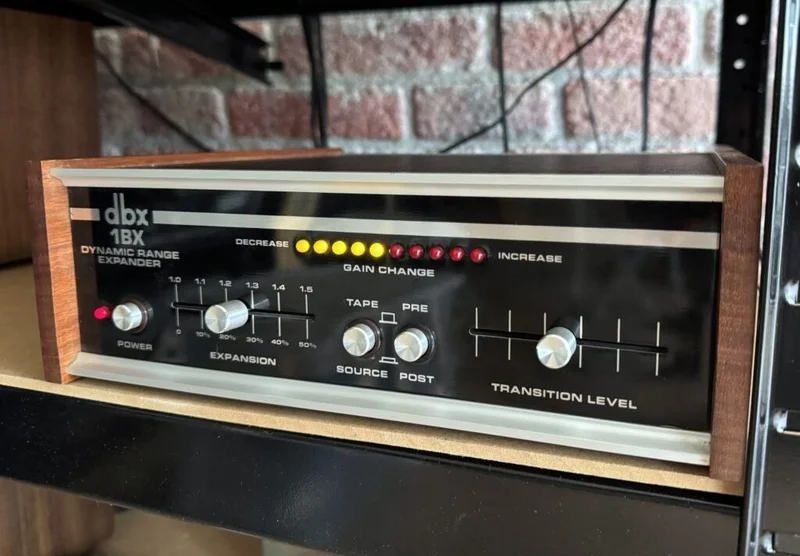
The original dbx 1BX, per AudioThing’s history notes, offered an expansion ratio adjustable up to 1.5:1. The developer says that could deliver up to a 50% improvement in stereo dynamic range across a wide frequency spectrum.
That’s a gentle ratio. It’s not designed for dramatic gating effects. It’s designed to restore life without making obvious artifacts.
The true RMS detector
Here’s the part we like most on paper. Type X analyses the input using a true RMS detector, just like the original hardware, per the developer.
RMS tracks average energy over time rather than instantaneous peaks. That matters for expansion because it responds to how loud something feels, not just how high a spike goes.
A peak-based detector can chatter on transient-heavy material. An RMS detector tends to behave more smoothly, because it’s reading the body of the signal and not individual spikes.
When the signal crosses the transition level, the expander applies gain changes based on the expansion ratio. That’s the core of the whole plugin.
We can’t tell you how it sounds in a given mix without hearing it. We can tell you the design logic is sound.
Transition level, ratio and the core controls
The transition level is the point where expansion begins. Signal above it is left alone. Signal below it gets pushed down by the ratio.
Set it too high and you’ll expand material you wanted to keep. Set it too low and nothing happens.
The ratio controls how aggressively the quiet material drops. Because the original topped out at 1.5:1, this is a subtle tool by design.
Subtle isn’t a flaw. Most compressed material doesn’t need drastic treatment. It needs a nudge back toward how it was meant to breathe.
Attack and release: where Type X goes beyond the hardware
The original 1BX had a fixed response. Type X adds internal attack and release times, and the developer pitches this as a major reason to prefer the plugin over the hardware’s behaviour.
This is the right call. A fixed response forces you to accept whatever the circuit does to your material.
Fast attack makes the expander react quickly when signal rises above the transition level. That keeps transients intact. Slow attack can let the front edge of a hit through before expansion engages.
Release controls how quickly the gain returns to normal after the signal drops. A short release tightens things up. A long one lets tails hang a little longer before they’re pulled down.
For drums, release is the control we’d reach for first. It decides whether the room sounds tight or stays alive.
Why this matters on loops
Loop-based producers get the most from adjustable timing. A sampled break often has a ghost snare, a hat bleed and a room tail all competing at similar levels.
Slower release lets the room breathe. Faster release tightens the whole thing into something more percussive.
We wish more expanders gave you this range. Many just give you a threshold and a ratio and wish you luck.
The filtered sidechain
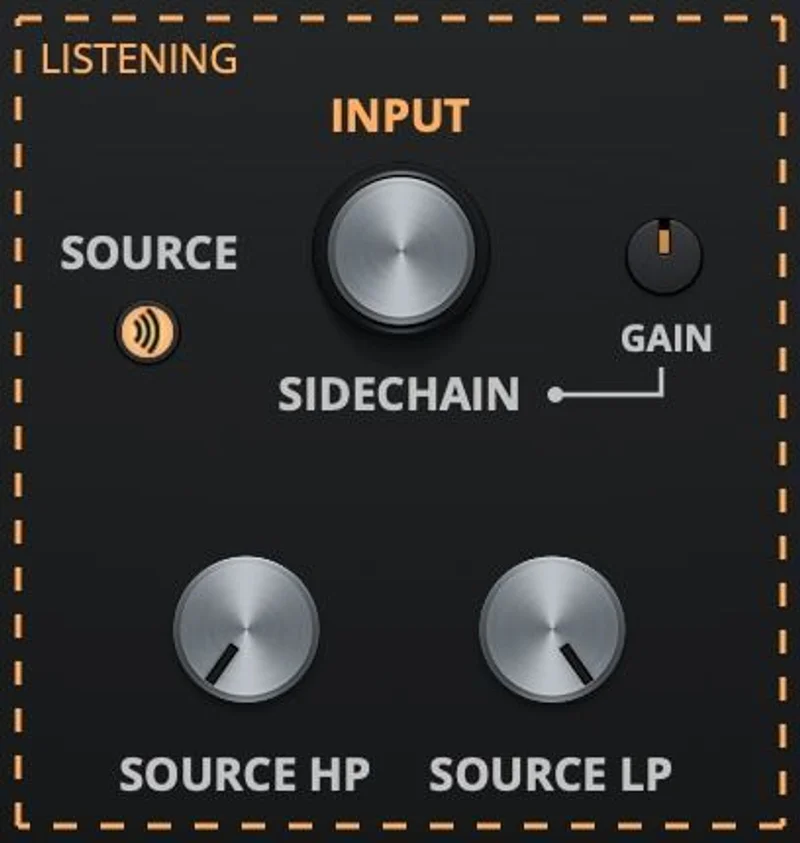
This is the feature that elevates Type X above a pure retro curiosity. It has a sidechain input with high-pass and low-pass filters, per the product page.
The idea is simple. You control what content triggers the expansion, not just how much signal there is.
Low-frequency rumble can fool an expander into staying open. A high-pass filter on the sidechain stops that. The expander ignores the rumble and responds to the content you care about.
Same logic applies to harsh high-frequency noise. Roll it off with the low-pass filter and the detector stays focused.
Main input or external source
You can choose between the main input and an external sidechain signal as the detection source, according to the developer.
External sidechain opens up creative routing. Drive the expansion of a pad from a kick drum. Let a vocal open up a guitar. It’s a rhythmic trick that isn’t possible with a plain internal detector.
The Gain control adjusts the sidechain level independently. That keeps triggering consistent even if your source is quiet or loud.
Source listening
You can enable source listening to hear exactly what audio the expander is using, per the product page.
We love this kind of feature. Dialling in a sidechain filter by eye is guesswork. Hearing the filtered signal tells you immediately whether you’re cutting the right frequencies.
It’s a small thing that saves a lot of time.
Oversampling up to 16x
Type X offers oversampling up to 16x, according to the developer.
Oversampling reduces aliasing in nonlinear processing. Expansion involves gain changes that can generate harmonics, so the option is sensible.
Higher oversampling costs CPU. The system requirements list a 2GHz CPU and 4 GB RAM as the minimum, but the developer doesn’t publish per-instance CPU figures, so we can’t give you a number.
Our advice: use lower settings while tracking and mixing, and raise it for the final bounce. That’s standard practice and it applies here.
Brightness and Contrast controls
Type X includes Brightness and Contrast controls, per the feature list. The product page doesn’t spell out exactly what they do internally.
Based on the names, they’re tonal and dynamic shaping tools layered on top of the expansion. We’d want to hear them before saying how much they add.
We’re flagging this honestly. The documentation we reviewed lists them without detail, so anything more specific would be a guess.
Interface, presets and format support
The window is resizable, which matters on a laptop screen or a 4K monitor. A fixed-size GUI that looks tiny on a high-resolution display is a real annoyance, and this avoids it.
There’s a preset system with a randomizer. The randomizer is more of a curiosity than a workhorse for a plugin this focused, but presets help you find starting points quickly.
Format support is wide. On Windows: VST2, VST3, AAX, CLAP and Standalone, 64-bit, on Windows 7 through 11. On Mac: VST2, VST3, AU, AAX, CLAP and Standalone, with a Universal 2 binary, on macOS 10.13 through macOS 15.
Linux gets VST2, VST3, CLAP and Standalone on Ubuntu 20.04 LTS. That’s rare. Most boutique plugin developers ignore Linux entirely.
CLAP support is a nice touch for anyone using Bitwig or a CLAP-capable host.
Where Type X wins
It does one job and it does it with a clear design philosophy. Restore dynamic contrast to compressed material, with minimal fuss.
The true RMS detector gives it a musical, smooth response in principle. The filtered sidechain makes it practical on real-world mixes, where low-end rumble and hiss are everywhere.
Adjustable attack and release fix the biggest limitation of the original hardware. You aren’t stuck with a fixed curve.
It’s a good fit for drum bus work, sampled loops, stem rescue and mastering-adjacent tasks where you need subtle expansion.
Where it falls short
It’s single-band. You can’t expand the low end separately from the highs. If your problem is a boomy room in the low mids but a healthy top end, Type X treats everything the same way, aside from what you do with the sidechain filter.
It isn’t a surgical tool. Reviewers of dynamic range expanders generally agree a 1.5:1 ceiling is gentle. If you need hard gating on a noisy guitar take, you want a proper gate.
On already-dynamic material, the effect may be subtle to the point of invisible. That’s by design, but it means you shouldn’t expect miracles on a well-recorded acoustic session.
And there’s a limit to what we can verify. We haven’t confirmed CPU load at 16x oversampling, and the Brightness and Contrast controls aren’t documented in detail.
How Type X compares
Type X isn’t the only expander on the market, and it isn’t the first plugin to emulate the dbx range. We’ll be honest about that.
Waves has long offered dynamics processors in this space, and some of the bigger suites include expander and gate modules with more granular control. Those tend to be multiband or feature-heavy, which is a different philosophy.
FabFilter’s Pro-G is a more surgical gate and expander with a modern interface and detailed sidechain options. It’s a different tool for a different job: precise control rather than vintage character.
Type X occupies a narrower slot. It’s a character piece built around one hardware unit, with a few modern conveniences. If you want an expander with a defined sound and fast workflow, that’s the appeal.
If you want maximum control, look elsewhere. Our expander plugins guide explains why expansion often beats leaning on compression alone, and which type suits which job.
Pricing and value
Type X costs $59. For a single-purpose plugin, that’s a reasonable ask if dynamic restoration is something you do often.
The value case is the filtered sidechain, the true RMS detection and the adjustable timing. Those features turn a nostalgic emulation into something you can use on real sessions.
The value case weakens if you rarely deal with squashed material. A producer who records everything in-house with careful gain staging may not reach for this often.
We can’t confirm whether a trial exists from the material we reviewed. Check before committing.
Who should buy this
- ✅ Buy if you regularly receive compressed stems, loops or old bounces and need to bring back punch and contrast.
- ✅ Buy if you want a musical, forgiving expander with a filtered sidechain for drum bus and loop work.
- ✅ Buy if you use Linux, Bitwig or a CLAP host and want a boutique dynamics tool that supports your setup.
- ❌ Skip if you need aggressive gating or multiband expansion for noisy or complex sources.
- ❌ Skip if you only work with well-recorded, naturally dynamic material and rarely fight flat audio.
- ❌ Skip if you already own a capable gate/expander with detailed sidechain control and don't care about the dbx character.
Specs & Technical Details
| Spec | Detail |
|---|---|
| Developer | AudioThing |
| Price | $59 |
| Plugin Format | VST2 / VST3 / AU (Mac) / AAX / CLAP / Standalone |
| OS Support | Windows 7 to 11, macOS 10.13 to macOS 15 (Universal 2), Ubuntu 20.04 LTS |
| Activation | N/A |
| CPU Usage | N/A (2GHz CPU and 4 GB RAM minimum; oversampling up to 16x) |
| Trial Available | N/A |
| Version Reviewed | N/A |
Score Breakdown
These scores are based on the documented feature set and the developer’s published figures. We’ll revisit them after longer use.
| Category | Score | Notes |
|---|---|---|
| Sound Quality | 4.2/5 | True RMS detection and dbx heritage suggest a smooth, musical response, but unverified until we hear it |
| Value for Money | 4.0/5 | Fair for a focused tool, less so if you rarely face squashed audio |
| Ease of Use | 4.5/5 | Simple core controls, source listening and a resizable window |
| Features | 4.2/5 | Filtered sidechain, adjustable timing and 16x oversampling, but single-band only |
| CPU Efficiency | 4.0/5 | No published CPU figures, so we're scoring cautiously |
| Overall | 4.2/5 | A well-designed, focused expander that earns a recommendation for the right producer |
Alternatives to Consider
FabFilter Pro-G. A more surgical gate and expander with a modern interface and detailed sidechain options. Pick it if you need precision over character. See our expander plugins guide for how the types differ.
Waves dynamics suite. Waves offers a range of dynamics processors, some with multiband or gate and expander modules. Look here if you need more bands and more control than a single-band tool allows.
A dedicated drum-focused tool. If your problem is mostly drum punch, check our drum FX plugins guide for transient shapers and drum-specific processors that attack the same problem from a different angle.
The verdict on Type X
Type X is a smart, focused tool that earns its place if you deal with flattened audio. It answers a real problem, and the filtered sidechain turns a vintage emulation into something practical.
We’d buy it for stem rescue and drum bus work. The adjustable attack and release are the right upgrades over the original hardware.
It’s the wrong pick if you need multiband control or hard gating. It’s also a harder sell if you rarely face compressed material.
We still want to confirm the CPU cost at high oversampling and hear exactly what Brightness and Contrast add. Until then, treat the score as provisional.
Buy it for contrast. Skip it if you’ve never once wished a snare had more room to breathe.
Related reviews: KorgNode
Frequently Asked Questions
What is Type X by AudioThing?
Type X is a dynamic range expander plugin that emulates the dbx 1BX from 1978. It makes quiet sounds quieter and keeps loud sounds loud, restoring contrast to compressed material. It adds a filtered sidechain and adjustable attack and release beyond the original hardware.
Is the Type X review score based on hands-on testing?
No. This review is based on the product page, documentation and published feature set. Anything we couldn't verify, like CPU load at 16x oversampling, is marked as such.
What's the difference between an expander and a gate?
A gate cuts signal hard below a threshold. An expander reduces quiet signal gradually by a ratio. Type X's ratio goes up to 1.5:1 according to the developer, so it's gentle and musical rather than abrupt.
Does Type X work on Mac, Windows and Linux?
Yes. The developer lists Windows 7 to 11, macOS 10.13 to macOS 15 with a Universal 2 binary, and Ubuntu 20.04 LTS. Formats include VST2, VST3, AAX and CLAP, plus AU on Mac and Standalone on all platforms.
What does the sidechain filter do in Type X?
It lets you shape what content triggers the expansion using high-pass and low-pass filters. That stops low-frequency rumble or high-frequency noise from fooling the detector. Source listening lets you hear the filtered signal directly.
Is Type X worth it for the price?
At $59, it's good value if you often work with squashed stems, loops or bounces. It's less compelling if you mostly record dynamic material and rarely need expansion. For more on how expanders fit into a mix, read our expander plugins guide.