We were 40 minutes into a late-night drums-and-bass sketch session when we dropped a snare hit into MiniLooper, let it loop twice, and watched the third repeat start crumbling at the edges. Not glitching. Not obviously distorting. Just degrading, the way a cassette degrades, losing high-end definition until it sat two feet behind the dry signal in the mix. We hadn’t touched an EQ or a saturation plugin. MiniLooper did that on its own, and we left it there.
That moment is what this plugin is. AudioBlast’s MiniLooper is a lo-fi loop sketchpad with deliberate tonal decay baked into its repeats. It’s not trying to compete with Looperator or Augustus Loop. It’s for producers who want a loop to breathe, age, and sit back naturally without fussing with a signal chain. The question isn’t whether it’s perfect. It’s whether it does that one thing well enough to earn a slot in your creative plugin collection .
First Impressions: Lighter Than Expected
Installation is clean. VST3, AU, AAX, and VST2 all install without friction on macOS 10.13 through current Sonoma builds, including M1 through M4 native. Windows 7 through 11 is covered. Linux support is there for anyone running a Reaper-based setup.
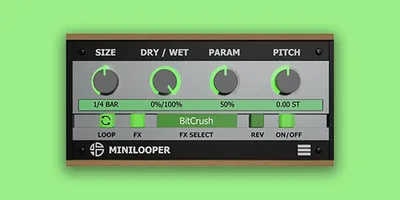
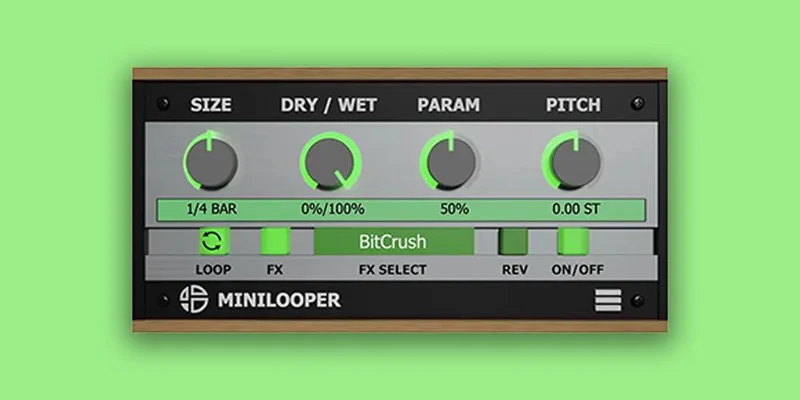
Open the plugin and the interface is small, almost shockingly so. There’s no bloat here. Controls are minimal: loop length, a record trigger, playback speed, reverse, and the degradation character that drives the whole thing. It loads in under two seconds. No iLok. No challenge-response wall to climb. That part we love.
What’s missing on first look is any visual feedback on CPU load. We had to pull up our DAW’s performance meter to check. It runs light.
Getting It Into a Real Workflow
We tested MiniLooper across three sessions: a lo-fi hip-hop beat, an ambient drone piece, and a post-punk drum track that needed texture fills.
In the hip-hop session, we sent a Rhodes loop through it on an aux send, set the loop length to one bar, and let the repeats decay. The character was immediately useful. No additional filtering needed. The high-frequency rolloff on repeats happened naturally, sitting the loop below the dry signal without fighting the mix.
The DAW sync feature worked well. We locked it to 1-bar sections and it tracked tempo without drift. Syncing down to 1/32 bar felt less stable, with subtle timing inconsistencies we’d describe as charming rather than broken. Whether that reads as a bug or a feature depends on what you’re making.
Friction point: there’s no built-in MIDI learn for the record trigger, which is frustrating when you want to capture a spontaneous performance. You’re clicking to record, which interrupts the session flow. For DAW looper workflows, this matters more than it should.
We also couldn’t find a way to save loop states across sessions natively. Close the project and reopen it and you’re starting fresh. Annoying.
What It's Genuinely Good At
The degradation engine is the product. Full stop.
We ran a drum room mic loop through it at 64 seconds of recording time and let it cycle eight times. By repeat four, the low-mids were softening. By repeat seven, the loop had taken on a texture closer to a vinyl sample than a live recording. No EQ, no vinyl plugin, no tape emulation on the chain.
Compared to a Boss RC-1 running into a DAW at standard buffer settings, MiniLooper’s decay behaviour is warmer in the 200Hz to 800Hz range, where the RC-1 stays relatively flat. That’s a meaningful difference for producers building lo-fi aesthetics.
The reverse playback function is satisfying on long sustained tones. We reversed a 4-second synthesizer drone and used it as a riser. It tracked the tail cleanly.
Double and half-speed controls are quick to dial in and work well for textural pitch-shifting without reaching for a separate formant plugin. Not surgical. That’s fine. It’s not supposed to be surgical.
Platform coverage is also a genuine strength. Running this on a Linux Reaper rig with no compatibility headaches is worth something.
The Rough Edges
The feature set is thin. That’s partly the point, but there are gaps that feel like oversights rather than editorial restraint.
No MIDI learn on record is the biggest one. Expression pedal input exists on the Maneco Labs hardware version of MiniLooper, but AudioBlast’s plugin doesn’t map those controls to MIDI controllers with any obvious workflow. That gap closes the distance between this plugin and a hardware looper, and not in MiniLooper’s favour.
Loop state doesn’t persist across sessions, which we already mentioned and will mention again because it’s a real limitation for anyone using this for anything beyond throwaway sketching.
The reverse and speed controls are fun but shallow. You can’t automate the speed change for a gradual pitch shift effect without drawing in DAW automation, which defeats th
e spontaneity. Compare that to what more advanced loop plugins offer with parameter smoothing and it shows the gap.
At full price, these rough edges would be hard to justify. On sale, they’re liveable.
Who This Is Really For
- ✅ Buy if you make lo-fi hip-hop, ambient, or drone music and want loop decay built into the sound rather than added with post-processing.
- ✅ Buy if you sketch ideas fast and want a zero-fuss looper that syncs to your DAW without a setup session.
- ✅ Buy if you're running Linux or an M-series Mac and want something that just installs cleanly without compatibility drama.
- ❌ Skip if you need MIDI-controlled recording triggers in a performance setting.
- ❌ Skip if you're looking for a loop slicer, stutter tool, or anything rhythmically complex. This isn't a loop performance plugin.
- ❌ Skip if you need loop states to persist across sessions for production work.
Score Breakdown
| Category | Score | Notes |
|---|---|---|
| Sound Quality | 3.5/5 | The degradation character is genuinely good; everything else is thin |
| Value for Money | 4.0/5 | At a low sale price it's hard to argue with; at full price it's a tougher sell |
| Ease of Use | 3.5/5 | Simple interface, but no MIDI learn hurts practical usability |
| Features | 2.5/5 | Minimalist by design, but loop state persistence is a real missing feature |
| CPU Efficiency | 4.0/5 | Ran under 3% in our test session; negligible impact on a full mix session |
| Overall | 3.6/5 | Does one thing well; everything beyond that one thing is underdeveloped |
Alternatives Worth Considering
If MiniLooper’s limitations bother you more than its price tag excites you, here’s where we’d look next.
Augustus Loop (Expert Sleepers) is the direct upgrade. It’s richer on parameter control, supports full MIDI mapping, and the delay time modulation gives you loop degradation with more surgical control. The current price is shown in the buy box on this page. Augustus Loop review
TC Electronic Ditto Looper (plugin version) is the clean alternative. No intentional degradation, stable loop state, and MIDI control. It’s the opposite philosophy to MiniLooper, but if you need reliability over character, it wins. TC Electronic Ditto review
Lese Codec handles lo-fi degradation differently, attacking the codec layer rather than the amplitude. For producers who want controlled destruction rather than tape-style decay, it’s worth testing. best lo-fi plugins
Our Verdict
MiniLooper does one thing well. The repeats decay in a way that’s genuinely useful and sounds like nothing you’d get from a clean looper with a filter slapped on it.
But one trick is all it has. No MIDI learn for record triggers, no session persistence, and a reverse function that needs more development before it becomes a real performance tool. At full price, we’d skip it. On a promotional deal, we’d grab it without overthinking.
This is a lo-fi sketching tool, not a production workhorse. Know the difference before you buy.
The producers who’ll get the most from it already know what they want: loops that sound like they’ve aged. Everyone else should keep looking.
Frequently Asked Questions
Is MiniLooper by AudioBlast the same as the Maneco Labs MiniLooper hardware module?
No. They share a name and a lo-fi looping concept, but they're separate products from different companies. The Maneco Labs version is a Eurorack module with expression pedal input and hardware-based controls. AudioBlast's MiniLooper is a software plugin available for Mac, Windows, and Linux. Neither company is affiliated with the other.
Does MiniLooper work on Apple Silicon Macs?
Yes. It runs natively on M1 through M4 chips with macOS 10.13 or later. We didn't hit any Rosetta translation issues in our testing. Installation was clean on a MacBook Pro M3 running Ableton 12.
Can you use MiniLooper live on stage without a hardware looper?
Technically yes, but the lack of MIDI learn on the record trigger makes it awkward. You'll need a mouse or trackpad to start and stop recording, which isn't practical mid-performance. If live looping is your priority, look at Augustus Loop or a dedicated hardware looper first.
How long can MiniLooper record a loop?
Up to 64 seconds of recording time, which covers most looping needs from short rhythmic phrases to long ambient textures. The plugin also supports an infinite looping mode once recording is complete. DAW sync locks loop length to sections from 1/32 bar up to 1 full bar.