
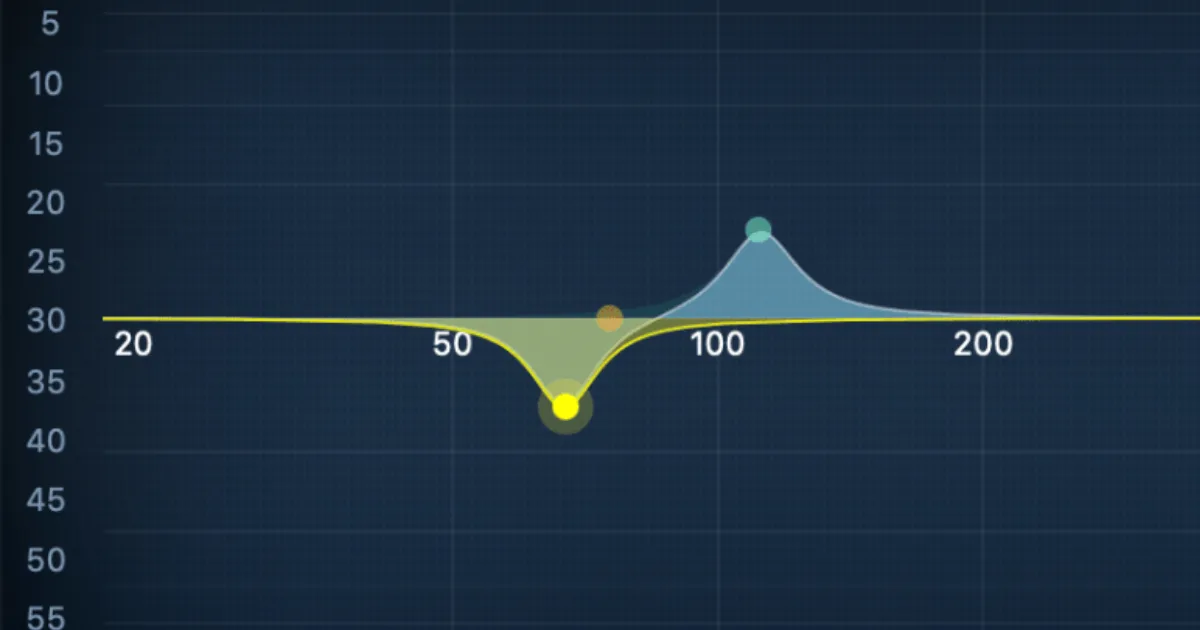
Low end mixing means managing everything below 250 Hz so your kick, bass, and sub elements lock together without masking each other or destroying your mix on other systems. The core moves are high-pass filtering, sidechain compression between kick and bass, and summing below 150 Hz to mono.
If your mixes sound great in the studio and fall apart on a phone, in a car, or on a club system, the low end is almost always the culprit.
Low-frequency energy is the hardest thing to manage in a mix. It's invisible on most meters, it behaves differently in every room, and it costs you the most when you get it wrong. A bass line that sounds full and controlled at 75 dB SPL in your treated room can turn into a muddy, phase-cancelled mess the moment someone streams it through earbuds.
We've spent years dialling in low ends across genres, tracking down the specific decisions that separate a tight, translatable low end from one that sounds impressive in isolation and ruins everything once the master hits. This guide covers the full process, from monitoring setup through kick-bass relationships to enhancement workflows that go beyond purely subtractive EQ.
You'll find specific settings, real numbers, and the positions we've landed on after testing them. No vague advice about "reducing mud." Let's get specific.
What Are You Actually Working With Below 250 Hz?
The low end isn't one zone. It's several overlapping territories, each with different behaviour and different problems.
The Sub Bass (20–60 Hz)
This is felt more than heard. Kick drum fundamentals often sit around 50–60 Hz. Bass guitar open E string fundamental is 41 Hz. Below 40 Hz, consumer speakers and earbuds reproduce almost nothing.
The 30–50 Hz range is where vinyl cutting rooms roll off, and where club systems either punch you in the chest or create a boomy, undefined wash. Keep intentional energy in this range but keep it tight and mono.
The Bass Fundamentals (60–160 Hz)
This is where most of your low-end decisions live. Bass guitar and synth bass body sits between 80–160 Hz. Kick punch lands around 60–100 Hz. This range determines whether your track has weight and authority or sounds thin and forgettable.
It's also where the worst frequency masking happens. When kick and bass occupy the same 80–120 Hz space without any separation strategy, neither one wins. You just get a dense, undifferentiated low-mid blob.
The Muddiness Zone (200–300 Hz)
This range is responsible for more mix problems than almost anything else. Boxiness, honkiness, that "demo" quality you can't shake: it usually lives right here.
Cutting 2–4 dB at 250 Hz with a Q of 1.2 on your bass bus is often the single move that makes a mix breathe. We've done this on sessions that had been stalling for hours and watched everything clarify in one move. Satisfying.
How Do You Set Up Monitoring to Hear Low End Accurately?
You cannot mix what you can't hear accurately. This is not optional.
Room and Level
Mix at 70–80 dB SPL for critical low-end decisions. Below 70 dB, your ear's Fletcher-Munson response reduces perceived bass. Above 85 dB, ear fatigue sets in fast and you'll start making compensatory moves you'll regret at lower volumes.
Treat your room corners. Bass frequencies have wavelengths between 1 and 17 metres long. They pile up in corners and at the room's modal frequencies. Bass traps in corners aren't aesthetic. They're functional. Without them, you're mixing in a room that's lying to you about every decision below 200 Hz.
Subwoofer Crossover Points
If you're running a 2.1 monitoring setup, start your subwoofer crossover at 80–100 Hz. Some engineers prefer 85 Hz. The crossover point determines where your satellite speakers hand off to the sub, and a mismatch here creates a frequency hole or a hump that makes it impossible to judge bass balance.
We'd recommend Sonarworks SoundID Reference if you can't treat your room properly. It runs a measurement mic through your space and applies correction curves in real time. It won't fix a bad room completely, but it closes the gap enough to make better decisions.
The Mono Check Is Non-Negotiable
Sum your mix to mono before you finalise any low-end decision. Content below 150 Hz in stereo is largely pointless: speakers that close together can't reproduce meaningful stereo information at those wavelengths. Worse, stereo low end often creates phase cancellation that removes exactly the energy you were trying to add.
We mixed a hip-hop record where the bass sounded enormous in stereo and nearly disappeared in mono. The producer wanted to keep it stereo "for the width." After showing him the mono comparison, he agreed to sum below 120 Hz. The track landed harder on every system we tested it on.
How Do You Stop Kick and Bass from Fighting Each Other?
This is the central relationship in low-end mixing. Get it right and everything else gets easier.
Frequency Separation First
Before you touch compression, find out where your kick and bass fundamentals actually sit. Use a spectrum analyser. If your kick punches hardest at 80 Hz and your bass fundamental is also at 80 Hz, you have a frequency identity problem.
The fix is usually a gentle boost on the kick around its fundamental (say, +2 dB at 80 Hz with a Q of 1.8) and a matching cut on the bass at the same frequency (-2 dB, Q 1.6). Now the kick occupies 80 Hz and the bass owns 100–120 Hz for its body. They no longer compete.
Sidechain Compression
Once you have frequency separation, sidechain compression locks the relationship in time. Route the kick signal as a sidechain trigger into a compressor on the bass.
We use these settings as a starting point: ratio 4:1, attack 1–3 ms, release 30–50 ms, threshold set to produce 3–6 dB of gain reduction on the bass when the kick hits. The attack controls how much of the kick's initial transient passes before the compression kicks in. Too fast and you lose the punch. Too slow and the bass doesn't duck fast enough.
The release time matters as much as the attack. At 30 ms, the bass returns to full level quickly, which keeps the groove tight. At 80 ms, the bass sits under the kick longer, which works in slower tempos but can feel sluggish at 140 BPM.
We ran this setup on an EDM track with a kick at 60 BPM and a synth bass with a long sustain. Without sidechain, the mix was thick and indistinct. With 4 dB of reduction at 2 ms attack and 35 ms release, the kick punch was clean and the bass filled the space between hits perfectly. That's the sound we were chasing for about three hours before we checked the release time.
What EQ Moves Actually Work on Bass?
Most low-end EQ problems come from additive thinking. The instinct is to boost. The answer is almost always to cut somewhere else first.
High-Pass Everything You Don't Need
High-pass filter every track that isn't a kick, bass, or low piano. Guitar DI? High-pass at 100 Hz. Snare? High-pass at 80–100 Hz. Vocals? High-pass at 80–100 Hz.
Those instruments don't carry meaningful musical information below those points. What they do carry is low-frequency noise, rumble, mic stand vibration, and room resonances that add up across 30 tracks into a dense low-mid fog that kills clarity.
iZotope Neutron's masking meter shows you in real time which instruments are frequency-masking which others. It's a frustrating tool to ignore once you've seen it. You'll watch the bass and kick compete on the same 90 Hz area and understand immediately why the mix felt undefined.
The Bass EQ Sweet Spots
80–200 Hz is where you shape bass fullness and body. A boost of +2 dB around 100 Hz on a bass guitar adds weight. A cut of 2–3 dB around 250 Hz adds clarity by removing the boxiness that sits just above the fundamental range.
For synth bass in EDM or hip-hop, the sub fundamental often needs a high-shelf rolloff below 30 Hz to remove infrasonic content that wastes headroom without contributing audible energy. A high-pass filter at 25–30 Hz with a 12 dB/octave slope is standard practice.
Don't EQ Bass in Solo
We'll say this once: never finalise a bass EQ decision in solo. A bass that sounds perfect solo often sounds thin in context because the kick fills the same space. A bass that sounds ugly solo often sits perfectly once the mix is playing.
Always make EQ decisions with the full mix playing at reference level.
Worth Bookmarking
- Sonarworks SoundID Reference, Room and headphone correction for more accurate low-end monitoring decisions.
- iZotope Neutron, The masking meter alone is worth it for kick-bass conflicts.
- Mastering The Mix BASSROOM, A dedicated low-end EQ with genre reference curves baked in. Useful as a second opinion on bass balance.
- Plugin Alliance bx_subfilter, Mono summing below a selectable frequency, with a phase-coherent crossover. Solves the stereo sub problem with one plugin.
- REFERENCE by Mastering The Mix, A/B comparison against commercial references. Lets you see exactly where your low end sits against a finished track in the same genre.
How Do You Add Low-End Weight Without Making Things Muddy?
Most low-end guides stop at subtractive EQ. That's a mistake. Purely surgical approaches can leave a mix that's clean but lacks body and weight. Enhancement techniques close that gap.
Parallel Compression on the Bass Bus
Parallel compression on bass adds density without killing transients. Compress a duplicate of your bass buss hard: 8:1 ratio, 0.5 ms attack, 60 ms release, 6–8 dB of gain reduction. Blend it underneath the uncompressed signal at about 30–40% wet.
The result is a sustained, thick low end that fills the space between notes without squashing the initial pluck or pick attack. The dry signal carries the transient. The compressed signal carries the weight.
Saturation for Harmonic Reinforcement
Sub bass frequencies below 50 Hz are inaudible on small speakers. But if you saturate the sub signal lightly, you generate even-order harmonics at 100 Hz, 150 Hz, and 200 Hz. These harmonics are audible on any speaker. Listeners perceive the fundamental even when their speaker can't reproduce it.
We ran a 40 Hz sine wave bass through Soundtoys Decapitator at the lightest setting, Style A, with just 10% saturation. On the studio monitors it sounded identical. On laptop speakers, the bass suddenly had presence and body it previously lacked entirely. Clever design, and it translates everywhere.
Keep saturation light. The goal is harmonic enrichment, not distortion. Watch the 200–300 Hz range as you add it: that's where saturation-generated harmonics can start to accumulate into muddiness if you push too far.
Genre-Specific Low-End Profiles
EDM tracks typically have a sub bass at 40–60 Hz with very little between 60–80 Hz, then kick punch at 80–100 Hz. This creates a split low end: sub felt below, kick heard above.
Hip-hop bass sits fatter, with more energy at 80–120 Hz and a richer harmonic content above. The kick is often lower in the mix relative to bass than in EDM.
Rock and live recordings need more 150–250 Hz energy in the bass to cut through guitars. The same frequency range that's the muddiness zone in electronic music is actually the presence zone for recorded bass guitar in a dense arrangement.
Knowing your genre's standard low-end profile and checking against a reference in REFERENCE or Metric AB lets you calibrate to the ballpark before you start making surgical decisions.
Summary
Tight low end comes from three things working together: accurate monitoring, clear kick-bass separation, and knowing when to add instead of just cut.
High-pass everything that doesn't belong below 100 Hz. Sum your sub content to mono below 150 Hz. Sidechain compress the bass with a 4:1 ratio, 1–3 ms attack, and 30–50 ms release for kick-drum ducking. Cut 200–300 Hz when the mix feels muddy, not as a default move. Add harmonic content through light saturation when the bass disappears on small speakers.
Check your work in mono, at 70–80 dB SPL, against a reference track. That's the whole process.
Part of our complete Beginner's Guide to Mixing: 7 Steps That Actually Work series.
Frequently Asked Questions
What frequency range counts as "low end" in a mix?
Low end covers 20–250 Hz. The sub bass sits at 20–60 Hz, the bass fundamentals at 60–160 Hz, and the upper low end or muddiness zone runs from 160–250 Hz. Most mixing decisions that affect perceived bass weight and clarity happen between 60–200 Hz.
Why does my bass sound great in the studio but disappear on earbuds?
Earbuds and laptop speakers have almost no output below 80–100 Hz. If your bass fundamental sits at 50–60 Hz with no harmonic content above it, those speakers literally can't reproduce it. The fix is light saturation to generate audible harmonics in the 100–200 Hz range, which small speakers can reproduce.
How do I stop my kick and bass from masking each other?
First, identify where each instrument's fundamental sits using a spectrum analyser. Then use complementary EQ cuts and boosts to give each one a distinct frequency identity: kick owns 80 Hz, bass owns 100–120 Hz, for example. Follow with sidechain compression at 4:1 ratio, 1–3 ms attack, and 30–50 ms release to create time-domain separation when the kick hits.
Should I mix bass in mono?
Yes, for everything below 150 Hz. Stereo information at those wavelengths is almost impossible for most speakers to reproduce, and it creates phase cancellation that removes low-end energy in mono playback. Use a plugin like bx_subfilter to sum everything below 120–150 Hz to mono while keeping the upper frequencies in stereo.
What's the best way to monitor low end if my room isn't treated?
Use headphones for a second opinion and run Sonarworks SoundID Reference on your monitors if you can't treat the room. Also check your mix at low volumes (around 70 dB SPL), where room modes have less influence over what you hear. Cross-reference on multiple playback systems before finalising any low-end decision.
How much sidechain compression is too much on bass?
More than 6 dB of gain reduction starts to make the bass feel like it's pumping rather than sitting under the kick. Around 3–4 dB is usually enough to create clarity without making the ducking obvious. Set your release time to match the tempo: faster tempos need faster releases, or the bass won't recover before the next kick hit.