
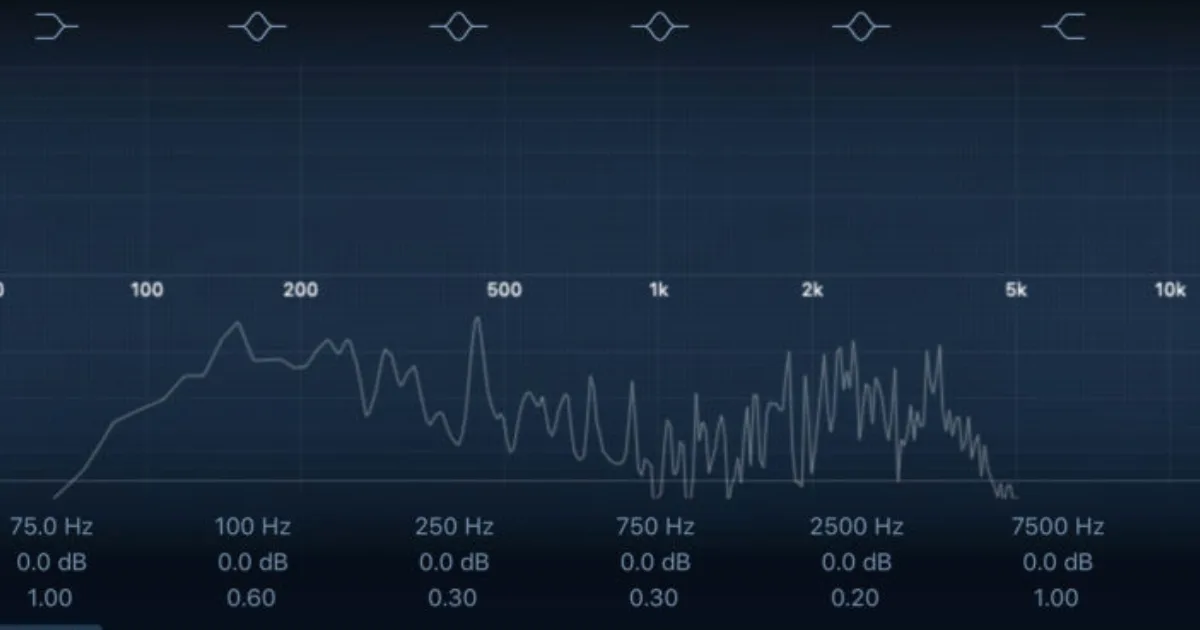
EQ techniques for mixing come down to one core principle: remove what's hurting the mix before you add anything. High-pass filtering, subtractive notching, and mid/side EQ are the three skills that separate clean, professional mixes from muddy amateur ones.
EQ is the most-used tool in any mix session, and also the most misunderstood. Most people know the broad strokes: cut the mud, boost the presence, high-pass everything. But the difference between a mix that translates and one that sounds small on a phone speaker is usually in the details nobody talks about.
We've spent years mixing ITB and hybrid, testing every major EQ plugin on the market, and the patterns are always the same. Bad mixes have too many additive boosts. Good mixes are mostly subtractive work, with a few precise additions that actually mean something.
This guide covers the full picture: fundamentals, subtractive technique, creative applications, mid/side EQ, spectral dynamics, and the newer pitch-tracking tools that most tutorials skip completely. By the end, you'll have a working framework you can apply to any session.
We've also pulled together the tools and resources we actually use or recommend at the bottom.
What Are the EQ Fundamentals Every Mixer Needs?
A parametric EQ has four controls per band: frequency, gain, Q (bandwidth), and filter type. That's it. Everything else in mixing EQ comes from how you combine those four controls.
The frequency ranges that matter most:
- 40-100 Hz: Sub-bass and kick impact. Boost here for physical weight, but only on the instruments that own that space.
- 200-600 Hz: Lower-mid warmth. Also where boxiness lives. Most instruments need cuts here, not boosts.
- 1,000-4,000 Hz: Midrange presence. This range carries intelligibility. Vocals, guitars, and keys all fight here.
- 2,000-5,000 Hz: Vocal presence and harshness. A 2 dB boost at 3.5 kHz with a Q of 1.2 can push a vocal forward without making it sharp.
- 8,000-16,000 Hz: Air and detail. Small boosts with a shelf here can open a mix up without adding harshness.
The professional standard we work to: keep adjustments within ±3 dB using wide Q settings (below 1.4) for broad tonal shaping. Go narrower, with a Q of 2.0 or higher, only when you're hunting a specific resonance.
Q below 1.4 is very wide, like a gentle slope across a range of frequencies. Q above 4.0 is surgical, affecting a 50-100 Hz window. Know which one you need before you reach for the mouse.
Why Should You Always Subtract Before You Add?
Subtractive EQ is the most underrated skill in mixing. The logic is simple: if a track has a 400 Hz buildup making it sound boxy, adding 8 kHz air doesn't fix the problem. It just makes the track louder and boxier.
We had a session recently with a recorded acoustic guitar that was fighting the vocals badly. The guitarist had a beautiful tone in the room, but the track was thick and present in all the wrong places. We ran a spectrum analyzer (we use for this) and found a resonance sitting at 320 Hz with about 4 dB of excess energy. We cut 3.5 dB there at a Q of 2.4. The guitar dropped into the mix like it belonged there. No boost anywhere. Just one cut. That's the satisfying part of subtractive EQ when you get it right.
The method we use on every track:
- High-pass filter first. On most instruments that aren't kick or bass, set the HPF cutoff somewhere between 80-120 Hz at 12dB/oct slope.
- Sweep for resonances by boosting 6-8 dB with a tight Q (3.0-5.0) and moving slowly through the frequency range. Find the ugly note, then flip that boost to a cut of 2-4 dB.
- Only after subtracting: decide if you need to add anything. Often you don't.
On harshness in lead vocals, we narrow to a Q of 2.0-3.0 and sweep between 2-6 kHz until we find the note that makes us wince. A 2-3 dB cut at that frequency is usually enough. Going deeper than 4 dB starts removing the presence you actually want.
High-Pass Filtering: The One Habit That Cleans Every Mix
Every channel that isn't kick drum or bass should have a high-pass filter running by default. No exceptions.
A tambourine has no useful energy below 200 Hz. A hi-hat has nothing useful below 300 Hz. An acoustic guitar rarely needs anything below 80 Hz. All of that low-frequency energy adds up across 30 channels and turns into mix mud. Cut it early.
The slope matters. A 12 dB/octave slope is gentle. A 24 dB/octave slope is aggressive. For most instruments, 12-18 dB/octave works well. Use 24 dB/octave only when you need a hard stop, like on a synth pad that's eating the bass guitar's space.
How Do You Use Mid/Side EQ for Width and Depth?
Mid/side EQ is one of the most powerful techniques in modern mixing, and most tutorials stop at "make the sides wider." That's the surface. Here's what we actually do with it.
The mid channel carries everything dead center: lead vocal, kick, snare, bass. The side channel carries everything that creates width: room sound, chorus effects, wide synth pads, panned guitars.
Three practical applications:
Clean up low-end on the sides. Low-frequency energy below 100 Hz in the side channel creates phase problems and eats headroom. We high-pass the side channel at 100-120 Hz on every stereo bus. Immediately tighter and louder master bus headroom.
Add air to the sides only. A gentle high-shelf boost of 1.5-2 dB above 10 kHz on the side channel widens the mix without touching the center. The top end opens up and the mono compatibility stays intact.
Cut honk from the mids. If a vocal or snare sounds boxy in mono, narrow the mid channel cut at 300-500 Hz with a Q of 1.5. It cleans up the center without affecting the stereo width.
FabFilter Pro-Q 3 handles mid/side EQ cleanly, and the spectrum view on the mid and side separately is worth having. iZotope Neutron 5 also has mid/side mode across its 12-band parametric EQ, with the added bonus of dynamic mode per-band.
What Is Spectral Dynamics EQ and When Should You Use It?
A standard EQ cuts or boosts a fixed amount all the time. A dynamic EQ only moves when the signal exceeds a threshold. This is the distinction that changes everything for problem frequencies in live or complex tracks.
The frustrating reality of static EQ: if you cut 3 dB at 3.2 kHz on a vocal because the chorus is harsh, you've also cut 3 dB in the verse where that frequency was actually adding presence. The correction creates a new problem.
Dynamic EQ fixes this. You set the band to only cut when the signal at 3.2 kHz exceeds, say, -18 dBFS. In the verse, the band barely moves. In the loud chorus where the harshness appears, it cuts. The vocal stays consistent across the full song.
We use this constantly on acoustic instruments and group buses. A dynamic cut at 200-300 Hz on a drum bus that only activates when the snare hits hard prevents low-mid buildup without making the kit sound thin between hits.
Pro-Q 3's dynamic mode does this well. Tracks Dynamic EQ from Waves is another option worth checking. Both let you set per-band threshold and attack/release, which gives you real control over how aggressively the band responds.
One note: AI-assisted EQ tools like iZotope's built-in suggestions get this right about 60% of the time in our experience. They're useful as a starting point, not a final answer. We've had Neutron suggest a 5 dB boost at 800 Hz on a vocal that would have killed the mix. Always trust your ears over the algorithm.
What Is Pitch-Tracking EQ and Is It Worth Using?
Pitch-tracking EQ is one of the most underused tools in modern production. It's rarely covered because it sounds complicated. It isn't.
Standard EQ cuts are static: you set a notch at 220 Hz and it cuts 220 Hz forever, regardless of what note is playing. On a melodic instrument, that's a problem. If you're trying to control resonance in a bass guitar, the resonance follows the note. A static cut at 220 Hz only catches it when the bassist plays that A2.
SurferEQ 2 from Sound Radix solves this. It tracks the pitch of the incoming signal and moves EQ bands in real-time to follow the fundamental and its harmonics. We ran a bass DI through it on a session where the G string had a 4 dB resonance spike. A static notch would have only caught it on G notes. SurferEQ caught it across every note the bassist played. The low-end became even and controlled in about 30 seconds. That's one of the more satisfying troubleshooting moments we've had in recent sessions.
The tool is also useful on lead vocals to control consistent sibilance at specific melodic intervals. It works best on monophonic sources. Don't try pitch-tracking EQ on a chord pad.
How Should EQ Fit Into Your Signal Chain?
EQ position in the chain matters more than most producers think. The general rule: EQ before compression, compression before reverb.
If you compress first, you're locking in the tonal imbalances before you've addressed them. The compressor will pump around the 300 Hz buildup you haven't removed yet, and you'll fight it for the rest of the session. Annoying and avoidable.
Clean the track with EQ, then compress the cleaned signal. After compression, a second EQ pass lets you shape the final tone without fighting the dynamic response of the original track.
One exception: if you're using compression to control a specific frequency buildup (like a multiband compressor on a drum bus), put it before EQ. The multiband compression is doing frequency work at that point.
The chain we default to: HPF EQ strip → subtractive surgical EQ → compressor → post-compression additive EQ → send to bus.
Worth Bookmarking
- FabFilter Pro-Q 3, The benchmark parametric EQ for ITB mixing. Mid/side, dynamic mode, spectrum analyzer all in one.
- SurferEQ 2 (Sound Radix), Pitch-tracking EQ for melodic instruments. Brilliant for bass and lead vocal resonance control.
- iZotope Neutron 5, 12-band parametric with AI-assist and dynamic EQ mode. Use the suggestions as a starting point only.
- Waves Tracks Dynamic EQ, Clean and CPU-friendly dynamic EQ. Works well on vocal buses.
- Universal Audio UAD EQs, Hardware-emulation EQs (Neve, API, Pultec). Worth it for color and saturation alongside frequency shaping.
- iZotope Reference Library, Free educational resource on EQ, compression, and mixing concepts. One of the cleaner free references available.
- Sound On Sound Techniques, Deep technical articles on EQ approach by genre and instrument. We read this regularly.
- Purémix, Video tutorials from working engineers. The EQ-focused sessions show real session work, not theory.
- Plugin Boutique, Check current pricing on most EQ plugins covered here. Sales run frequently.
- Gearspace Mastering Forum, Real engineers discussing real EQ problems. Ignore the gear worship, focus on the troubleshooting threads.
Summary
Start subtractive. High-pass everything that doesn't own the low end. Sweep and cut resonances before you reach for any boost. Keep most moves within ±3 dB with a Q of 1.4 or wider for natural results. Use mid/side EQ to control low-end phase issues and add stereo air without touching the center. Try dynamic EQ anywhere a static cut is solving the wrong version of the problem. And if you're mixing melodic instruments with consistent resonance issues, SurferEQ 2 is one of the most underrated tools in the plugin world. EQ before compression. Trust your ears over any analyzer or algorithm.
Part of our complete Beginner's Guide to Mixing: 7 Steps That Actually Work series.
Frequently Asked Questions
Should I always EQ before compression in the signal chain?
Yes, in most cases. Cleaning the track with EQ before compression means the compressor is responding to a balanced signal, not reacting around tonal problems. The exception is multiband compression, which is doing frequency-specific dynamics work and can sit before a final tonal EQ pass.
How much EQ boost is too much?
Anything above 4-5 dB starts becoming audible as an EQ move rather than a tonal correction. For natural-sounding results, we stay within ±3 dB for broad shaping. Surgical subtractive cuts can go to 6 dB if needed, but boosts above 4 dB usually signal a problem that EQ can't actually solve.
What Q setting should I use for cutting resonances?
A Q of 2.0-3.0 catches a resonance without sounding like a hole in the frequency range. Go above 4.0 only when you're dealing with a very narrow, specific peak, like a string resonance on a bass. Wide Q settings (below 1.4) are for gentle tonal sculpting, not notching problems.
Is mid/side EQ only for mastering?
No. Mid/side EQ is useful throughout the mix on individual stereo tracks, stereo buses, and reverb returns. High-passing the side channel on your stereo bus, for example, cleans up low-end phase issues that accumulate across a full mix. It belongs in your mixing toolkit, not just at the mastering stage.
What's the difference between dynamic EQ and a multiband compressor?
A dynamic EQ moves a parametric EQ band based on a level threshold. A multiband compressor applies gain reduction to a frequency range when it exceeds a threshold. Both respond to transient information, but dynamic EQ sounds more transparent because it moves like an EQ rather than compressing. Use dynamic EQ for subtle correction, multiband compression for heavier control.
Do I need to use a spectrum analyzer while EQing?
It helps with learning and finding resonances quickly. But we'd rather you close the analyzer and use your ears once you've located a problem frequency. Mixing to a visual display trains you to trust the wrong sense. A mix that looks flat can sound brilliant. A mix that looks messy can feel perfect.
Why does my mix sound muddy even after EQing each track individually?
Because mud is usually a cumulative problem, not a single-track problem. Every track carrying 200-400 Hz energy compounds across the whole mix. The fix is EQing in context, with all tracks playing, not soloed. Also check that every non-bass track has a high-pass filter running. One track without HPF can muddy an entire mix.
When should I use a high-shelf boost on vocals?
After you've dealt with any harshness in the 2-6 kHz range. A high-shelf boost above 10 kHz adds air and openness, and because it's so far above the presence range, it rarely adds harshness on its own. Keep it to 1.5-2.5 dB. More than that and you're adding sibilance problems you'll then have to de-ess out.
What is pitch-tracking EQ and which instruments benefit most from it?
Pitch-tracking EQ moves its notch bands in real-time to follow the pitch of the incoming signal. It's built for monophonic melodic sources: bass guitar, lead vocals, solo synths. SurferEQ 2 from Sound Radix is the main tool for this. It solves resonance problems that move with the note, which a static parametric EQ can't catch across the full performance.