
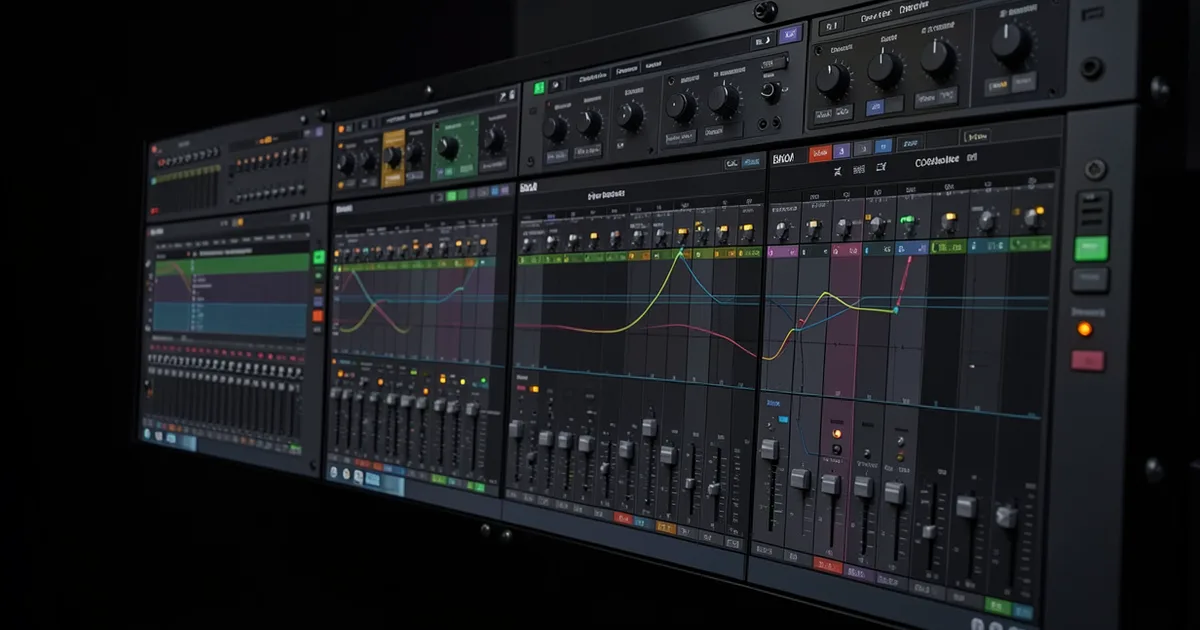
Stem mastering is a process where you send your mastering engineer multiple grouped stereo files, called stems, instead of a single stereo mixdown. It gives the engineer more control over individual elements of your mix without requiring a full remix session.
Stem mastering sits between a full mix revision and traditional stereo mastering. It's the option most indie and home studio producers reach for when their mix isn't quite right but they don't want to pay for a full professional mix.
We've sat on both sides of the session. We've sent stems to engineers and received them as engineers. The honest version of this guide covers what stem mastering actually does well, where it falls short, and what the loudest critics get right.
If you're trying to decide whether it's worth the extra cost, this is the article that answers that.
What Exactly Are Stems?
A stem is a stereo bounce of a group of related tracks. Drums printed together. Bass and sub together. All your guitars as one file. Synths and pads as one file. Lead vocals on their own.
Each stem carries its own level, pan position, and any processing you've baked in. You export them all starting at the same timecode so the engineer can line them up perfectly in their DAW.
The typical stem count is 4 to 8 files. A minimal hip-hop session might be just two: a vocal stem and an instrumental stem. A full band rock record might push 8: kick, snare and overhead bus, bass, guitars, keys, lead vocal, background vocals, and FX returns.
Each stem should hit no louder than -3 dBFS peak. That headroom is non-negotiable. It gives the engineer room to process without clipping their chain before the signal even reaches a limiter.
Stems vs. Multitracks
Stems are not multitracks. Multitracks means every individual recorded or programmed element on its own track. That's a full mix session.
Stems are pre-grouped. You've already done the panning, blend decisions, and internal bus processing. The engineer gets a summary of your mix, not the raw ingredients.
The line matters because some producers confuse the two and send 47 individual files expecting mastering rates. That's a mix session. Engineers price it accordingly.
How Does Stem Mastering Actually Work?
The engineer imports your stems into their DAW, aligns them to the same start point, and builds a session that functions like a stripped-down mix. They now have individual control over the drum bus, bass, vocals, and instrumentation separately.
From there, the main tools are equalization and compression. EQ to clear conflicting frequencies between stems. Compression to add glue between elements or control a vocal that's fighting the mix. Saturation to add harmonic coherence across the full picture.
The Frequency Conflict Problem
Here's where stem mastering earns its cost. We ran a session recently where the bass stem and kick stem were cancelling each other around 80Hz. On a stereo master, all you can do is make a choice: cut 80Hz globally and lose punch everywhere, or leave it and live with the mud.
With stems, we pulled the kick stem's low end with a high-pass at 50Hz and cut a narrow 2dB notch at 82Hz on the bass stem. The kick came through clean. The bass stayed full. That fix takes 90 seconds with stems. On a stereo file it would have required a full remix.
That's the real argument for stem mastering. One targeted fix that would otherwise be impossible.
Compression and Glue
Another common move: the vocal stem gets its own bus compression before the master bus. Something gentle, maybe a 2:1 ratio with a slow attack and medium release, just to keep the lead vocal consistent relative to the instrumental.
On a stereo master, any compression affects everything equally. Squash the vocal and you squash the kick. Stems let you treat each group independently before summing to the master bus.
What Does Stem Mastering Cost?
More than stereo mastering. Always.
Traditional stereo mastering for a 5-song EP typically runs $500 to $700 with a professional engineer. The same project as a stem session runs $750 to $1,500. Most engineers charge double their per-track rate for stem work because it genuinely takes longer.
At the per-track level, human engineer mastering starts around $100 to $250 per song for stereo masters. A stem session adds 30 to 45 minutes of work per track minimum. That time costs money.
Some engineers charge double. Some charge a flat stem surcharge per stem file. If you're sending 6 stems per song and your engineer charges $15 per additional stem, do the math before you commit.
AI Stem Mastering
Tools like LANDR and eMastered have added AI-powered stem mastering options at significantly lower price points. iZotope Ozone's latest versions include stem-aware processing that can target different frequency bands based on content detection.
The AI options are worth trying on simpler productions. On dense arrangements, they struggle with the same things human engineers handle intuitively: knowing when a fix in one stem will cause a problem in another.
We'd call AI stem mastering a frustrating starting point, not a finished product. Run it, listen critically, and don't trust it on material with complex low-end relationships.
When Should You Use Stem Mastering?
Use it when your mix is 90% there but has one problem you can't fix without affecting something else.
Classic cases: a vocal that's slightly inconsistent in level but the reverb tails are glued to the instrumental. A kick and bass that cancel in the sub. A guitar layer that's slightly bright but cutting it on the stereo master takes air off the cymbals.
Stem mastering also works well when you're working in genres where the kick and bass relationship is load-bearing. Electronic music, hip-hop, trap, drum and bass. The low end is the genre. Getting it wrong is the whole problem.
When Stereo Mastering Beats Stems
This is the part most guides skip. We won't.
If your mix is well-balanced, stereo mastering will often sound better than stems. Here's why: a great mastering engineer working on a single stereo file treats the whole mix as one musical statement. Their EQ and compression decisions account for the relationships between elements naturally.
When you introduce stems, those relationships become the engineer's responsibility. A tight EQ move on the bass stem might open up space you didn't intend. A compressor on the drum stem might change the feel of the whole track in ways that aren't apparent until the stems are summed.
We've heard stem sessions that sounded more clinical than the stereo master. Less cohesive. The mix held together better when it was treated as a single thing.
The lesson: if your mix is genuinely good, don't stem it. Let a mastering engineer do their job on the final mixdown.
The Honest Criticism: What's Wrong With Stem Mastering?
The industry pushback is real, and some of it is valid.
Stem mastering hands the mastering engineer a toolset that traditionally belongs to the mix engineer. That's not inherently bad. But it creates a structural problem: revision creep.
We've been in sessions where a stem mastering job became a four-round revision cycle because every fix revealed something the client wanted changed. The engineer adjusts the vocal stem. The client notices the guitar is now too present. The engineer pulls the guitar. The client wants the kick louder. That session dragged on for three weeks.
Stereo mastering has natural limits on how much an engineer can change. Stem mastering removes those limits. Without discipline from both sides, it becomes a micro-mixing session at mastering rates.
The "Fix It in Post" Trap
Some engineers we respect refuse stem work outright. Their argument: if the mix needs that level of intervention, it needs a proper remix, not a workaround at the mastering stage.
We partially agree. Stem mastering can become a crutch that lets producers skip the hard work of learning to mix properly. If you're always relying on your mastering engineer to fix the kick-bass relationship, you're not building the skill that would make your mixes better.
That said, for indie and home studio producers without access to a professional mix engineer, stem mastering is a practical tool. Not a substitute for mixing skill. A bridge while you build it.
How to Prepare Stems Properly
Bad stem prep wastes everyone's time. We've seen engineers spend 20 minutes just aligning stems that were exported at different lengths.
Follow this workflow for clean stem delivery:
Export Settings
Export all stems from the same start point, even if some stems don't have audio at bar one. The silence keeps everything aligned.
Use 24-bit / 48kHz minimum. Some engineers request 32-bit float. Ask before you export.
Peak level: -3 dBFS or lower on every stem. Check with a peak meter, not your DAW's output level. If any stem is hitting louder, pull the fader and re-export.
What to Group
Keep groupings musical and logical. Don't send a stem of just the hi-hats. Group the full drum bus. Don't send every synth layer separately. Group by function: pads, leads, arps.
A useful 6-stem template for electronic production: Kick stem, Full percussion stem, Bass stem, Synths and chords stem, Lead and FX stem, Vocal stem. Adjust for your genre, but that structure works for 80% of sessions.
Label files clearly. "Stem_01.wav" is annoying. "TrackName_Bass_Stem_24bit.wav" is professional.
Tools That Help
If you're mastering your own stems in the box, is the most complete starting point. Its Master Rebalance module is built specifically for stem-aware adjustments. Ozone's latest version lets you target vocals, bass, and percussion separately even from a stereo file, which bridges the gap between stereo and stem mastering workflows.
For monitoring your stem levels before export, Voxengo SPAN is free and shows you peak and RMS values clearly. No excuses for hot stems.
If you want to check phase relationships between stems before sending them out, iZotope Insight or the free TB Correlation Meter will flag cancellation issues before they become the engineer's problem.
Worth Bookmarking
- LANDR, AI mastering with stem-aware processing options
- eMastered, Straightforward AI mastering, stem upload supported
- iZotope Ozone, Industry standard for ITB mastering, stem-capable
- Voxengo SPAN, Free spectrum analyser for checking stem levels
- Mastering The Mix REFERENCE, Null-test and A/B your stems against commercial references
- Sound On Sound, Deep technical mastering articles and engineer interviews
- iZotope's Stem Mastering Guide, Solid technical primer with real DAW examples
Summary
Stem mastering gives you more control than stereo mastering by letting the engineer process grouped elements independently before summing. It costs more, takes longer, and works best when your mix has a specific problem that can't be fixed with global processing.
It's not a replacement for good mixing skills. It's a practical middle ground for indie producers who can't afford a full professional mix session.
Use it when you need surgical fixes. Skip it when your mix is already tight. Know what you're paying for before you send those files.
Part of our complete Music Mastering Guide: Complete Beginner's Breakdown series.
Frequently Asked Questions
How many stems should I send for mastering?
For most productions, 4 to 8 stems is the right range. More than 8 starts to feel like a mix session and some engineers will reprice it accordingly. A minimal two-stem setup (vocal and instrumental) works well for hip-hop and pop when the instrumental is already well mixed. Aim for groupings that are musically logical, not technically exhaustive.
Do all mastering engineers offer stem mastering?
No. Some engineers refuse it outright, usually because they see it as corrective mixing work that belongs at the mix stage. Most modern mastering engineers offer it as an option at a premium rate. Check before you book: ask specifically whether they offer stem sessions and what their stem count limit is.
What's the difference between stem mastering and mixing?
Mixing involves every individual track in your session with full control over levels, panning, plugins, and automation. Stem mastering works with pre-grouped, pre-processed stereo files. The stems carry decisions you've already made. The engineer adjusts relationships between groups, not individual elements within them.
Can I do stem mastering myself in the box?
Yes, and iZotope Ozone is the most practical tool for it. Import your stems into a new session, route each to its own track feeding a master bus, and process from there. The workflow requires solid monitoring and reference tracks. It's a satisfying process when it works. It can spiral into obsessive tweaking if you don't set a deadline.
Should I remove my mix bus processing before sending stems?
Ask your engineer. Most prefer stems with your bus processing intact because they represent your intent. Some engineers prefer clean stems so they can make all the bus decisions themselves. If you're unsure, send both versions and let them choose. Always keep your session files backed up before exporting.
Why is the -3 dBFS headroom rule important for stems?
When the engineer sums your stems together, the combined level will be louder than any individual stem. If every stem peaks at 0 dBFS, the summed master clips before any processing has been applied. At -3 dBFS peak per stem, there's enough room to work. Some engineers request -6 dBFS for denser mixes with lots of parallel compression baked in.
Is AI stem mastering worth using?
For simple productions with clean mixes, AI stem mastering tools like LANDR and eMastered produce decent results at a low price point. For complex arrangements with intricate low-end relationships or heavy layering, AI tools make broad decisions that can hurt more than help. We'd use AI mastering as a reference point, not a final product for anything you plan to release professionally.
What file format should I use when sending stems?
24-bit WAV at 48kHz is the standard minimum. Some engineers request 32-bit float, which preserves the full dynamic range of your internal mix bus processing. Never send MP3 stems. The compression artifacts from lossy encoding will compound through the mastering chain. Always confirm format requirements with your engineer before you export.