
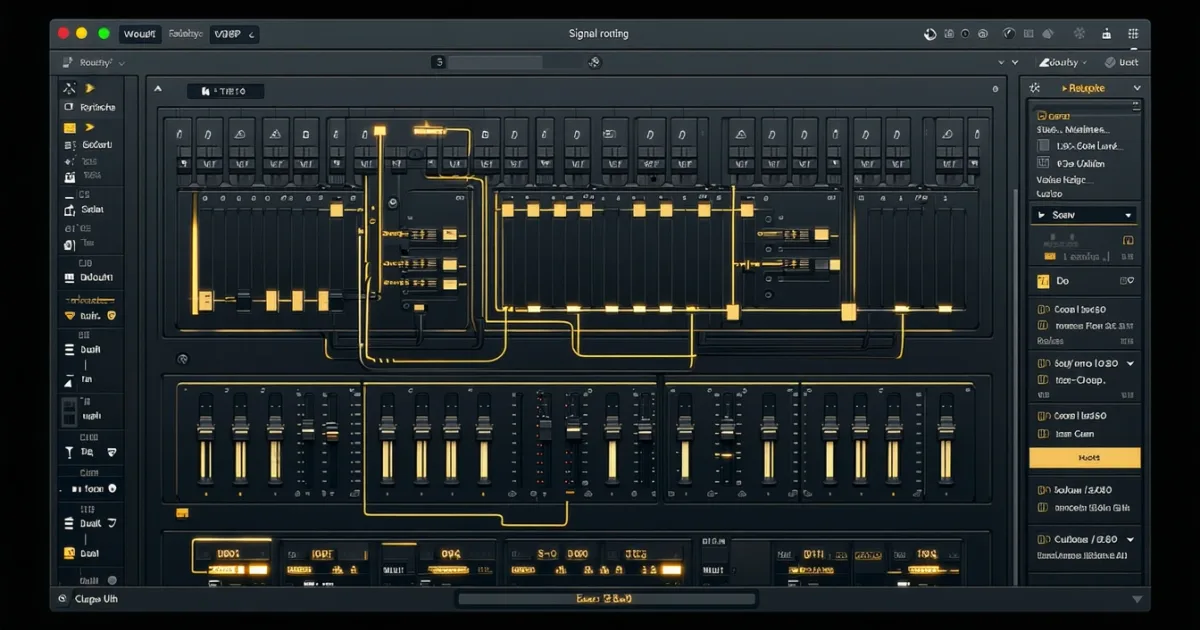
A mix-ready DAW template is a pre-built session file with labelled tracks, grouped buses, effects sends, and gain-staged routing already in place, so you open it and start recording or mixing immediately. The best ones include parallel processing chains, a mastering bus, and colour-coded organisation that works across genres without locking you into one sound.
A blank session is a productivity killer. You know the drill: open your DAW, create a stereo bus, add a drum group, forget to name it, add the master limiter, wonder why the kick is clipping, and forty minutes later you haven't tracked a single note.
Mix-ready templates fix that. Not by making decisions for you, but by removing the decisions that don't matter so you can focus on the ones that do.
We've worked through dozens of templates across Logic Pro, Studio One, Cubase, Pro Tools, FL Studio, Ableton Live, and Reaper. Some we loved. Some were frustrating bloatware. A few were genuinely clever and saved us hours on every session.
This guide covers what a properly built template actually contains, which DAWs handle them best, how to choose between genre-specific and universal layouts, and when a template stops helping and starts getting in your way.
We'll also tell you where to find the best ones right now.
What Does a Proper Mix-Ready Template Actually Contain?
A lot of people sell "templates" that are just named empty tracks. That's not a template. That's a folder.
A real mix-ready template has seven layers working together before you import a single file.
Track Layout and Channel Organisation
The track layout should cover every section of a typical production: kick, snare, toms, overheads, room mics, bass DI, bass amp, multiple guitar DI and amp tracks, lead vocal, backing vocals, keys, and auxiliary instruments.
For a modern rock or metal session, that's easily 40 to 60 channels before you've added anything custom. The Mix-Ready ERRA template, for example, ships with over 40 pre-arranged tracks built around the actual routing their engineer uses live.
Colour coding is not cosmetic. It's a workflow decision. Drums in one colour family, guitars in another, vocals separated visually from everything else. Opening a session in the dark and knowing where the snare is without reading a label: that's the goal.
Group Buses and Parallel Processing
Every instrument family needs a group bus. Drums, guitars, bass, and vocals each get their own, with room to add a parallel "crush" bus for dynamics you can blend in.
We tested a session with a parallel drum bus running a heavy compressor at 10:1 with 6dB of gain reduction, blended in at about 20% wet. The transients stayed clean from the main bus. The parallel signal added body without killing the attack. That's something you can't fake on a blank session without setting it up first.
Good templates have this ready. You just set the blend level and move on.
Effects Sends: Reverb, Delay, and Sidechain
A dedicated reverb send and delay send, pre-routed from every relevant channel, is what separates a working template from a starting point.
The reverb send should have a return channel with a plugin already instantiated. We prefer a plate or room set to around 1.5 to 2.5 seconds decay, with a pre-delay of 20ms, so it sits behind the source rather than on top of it.
Sidechain routing for kick and bass is the one most people forget to set up. The kick's audio should be feeding the sidechain input on the bass compressor before you start mixing. When you open the template and the bass is already ducking 3dB every time the kick hits, you stop fighting the low end and start shaping it.
The Mastering Bus Chain
This is where cheap templates fall apart. A mastering bus chain isn't just a limiter on the stereo output. It's a signal chain: subtle EQ for air and low-end correction, a bus compressor adding 1 to 2dB of glue, saturation at 0.5% to 1% harmonic content, and a true peak limiter set to -1dBTP ceiling.
Build it empty in your template. Bypass everything. The routing is what matters. When you're ready to master, you switch them on and they're already in the right order, at the right gain stage.
Which DAW Handles Templates Best?
All the major DAWs support template files. They don't all handle them with the same intelligence.
Logic Pro
Logic's template system is the most user-friendly. The "My Templates" section in the project chooser is clean, and templates carry every plugin state, send routing, and track colour. We'd call Logic our first recommendation for template-based workflows. The built-in templates it ships with are mostly useless, but the infrastructure for your own is excellent.
Cubase and Studio One
Cubase Pro handles large templates better than almost anything else. Track presets, FX chains, and VCA faders all save and reload reliably. A 60-track metal template with Cubase's MixConsole layout reloads in under 8 seconds on a mid-tier machine. That's satisfying.
Studio One's template system is similar but slightly more limited with complex VCA routing. For pop and singer-songwriter work, it's perfect. For 64-channel live tracking sessions, Cubase edges ahead.
Ableton Live
Ableton templates are strong for electronic and hybrid production. Session View setups with pre-routed return tracks and instrument racks save exactly as expected. The annoying part: Ableton doesn't have a dedicated "template library" browser, so you're managing files manually. Not a dealbreaker. Just friction.
Pro Tools, FL Studio, and Reaper
Pro Tools templates are standard in professional facilities. The I/O setup saved with the template is the real advantage: your interface routing, hardware inserts, and bus assignments all carry over. FL Studio templates work best for beat-based workflows with mixer routing saved per project. Reaper is the dark horse. Its template system is the most customisable, and a well-built Reaper template with SWS extensions and custom actions can automate things the other DAWs can't touch. Harder to set up, more powerful once you do.
Genre-Specific vs. Universal: Which Template Type Should You Use?
This is the question nobody answers clearly. Here's our position.
Genre-specific templates win for speed. A metal template with pre-set high-pass filters at 80Hz on every guitar channel, a parallel drum bus already configured, and a vocal chain starting with a de-esser followed by a compressor: that's not just organisation, it's a decision you've already made correctly. You're starting from experience, not from zero.
The DAW Library marketplace carries over 450 templates across 55+ genres with stock-plugin-only builds. That's useful for producers who don't own a specific third-party suite but want professional routing. We Make Dance Music offers 107 electronic-focused templates with 9.7GB of MIDI and sample content alongside the session files. Genuinely useful if you're working in that world.
Universal templates win for versatility. A clean 32-channel template with sensible bus structure, empty effects sends, and a solid mastering chain fits any genre. You're not fighting genre-specific routing when your project doesn't match the template's assumptions.
Our recommendation: keep both. One genre template per style you produce regularly. One universal template for everything else. Switching costs nothing.
The Hybrid Plugin Problem Nobody Talks About
Here's the gap in most template guides: almost every template ships as either 100% stock plugins or a specific third-party ecosystem. Rarely both.
Stock-only templates are portable across any machine. You open it on a laptop at a studio, everything loads. But stock plugins in Logic, Cubase, and Ableton are not all equal. Logic's Vintage EQ collection is excellent. Cubase's built-in compressors are competent. Ableton's stock reverb is ugly.
Third-party-only templates break the moment someone doesn't own the plugins. We've opened "professional" templates that showed 14 missing plugin slots before we could do anything. Frustrating.
The intelligent solution is a hybrid framework: stock plugins for everything structural (EQ, basic compression, sends), and third-party slots clearly labelled as optional upgrades. Your parallel drum bus uses Ableton's Glue Compressor by default. You swap it for FabFilter Pro-C 2 when you want more surgical control. The routing never changes. Only the tool does.
We tested this approach on a rock session. We built the template with all stock plugins, ran a full mix, then swapped the vocal compressor from Logic's Vintage VCA to a Neve 33609 emulation. The gain staging stayed identical. The swap took 45 seconds. That's the template doing its job.
When Does a Template Start Hurting You?
Templates become a crutch when you stop questioning them.
We've seen producers mix every project through the same parallel drum chain because it was in their template and they never thought to bypass it. We've heard pop records with heavy metal drum routing. The low-mid bump that helps a snare cut through a wall of distorted guitars does the opposite when you're mixing acoustic folk.
The rule we follow: every session, bypass your mastering bus first, listen to the raw mix at unity gain, and check whether the template routing actually serves this project. If a group bus isn't being used, delete it. If an effects send is getting no signal, remove it. A 60-track template for a 12-track project is noise.
Templates are starting points. Not contracts.
The customisation framework we use: lock the bus structure and mastering chain (those change rarely), keep effects sends flexible (decay times and plugin choices change every session), and treat individual track channels as fully disposable (rename, reroute, delete freely).
Worth Bookmarking
- DAW Library: 450+ professionally built templates across 55+ genres, stock-plugin builds available
- We Make Dance Music: 107 electronic templates with MIDI and sample libraries, 9.7GB of content
- Mix-Ready Productions: Genre-specific templates including the ERRA metal template at $119, over 40 pre-routed tracks
- ProducerSpot: Wide DAW template marketplace with Logic, Ableton, and FL Studio options across price points
- REAPER Forum Templates Section: Free community-built Reaper templates, some of the most detailed routing setups available at zero cost
How Do You Build Your Own Mix-Ready Template?
Buying a template is faster. Building your own is smarter. Here's the approach we use.
Start with your most common project type. If you mix bands, that's your first template. If you produce electronic music, start there. Don't build a universal template first. Build the specific one, then strip it back to make the universal version.
Set your track colours before anything else. Colours are faster to process visually than text. Pick a system and commit to it.
Create every bus empty. No plugins yet. Route the groups, set up the sends, establish the gain structure at unity. Then add plugins one by one and save a state you like as the default. Logic's "plug-in manager" and Cubase's "FX chain" presets both support this workflow.
Set your sample rate, bit depth, and buffer size in the template. Open the template and your interface is already configured correctly. This matters more than people think. We've caught sessions where a sample rate mismatch caused 2ms of phase offset on the drum room mics before we'd touched anything.
Save the finished template, then duplicate it and strip out every plugin. Keep the routing. That stripped version is your "blank canvas" template for sessions where you want to start fresh but keep the organisation.
Review your template every six months. The plugins you use change. Your routing preferences improve. A template from two years ago might have an outdated metering setup or a reverb you hate now.
Summary
A mix-ready DAW template saves time by handling every structural decision before you open a session: track layout, bus routing, effects sends, sidechain connections, and the mastering chain. Genre-specific templates from sources like DAW Library or Mix-Ready Productions give you a working starting point for under $120. Building your own is the long-term move. The best templates use a hybrid plugin approach: stock tools for structure, optional third-party swaps for colour. Know when to delete what the template gives you. Routing that doesn't serve your session is just clutter.
Frequently Asked Questions
What's the difference between a DAW template and a DAW project file?
A template opens as an untitled new session with no audio imported and no mix history. A project file is a saved session tied to specific audio files, plugin states, and automation. Templates are reusable starting points. Project files are saved work. Don't confuse them or you'll overwrite your template accidentally, which is an annoying mistake we've all made once.
Can I use a Logic Pro template in Ableton?
No. DAW templates are not cross-compatible in their native formats. A Logic Pro template saves as a .logicx package. Ableton uses .als files. The routing, plugin states, and track layout won't transfer. What you can do is use the same structural logic (same bus names, same signal chain order) and rebuild it manually in each DAW. Some third-party template sellers provide the same template built for multiple DAWs separately.
How many tracks should a mix-ready template have?
For rock and band-based production, 40 to 60 tracks covers most situations. For electronic production, 24 to 32 is more common. Don't pad the track count to feel professional. Every unused track slows your session and adds visual noise. Start with your most common project size and only add tracks you actually use in at least 70% of your sessions.
Should the mastering chain be on in the template by default?
We keep it bypassed. A mastering chain on by default means you're hearing a processed version of your mix while you work, which makes gain staging and bus compression decisions harder to evaluate accurately. Build the chain, set it up correctly, then bypass it. Enable it only when you want to hear the full picture or do a final print.
Are free DAW templates worth using?
Some are. The REAPER forum community has shared templates with extremely detailed routing that match or beat paid options. Free templates from DAW manufacturers (Logic, Ableton's built-in templates) are mostly too simple to be useful beyond absolute beginners. Paid genre-specific templates from verified engineers, like the ERRA template at $119, are worth the money if you mix that genre regularly. Evaluate any free template by checking its bus structure and gain staging before trusting its plugin choices.