Waves DeEsser does the job, but FabFilter Pro-DS does it better, and this review is going to tell you exactly which one you actually need.
That’s the honest framing. These two plugins live on opposite ends of the same shelf in almost every mix engineer’s session. The Waves DeEsser has been on mix buses and vocal chains since the early 2000s. Pro-DS launched in 2012 and has since become the transparent de-essing default for engineers like Andrew Scheps and Tom Elmhirst. We tested the Waves DeEsser head-to-head against Pro-DS, Oeksound Soothe 3, and the stock Logic DeEsser 2 across rap, R&B, and pop vocal sessions. Here’s where it lands.
It’s a utilitarian plugin for engineers who already own a Waves bundle and need sibilance tamed fast. If that’s you, it earns its place. If you’re buying a de-esser from scratch in 2026, keep reading before you spend anything.
How Does the Waves DeEsser Compare Out of the Box?
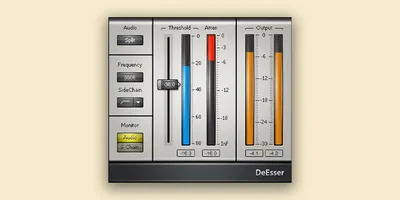
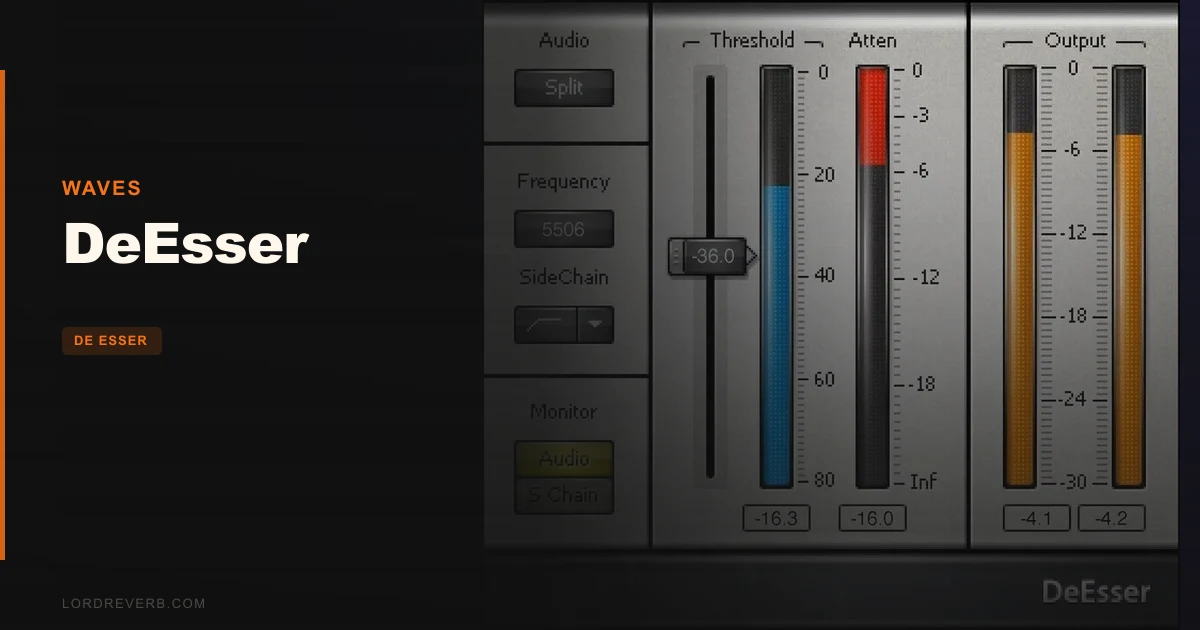
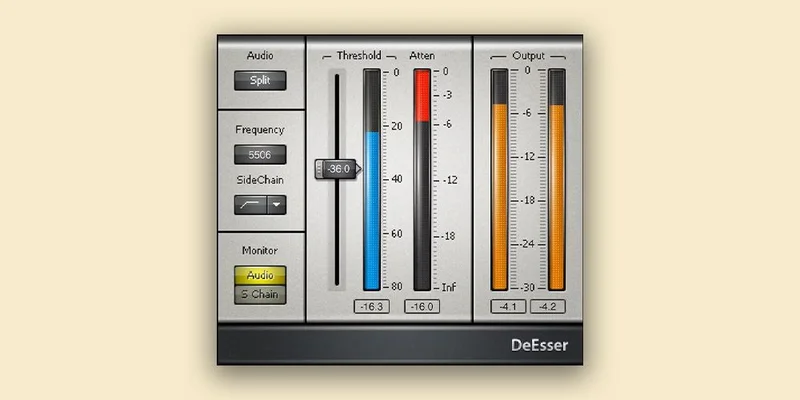
Open the GUI and you get a frequency knob, a threshold knob, and a toggle between wideband and split-band modes. That’s nearly it. No attack or release controls. No frequency display showing you where it’s actually firing. Compare that to Pro-DS, which gives you a real-time display of detected sibilance, a lookahead, and separate attack and release controls down to 1 ms and 500 ms respectively.
First impression: the Waves DeEsser feels like a hardware compressor from 1995. There’s something almost satisfying about that simplicity. Dial the frequency to around 6–7 kHz for a female vocal, pull the threshold until the meter taps on the loud “S” hits, done.
The problem is that’s also the ceiling. What Pro-DS does at step five, this plugin does at step two, and then it stops.
Performance Deep Dive
We ran a pop vocal with heavy sibilance through three plugins back to back: Waves DeEsser, FabFilter Pro-DS, and Logic’s built-in DeEsser 2. The vocal had aggressive “S” energy sitting at 7.2 kHz, audible on every phrase.
In split-band mode, the Waves DeEsser caught the peaks with about 3 dB of gain reduction and left the body of the vocal intact. That’s the mode you want for most vocals. Wideband mode compresses the full signal when sibilance triggers it, which is too blunt for anything except a bus with mild issues.
At 4 dB reduction and below, it sounds clean. Push it to 6 dB and you hear lispy artifacts, the processed quality that signals a de-esser working too hard. Pro-DS held together at 6 dB without audible artifacts, largely because its detection algorithm is smarter about isolating the sibilant transient instead of the surrounding vowel.
For male rap vocals with sibilance in the 3.5–5 kHz range, we found the Waves DeEsser worked best with the frequency knob set between 4 and 5 kHz, split-band mode on, and gain reduction kept to 2–3 dB maximum. Below that ceiling, the plugin is honest. Above it, it starts to feel like a blunt instrument.
CPU draw was negligible. Less than 0.1% on a single instance on an M2 MacBook Pro. That’s a genuine advantage over Soothe 3, which runs significantly hotter on the same machine.
Where the Waves DeEsser Wins
CPU efficiency is the real win. If you’re running 40 vocal layers in a dense R&B production, dropping a Waves DeEsser on each one costs you almost nothing. That’s not a small thing.
The split-band mode is also underrated. We’ve seen engineers dismiss this plugin without trying split-band, which is a mistake. It processes only the frequency band where sibilance lives, leaving everything below it untouched. Set correctly in that 4–8 kHz window, it’s transparent enough for most pop and R&B duties.
Speed matters too. If you’re on a deadline and need 12 vocal tracks de-essed by lunch, the Waves DeEsser’s simple interface is a feature, not a limitation. We had a working setting dialled in on a new vocal in under 20 seconds. That’s faster than loading Pro-DS and navigating its display.
Availability is the final point. If you already own a Waves bundle, you likely already have this. There’s something brilliant about a tool that costs you nothing extra.
Where the Competition Wins
This is where we have to be straight with you.
FabFilter Pro-DS is simply a more capable plugin. Its broadband detection mode reads where sibilance is occurring in real time and shows it to you. You can set attack as fast as 0.1 ms to catch sharp transients and a release of 80 ms to let the natural decay breathe without pumping. We could not do any of that in the Waves DeEsser.
Oeksound Soothe 3 (released May 2026) operates in a different category entirely. It’s a dynamic resonance suppressor, not a traditional de-esser, and its new Detail control directly targets vocal harshness at the micro-transient level. It handles the kind of diffuse, multi-frequency harshness that sits above 5 kHz but isn’t a clean sibilant peak. The Waves DeEsser has no answer for that scenario.
Even Logic’s built-in DeEsser 2 beats the Waves plugin on display quality and offers a dedicated listen mode to audition only the detected band. That’s free, and it’s more functional in that specific way.
Who Should Buy Which?
✅ Buy the Waves DeEsser if you…
- Already own it through a Waves bundle and haven’t tried split-band mode yet
- Need a lightweight de-esser for dense sessions where CPU headroom is tight
- Work on bread-and-butter pop or R&B vocals where sibilance peaks are moderate (under 4 dB reduction needed)
❌ Skip it and buy Pro-DS if you…
- Need surgical control over attack and release timing for precise sibilant transient management
- Record vocalists with aggressive, variable sibilance that moves across sessions
- Want a real-time frequency display to confirm you’re targeting the right band
Score Breakdown
| Category | Score | Notes |
|---|---|---|
| Sound Quality | 3.5/5 | Clean within a 4 dB ceiling; artifacts appear above that |
| Value for Money | 4.0/5 | Effectively free if you own a Waves bundle; fair at sale price as a standalone |
| Ease of Use | 4.5/5 | Two knobs and a toggle, hard to get wrong, hard to go deep |
| Features | 2.5/5 | No attack/release, no frequency display, no listen mode, a real frustrating gap in 2026 |
| CPU Efficiency | 5.0/5 | Negligible draw on any modern machine; best in class for this |
| Overall | 3.5/5 | A workhorse with a low ceiling, still earns its keep in the right session |
Alternatives to Consider
FabFilter Pro-DS, The one we’d actually buy if starting fresh. Real-time display, adjustable attack and release, and a wideband mode that outperforms at every reduction depth. Check the FabFilter site for current pricing. Best De-Esser Plugins in 2026
Oeksound Soothe 3, Not a traditional de-esser. It suppresses resonant harshness dynamically across the whole upper frequency range, which makes it the right tool when “S” sounds aren’t the only problem. The new Detail control (May 2026) is genuinely clever for R&B and pop vocals with complex tonal issues. Oeksound Soothe 3 Review
Waves Vocal Bundle, If you want more Waves vocal tools alongside the DeEsser, check this against the competition before buying. The Deluxe Vocal Bundle vs Waves: 10 Plugins for Less shows where third-party bundles beat Waves’ own package on price.
You might also find it worth cross-referencing with our InShaper Review: Sound Particles Waveshaper Tested 2026 if your vocal chain needs transient shaping alongside de-essing.
The Waves DeEsser is not the plugin we’d reach for first in 2026. But it’s the one we’d never delete either.
If you already own it, learn split-band mode and keep gain reduction under 4 dB. You’ll get honest, low-CPU results on 80% of vocal sessions. If you’re buying a de-esser from scratch, spend the money on Pro-DS instead. The Waves plugin is a workhorse built in a different era, and the world of vocal production has moved past it in every category except CPU efficiency, where it’s still untouchable.
Don’t pay full price for it as a standalone purchase. It’s a bundle tool. At bundle pricing, it earns a spot in your chain. As a solo purchase in 2026, there are smarter places to put that money.
Frequently Asked Questions
Is the Waves DeEsser good enough for professional vocal sessions?
It depends on the session. For moderate sibilance needing 2–4 dB of reduction, the split-band mode is transparent and fast to set up. For heavier or more complex sibilance, the lack of attack and release controls becomes frustrating quickly. Engineers like Andrew Scheps have moved toward tools with more precise detection for good reason. Use it as a first-pass tool, not a final solution on problem vocals.
What's the difference between wideband and split-band mode in the Waves DeEsser?
Wideband mode compresses the entire signal whenever sibilance is detected above the threshold. That means every frequency gets quieter, which can affect the body and warmth of a vocal. Split-band mode only attenuates the high-frequency band where sibilance is occurring, leaving everything below it untouched. For most vocals, split-band is the correct choice. Wideband works on a bus where you want subtle overall control.
How do I set the frequency knob correctly for female vs. male vocals?
For female vocals, sibilance typically sits between 5 and 8 kHz. Start your frequency knob around 6–7 kHz and use the listen/audition function in your DAW's EQ to confirm. For male vocals, sibilance lands lower, usually 3.5–6 kHz, so pull the knob down accordingly. Then set the threshold so the gain reduction meter moves only on the harsh "S" and "SH" sounds, not on every consonant.
Should I use the Waves DeEsser or Logic's built-in DeEsser 2 if I'm on a Mac?
If you own Logic Pro, DeEsser 2 is the smarter pick for in-the-box work. It has a listen mode that lets you audition the detected band in isolation, which the Waves plugin lacks entirely. Logic DeEsser 2 is also free with the DAW. The only reason to prefer the Waves DeEsser in Logic is if you're working on sessions that need to open in other DAWs, since Logic's stock plugins don't travel.