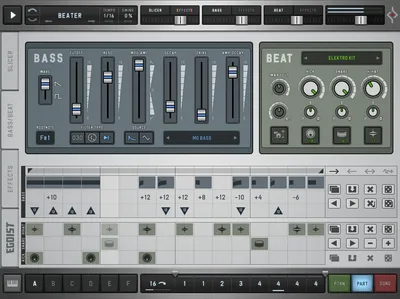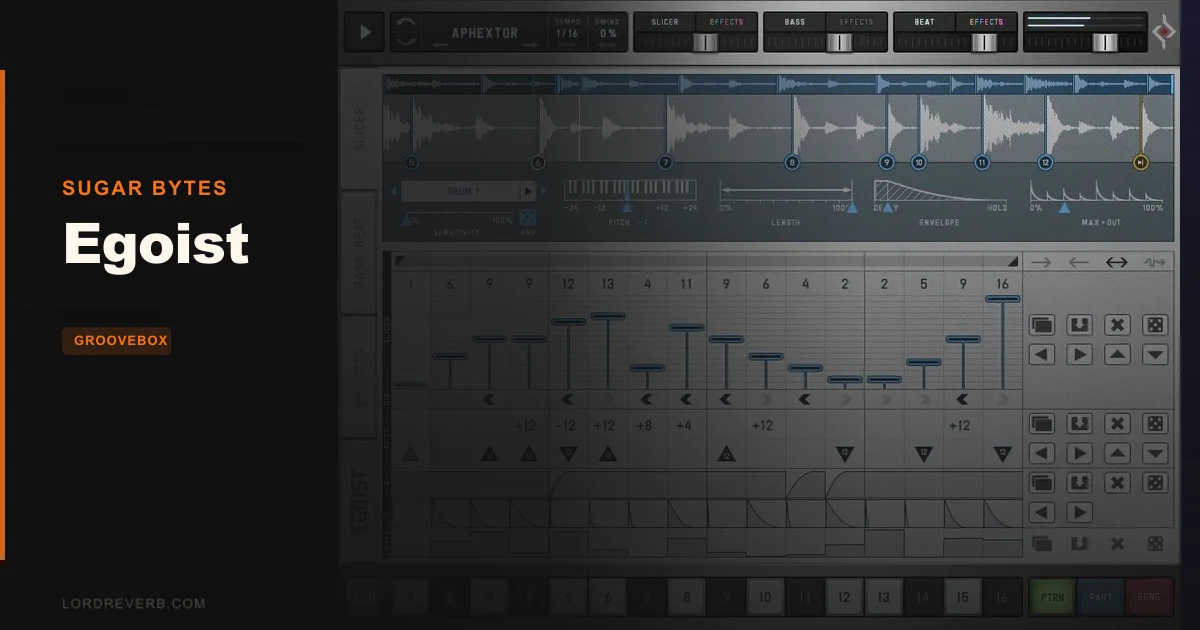
Sugar Bytes Egoist is a self-contained groovebox plugin that combines a loop slicer, TB-303-style bass synth, drum machine, and a per-step effects sequencer into one interface. It's built for speed. Drop a sample, rearrange the slices, add a bass line, layer a beat, and you've got the skeleton of a track in under ten minutes. Whether that's enough for your workflow is the real question.
We were halfway through a late session, stuck on a four-bar techno loop that wasn't going anywhere, when we loaded Egoist and dropped in a modular percussion loop from its own factory library. Within about six minutes, the slices were rearranged, a 303-style bass was running underneath, and the hi-hats had pan control dialled in from the updated engine. It felt like cheating. Then we tried to push it further and hit every wall the plugin has.
This review is for producers who sketch ideas fast, beatmakers looking for an all-in-one inspiration box, and anyone curious whether Egoist still holds up in 2026 against more powerful groovebox options.
First Impressions: One Screen, No Mystery
Installation is clean. Sugar Bytes uses its own licence manager. Activation takes two minutes and works offline after the initial authorisation.
Open Egoist for the first time and you see everything at once. The slicer sits across the top half, the bass and beat modules share the bottom, and the effect sequencer runs as a strip between them. Nothing is buried in a submenu. We love that.
The factory library loads immediately. 760MB of content covers acoustic beats, synth loops, percussion, vocals, and SFX across 16 folders. The drum machine ships with over 1,000 sampled sounds across 15 kits with a mix-and-match option. You won't run out of material on the first day.
The UI runs at a minimum monitor height of 800 pixels. On a laptop screen it's tight but usable. No HiDPI scaling issues on the Mac build we tested.
Getting It Into a Real Workflow
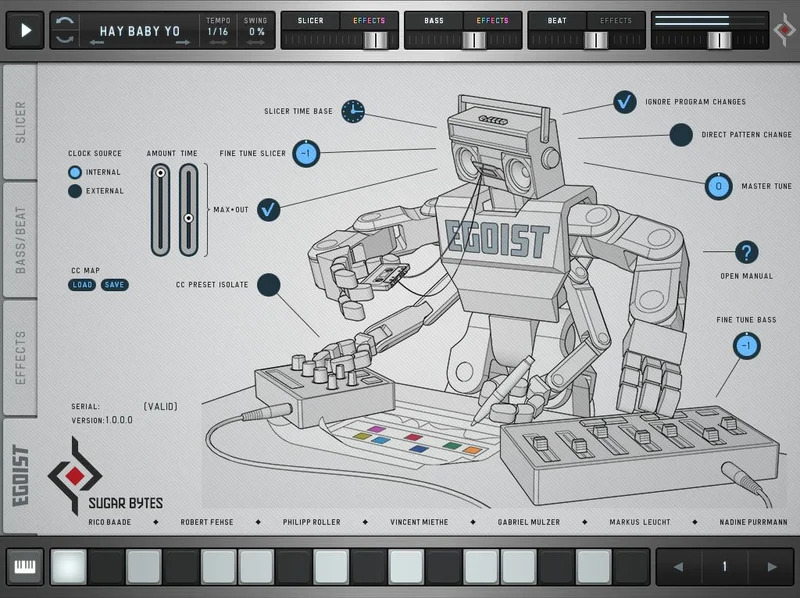
Egoist syncs to your DAW clock, which is the first thing to set up. Go to the setup page, switch the clock source from internal to host, and decide whether the sequencer triggers on DAW playback. Once that's sorted, it sits in the signal chain like any instrument plugin.
MIDI pattern triggering works well. Patterns fire on C1 through D#2. Individual slices trigger on C3 through D#4. That's a familiar enough layout if you've used groovebox plugins before or any pattern-based hardware.
The friction shows up when you try to build a full arrangement. The one-bar pattern limit means complex song structures require a lot of pattern switching, which you're managing either manually or by drawing MIDI in your DAW. It works, but it's annoying. For sketch work it's fine. For finishing a track inside Egoist, it's genuinely limiting.
Audio export is the other friction point. There's no bounce-from-within option. You record the output back into your DAW in real time, or you don't get it out. That workflow feels like 2014.
WAV, AIFF, and MP3 load without issue. We tested a 24-bit/48kHz WAV loop and it sliced cleanly.
What Egoist Is Genuinely Good At
The slicer is clever. Up to 16 automatic slices per sample, with per-step controls for pitch, playback direction, attack, decay, and volume. Pitch adjustment runs two octaves up or down per step. Running the same one-bar loop with every step set to a different pitch, reverse direction on beats three and four, and a slow attack on the off-beats produces results that would take real effort to recreate manually in a traditional sampler.
We ran a vocal chop loop through the slicer, set steps 5 and 13 to reverse, pulled the pitch down a fifth on step 9, and crushed the decay to 30ms on the last two steps. The loop went from predictable to unsettling in about ninety seconds. That's the satisfying core of this plugin.
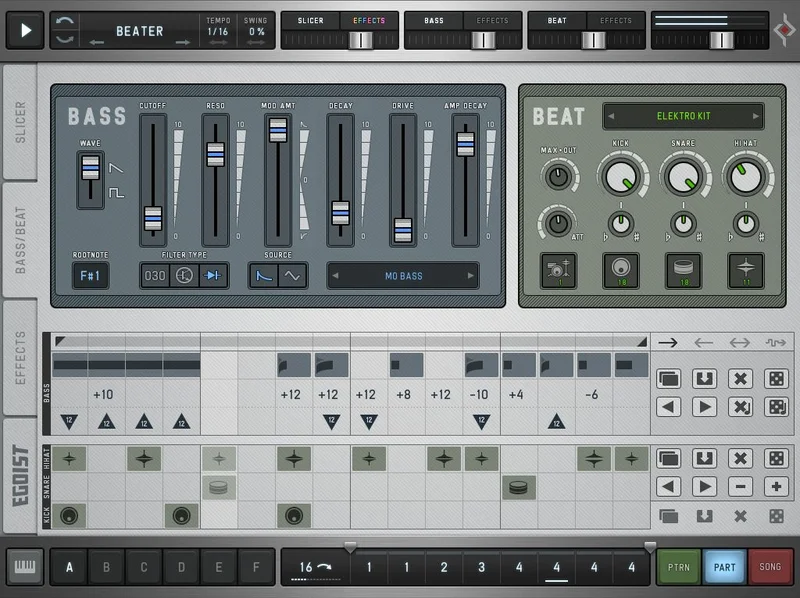
The bass module delivers. Saw or pulse waveform, resonance, decay, cutoff modulation, and drive. It won't replace a dedicated bass synth for nuanced sound design, but for punchy 303-style lines that sit in the mix under a slicer groove, it does exactly what it promises. The polyrhythmic clock dividers added in the updated version are genuinely useful here. Running the bass on a 3/16 cycle against a straight 4/4 slicer pattern is a one-knob way to add rhythmic tension.
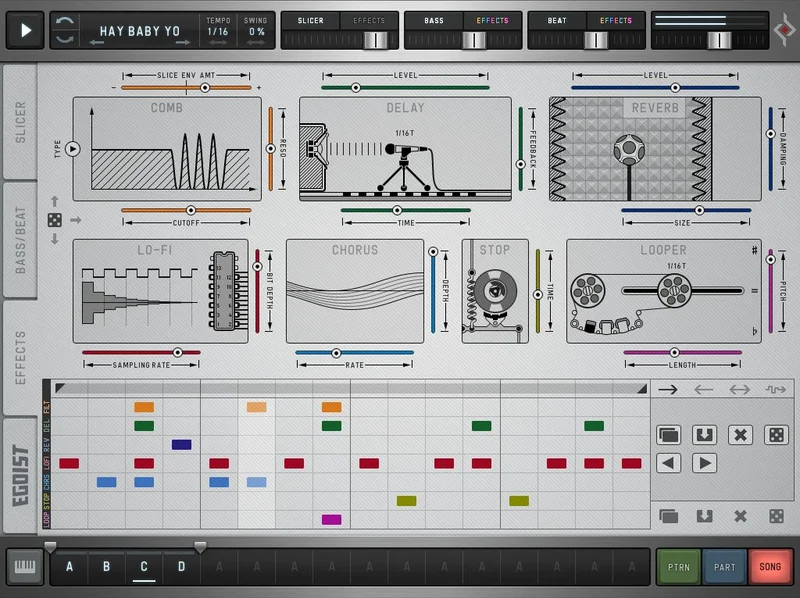
The effect sequencer borrows the Effectrix concept well. Seven processors: Reverb, Chorus, Delay, Filter, Lo-Fi, Tape Stop, and Looper. Each applies on a per-step basis to the slicer, beat, or bass independently. The Filter section offers 7 types and multiple cutoff modulation sources. Per-step Lo-Fi on a hi-hat pattern adds the kind of dirt that takes ten minutes to dial in manually on a standard channel strip.
The Mike Huckaby presets are worth loading just to study the bass patterns. Detroit techno sensibility baked directly into the factory content is a real differentiator. Check the Sugar Bytes plugin catalogue if you want to hear how consistent their sound design approach is across their other tools.
The Rough Edges
Auto-slicing is inconsistent on complex material. We dropped in a dense drum break with a lot of transient activity and the auto-detect placed three slices badly, creating clicks at the edit points. Manual slice adjustment fixed it, but that takes time and partly defeats the speed-first pitch.
The one-bar limit is the biggest structural constraint. It's frustrating because everything else in Egoist is built for momentum. You get a groove going, you want to extend it, and the ceiling appears immediately.
CPU usage is modest on a modern machine. We ran four instances in a Ableton Live session on an M2 MacBook Pro without any measurable performance hit. That's a genuine strength. But we couldn't find published figures from Sugar Bytes on exact CPU draw, so your results may vary on older hardware.
The standalone application is useful for live use and mobile sketching. But without audio export built in, the standalone mode feels undercooked. You're still recording out to another device.
32-bit support is gone. The plugin is 64-bit only on both Mac and Windows. If you're on an old system, check before you buy.
Who This Is Really For
- ✅ Buy if you sketch ideas fast and want one plugin that covers loop manipulation, bass, and drums without tab-switching between three separate instruments.
- ✅ Buy if you produce techno, lo-fi, or hip-hop and want a dedicated groove tool that sounds right out of the box, especially with the Huckaby preset content as a starting point.
- ✅ Buy if you play live and need a self-contained groovebox you can trigger with MIDI from a controller without building a full Ableton set.
- ❌ Skip if you need arrangements longer than one bar per pattern without constant MIDI management overhead.
- ❌ Skip if deep sound design is the goal. The bass module is satisfying but shallow. A dedicated bass synth plugin will go further.
- ❌ Skip if you're on a 32-bit system or running an OS below macOS 10.12 or Windows 7.
Score Breakdown
| Category | Score | Notes |
|---|---|---|
| Sound Quality | 3.5/5 | The slicer and bass module sound good. Don't expect boutique synth depth. |
| Value for Money | 3.5/5 | Competitive for what it covers, but the one-bar limit holds the value back. |
| Ease of Use | 4.5/5 | One of the most readable plugin interfaces we've used. Everything visible at once. |
| Features | 3.0/5 | Polyrhythmic update adds real depth, but no audio export and one-bar patterns limit headroom. |
| CPU Efficiency | 4.0/5 | Ran four instances on M2 without measurable hit. Older hardware untested. |
| Overall | 3.5/5 | A brilliant sketch tool with real ceiling. Know what you're buying. |
Alternatives to Consider
FXpansion Geist 2 removes the one-bar ceiling and offers deeper sample manipulation. It's more complex to learn, but if arrangement depth matters, it's the better long-term tool. Read our groovebox plugin comparison
Native Instruments Maschine (software plus hardware) costs significantly more but gives you a full production environment. Egoist is faster to open. Maschine is faster once you own the hardware. Two different workflows, not interchangeable.
Sugar Bytes Aparillo isn't a groovebox, but if you're already in the Sugar Bytes world and want a synth that complements Egoist's bass module with more tonal range, it's worth a look. Sugar Bytes Aparillo review
Reason Studios Reason+ covers similar groove-builder territory with more expansion room if subscription pricing works for your setup. Reason+ review
Egoist is the right tool if you know its limits going in. It's a sketch pad, not a finisher. The slicer is clever, the bass module works, the factory content with Mike Huckaby's presets has real personality, and the polyrhythmic update gives you more rhythmic texture than the original ever had. But if you need to build full arrangements inside the plugin, you'll hit the one-bar wall and resent it every session. Check the current price at Sugar Bytes, run the trial if it's available, and load one of the Huckaby presets in the first sixty seconds. You'll know immediately if this is your kind of tool.
Frequently Asked Questions
Does Egoist work with Apple Silicon Macs?
Yes. Sugar Bytes confirms native Apple Silicon M1 support in the current version. It runs on macOS 10.12 or higher in 64-bit format. We tested on an M2 MacBook Pro without compatibility issues.
Can I use my own samples in Egoist?
Yes. Egoist loads WAV, AIFF, and MP3 files via the Load Sample function. The auto-slicer divides the audio into up to 16 slices. On busy or complex material, manual slice adjustment may be needed to avoid clicks at edit points.
Is Egoist good for live performance?
It has genuine live potential. The standalone application runs without a DAW, and patterns trigger via MIDI on C1 through D#2, which maps cleanly to most pad controllers. The one-bar pattern limit means you'll need multiple patterns to cover a full performance set, but MIDI pattern switching handles that well.
How does Egoist compare to a full groovebox like Maschine?
Egoist is faster to open and simpler to learn. Maschine covers more ground but takes longer to dial in and costs significantly more, especially if you buy the hardware controller. Think of Egoist as a dedicated sketch tool and Maschine as a full production environment. They solve different problems.