Output REV is the most interesting reversed-sound instrument we’ve tested, and it’s also the most frustrating to recommend at full price.
We were forty minutes into a trap outro, stacking atmosphere behind a 140 BPM hi-hat pattern, when a riser from REV’s Rises engine locked in so cleanly that we stopped building the arrangement entirely. Just looped the four bars and sat with it. That moment is both the best argument for buying REV and the quiet problem with it: it does one very specific thing brilliantly, and then you wonder how often you’ll need that thing.
REV is a Kontakt instrument built entirely around reversed audio. Every sound in its 14 GB library started life played backwards. It ships with four engines, over 1,000 presets, and a price tag of $199. It’s built for producers who want cinematic texture, experimental sound design, or something that doesn’t sound like every other library on their drive.
First Impressions: A Weird Kind of Beautiful
The download is 14 GB uncompressed. Installation through Output’s Arc app is painless: connect, click, wait, open. First launch inside Kontakt takes about 15 seconds to fully load a preset, which felt slow until we realised the patches are pulling a lot of layered content.
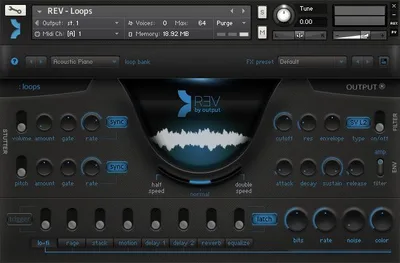
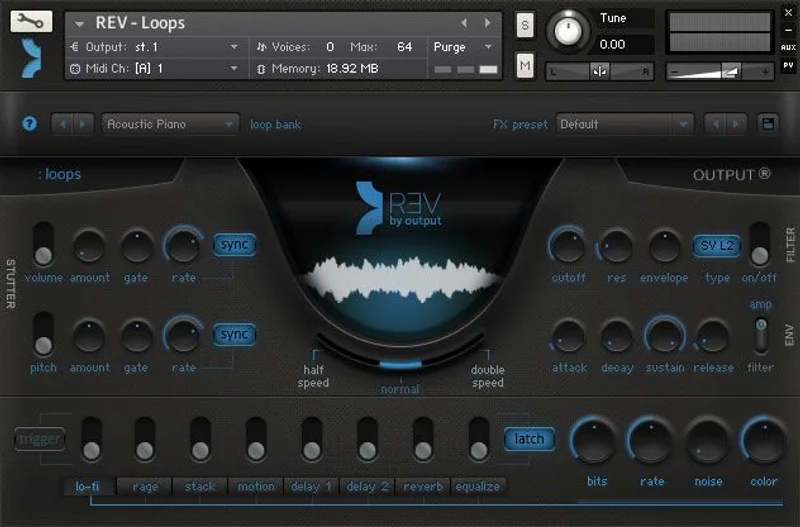
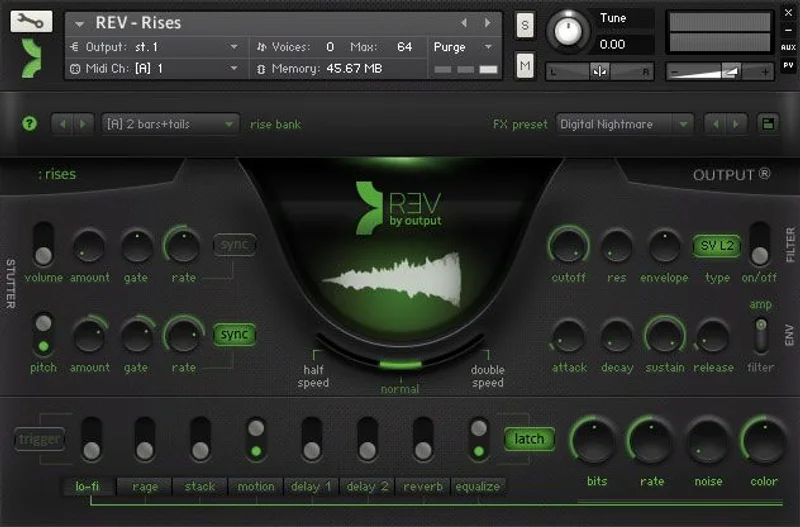
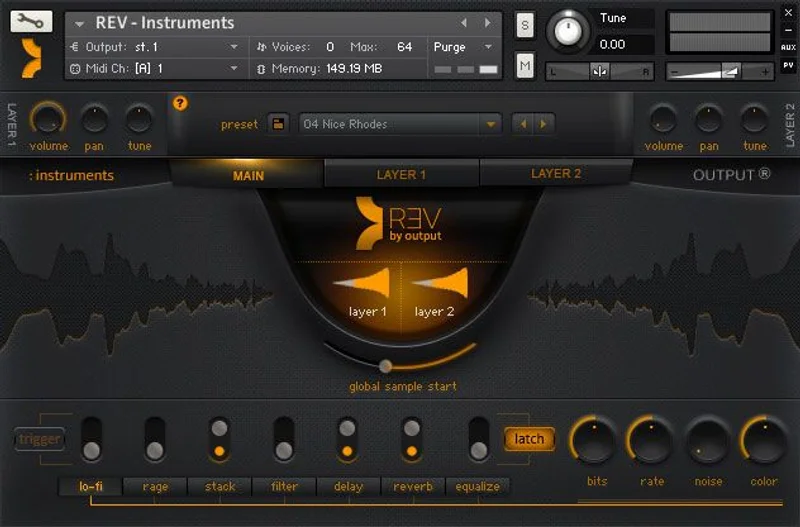
The interface is clean and dark. Output has always been good at this. Four engine tabs sit at the top. The central waveform display shows your reversed sample moving, which is satisfying in a way that’s hard to explain. Controls are minimal by design. That minimalism is a feature for fast workflow, but it starts to feel like a ceiling when you want to push past the presets.
The first preset we loaded was a reversed piano chord. It breathed in instead of out. Genuinely love that sound.
Getting It Into a Real Workflow
REV runs inside Kontakt (full version, not the free Kontakt Player). That’s your first friction point. If you don’t own Kontakt, add $199 to the bill. No standalone, no VST3 version of REV itself. It’s a Kontakt instrument, and Output positions it squarely there.
We ran it across three sessions: a cinematic ambient piece in Logic Pro, a trap beat in Ableton Live 12, and an experimental IDM sketch in Bitwig. The Loops and Rises engines loaded fast in Logic with no dropout at 256 samples buffer. Ableton pushed CPU harder. On a MacBook Pro M2, a dense Timed Instruments patch with three-voice polyphony hit 18% CPU on a single instance. Stack two and you’re watching your meter nervously.
The workflow friction isn’t the interface. It’s that REV’s strengths are so specific that you won’t reach for it on every session. We went a full week in between the cinematic piece and the trap beat without opening it once. That’s not a dealbreaker. Just know what you’re buying.
We’d recommend routing REV through a dedicated delay send for ambient texture rather than inserting effects directly on the Kontakt channel. The reversed tails layer more naturally that way.
What REV Does That Nothing Else Does
The Rises engine is brilliant. Full stop.
We pulled up a rise with a 4-bar length, tempo-synced to 140 BPM, and it tracked the session tempo without drift. The attack came from nowhere, built over four bars, and resolved exactly on bar five’s downbeat. Adjusting the Macro knob in the interface shifted the harmonic brightness from a low 80 Hz rumble to a presence-heavy 3 kHz shimmer. That single control did more than most multi-knob competitors manage with six.
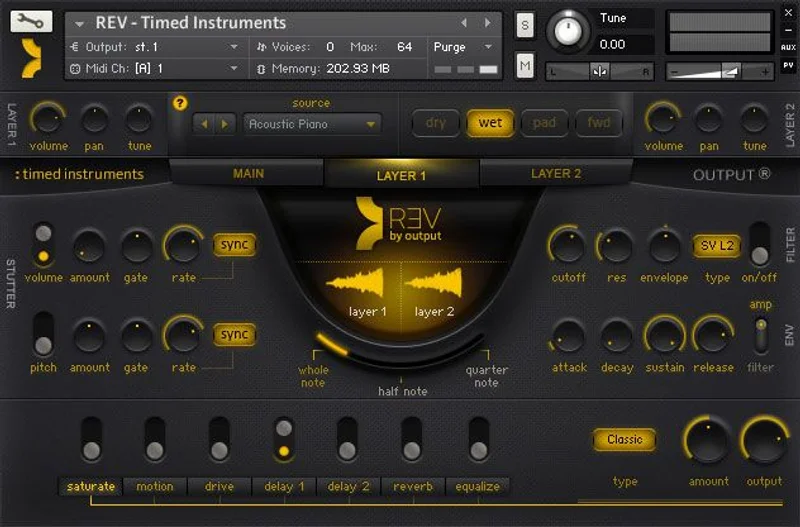
The Timed Instruments engine is underrated. A reversed string swell played in key, sustaining until note-off, then releasing backwards. It behaves like a standard instrument but sounds like nothing standard. We used it under a sparse chord progression and it added 6 dB of perceived density without touching the gain stage.
The library’s 14 GB is genuinely varied. Reversed percussion, reversed synthesis, reversed organic recordings. We found a reversed metallic percussion hit that sat beautifully under a kick, adding a sub-layer transient around 60 Hz without muddying the 200-400 Hz range.
For cinematic and experimental work, REV has no direct competition at this price. Nothing else does real-time reverse playback across 1,000 presets in a single instrument.
The Rough Edges
The CPU behaviour is annoying. Polyphonic patches in the Timed Instruments engine can spike unpredictably. On Windows with a mid-range i7 at 512 samples buffer, we saw dropouts on a three-note chord. That’s a problem for anyone not on Apple Silicon or a high-clock desktop CPU.
The sound design ceiling is low. There’s no dedicated filter envelope on many patches. You get Macro controls, which are Output’s way of simplifying parameters, but when you want to sculpt a reversed pad’s cutoff over four bars independently of the built-in envelope, you can’t without exiting the instrument and automating externally. That’s frustrating for producers who like to go deep.
The $199 price assumes you’ll use all four engines regularly. Our honest read: most producers will lean on two. The Instruments engine is the weakest of the four. The presets there are good but less distinctive than what you’d get from a dedicated acoustic instrument library.
One more thing: the preset browser doesn’t have a text search. With 1,000+ presets, that’s a real oversight.
Who REV Is Actually For
✅ Buy if you produce cinematic, ambient, or experimental elect
ronic music and need textures that sound genuinely different from anything sample-pack based.
✅ Buy if trap and hip-hop are your lanes and you want risers and atmospheric loops that don’t show up in every other producer’s session.
✅ Buy if you already own Kontakt and need something that handles reversed sound design in one instrument instead of manually reversing samples in your DAW.
❌ Skip if you’re primarily a pop or acoustic-leaning producer. REV’s sound palette won’t visit your sessions often enough to justify the cost.
❌ Skip if you’re on a mid-range Windows machine with tight CPU headroom. The polyphonic patches will cause you grief.
❌ Skip if you don’t own Kontakt already. The combined cost pushes into territory where other options make more sense. Check what MPC expansion libraries offer if you’re on a budget.
Score Breakdown
| Category | Score | Notes |
|---|---|---|
| Sound Quality | 4.5/5 | The Rises and Timed Instruments engines are genuinely impressive; nothing sounds like this |
| Value for Money | 3.5/5 | Fair if you use three or four engines; hard sell if you're a two-engine producer |
| Ease of Use | 4.0/5 | Macro controls make it approachable fast; no text search on presets is an annoying oversight |
| Features | 3.8/5 | Four engines and 1,000+ presets is strong; sound design depth is limited by shallow enveloping |
| CPU Efficiency | 3.0/5 | Polyphonic patches spike noticeably; Apple Silicon handles it better than older Intel/AMD setups |
| Overall | 4.1/5 | A brilliantly specific tool that earns its price for the right producer and frustrates everyone else |
Alternatives Worth Considering
If REV isn’t the right fit, here are three options worth your time.
Spitfire LABS (Free). LABS has several reversed-sound packs available at no cost. The depth isn’t there and there’s no unified engine, but if you need reversed textures occasionally rather than constantly, LABS gets you there without spending $199. Check their site for current availability.
Straylight by Native Instruments. Straylight focuses on granular and spectral morphing of orchestral recordings. It’s not a reversed-sound instrument specifically, but the textural output overlaps with what REV’s Instruments engine produces. Less unique, more versatile. Read our breakdown of granular texture tools for more context.
Manual reversing in your DAW. This sounds dismissive. It isn’t. Ableton’s clip reverse, Logic’s time and pitch editor, and Bitwig’s audio clip reverse are all fast. If you want one reversed sample for a specific riser, doing it yourself takes four clicks. REV earns its money when you want 1,000 variations without the manual work, not when you just need one.
For sequencing REV’s output in more experimental ways, SEQUND Lite’s step sequencer pairs well with triggering Kontakt instruments from an external MIDI sequence.
Final Call
REV is one of the most sonically distinctive Kontakt instruments we’ve tested. The Rises engine alone has saved sessions. The reversed string textures in Timed Instruments do things no other single library does at this price.
But $199 is a committed purchase. It requires Kontakt. It has a CPU ceiling. Its sound design depth tops out faster than we’d like.
Buy it if cinematic, trap, or experimental production is where you live. The Rises engine will pay for itself in the first month. Skip it if you’re a pop producer who occasionally wants a weird texture. There are cheaper ways to get there.
REV is the right tool for a specific producer. The satisfying part is that producer knows exactly who they are before they finish reading this.
Frequently Asked Questions
Does REV by Output require the full version of Kontakt?
Yes. REV runs inside the full version of Kontakt and does not work with the free Kontakt Player. If you don't own Kontakt, factor that cost into your total. Check Native Instruments' site for current Kontakt pricing before budgeting for REV.
How large is the REV sample library and how long does installation take?
REV is 14 GB uncompressed. Installation through Output's Arc app is straightforward, but the download time depends entirely on your connection speed. On a standard 100 Mbps connection, expect 20-30 minutes. Once installed, initial preset loads inside Kontakt take around 10-15 seconds for heavier patches.
Is REV good for trap music or is it only for ambient and cinematic work?
It works well for trap. The Rises engine is tempo-synced and handles 140-160 BPM sessions cleanly. We used the Loops engine on a trap beat session and found 18 usable patches without much searching. It's not a dedicated trap library, but its reversed textures and risers sit naturally in that genre.
How does REV handle CPU load in a dense mix?
It depends heavily on which engine and how many voices you're running. On Apple Silicon at 256 samples buffer, a single polyphonic Timed Instruments patch hit roughly 18% CPU on one core. Older Intel setups will see higher usage. Keep REV on its own dedicated Kontakt instance and freeze the track when you're done dialling in the sound.