
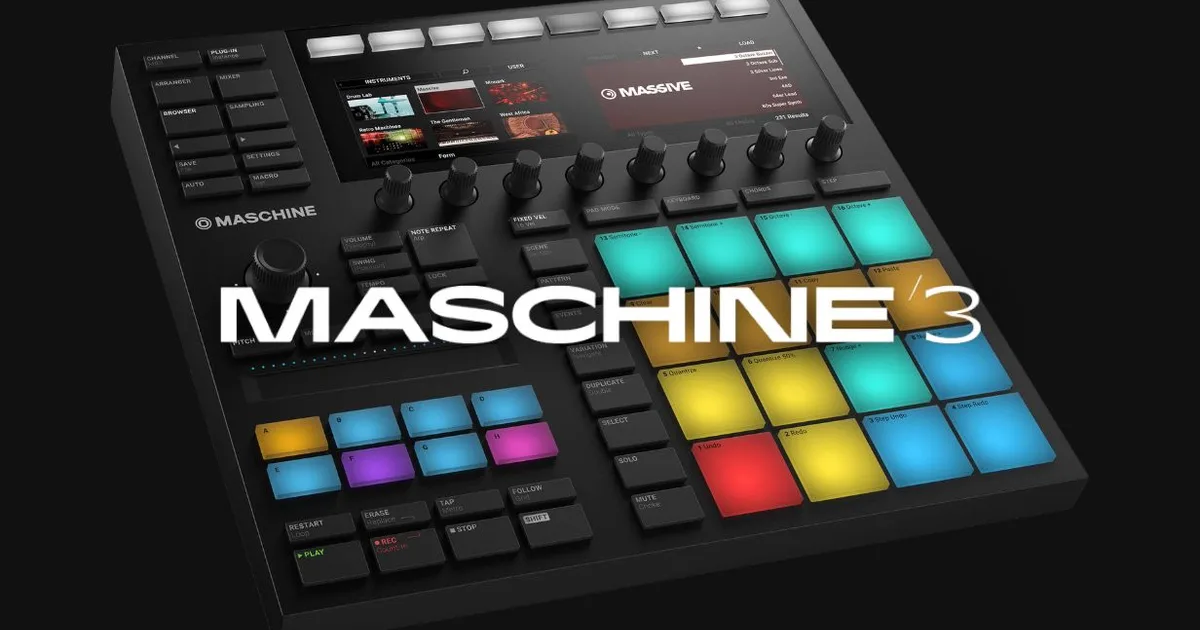
Maschine expansion packs are official Native Instruments sound libraries built specifically for the Maschine ecosystem: each one ships with samples, drum kits, patterns, and instrument presets that load directly onto your 16 pads and pattern slots inside Maschine software. They work across all Maschine hardware (Maschine, Mikro, Studio, JAM, Maschine+) and as VST/AU plugins inside any DAW, so hardware is optional.
What Actually Comes Inside a Maschine Expansion?
Every expansion is a self-contained production toolkit. Not just a sample pack dumped into a folder.
When you buy something like Sacred Futures, you’re getting over 1,000 loops, 31 Battery kits, and 50 Maschine kits. Bumpin Flava ships with 200 patterns, 29 Drum Synth presets, 24 sampled instruments, 11 full projects, and 60 Battery kits. FineLine comes in at 5GB unpacked: 40+ groups, 110+ instruments, and 300 drum samples.
That’s a full production session in a box.
The anatomy of most expansions breaks down like this:
Samples and Loops
Raw audio files. Drag them straight into your DAW or assign them to pads. These are royalty-free and work in any software, not just Maschine.
Drum Kits
Pre-mapped to your 16 pads. Load a kit, and the kick, snare, clap, hats, and percussion are already sitting where your hands expect them. On Maschine hardware, you can browse kits without touching a mouse.
Patterns and Projects
This is where expansions earn their price. Full MIDI patterns that show you exactly how the producer intended the sounds to lock together. Load a project, press play, and the entire vibe is there. Then pull it apart and rebuild it your way. We’ve learned more about swing and groove placement from dissecting expansion patterns than from any tutorial video.
Instrument Presets
Synth patches, bass presets, and melodic instruments built for Native Instruments’ internal engines. These require Maschine software (or Komplete Kontrol) to play back with full parameter control.
How Do You Install Maschine Expansions?
Installation trips people up more than it should. Annoying, because the fix is simple once you know it.
All official expansions install through Native Access. Download Native Access, log in with your NI account, and find the expansion under “Not installed.” Click install. Done for the software side.
The part people miss is the User Library path.
Setting Your User Library Path
Open Maschine software. Go to Preferences, then Library, then User. You need to point Maschine at the folder where your expansion content landed. If you skip this step, your kits and samples won’t show up in the browser even though the files are on your drive.
Set the path once. Maschine scans the folder. Everything populates.
If you installed to a secondary drive (smart move for 5GB+ packs like FineLine), make sure that drive path is what you’re pointing to. We’ve seen people reinstall expansions three times because they were setting the wrong folder. Check the path first.
Do You Need Maschine Hardware to Use Expansions?
No. The Maschine software runs as a VST or AU plugin inside Ableton, Logic, FL Studio, or any other DAW. All expansion content loads inside the plugin. Hardware is an excellent way to interact with it, but it’s not a requirement.
Maschine+ users get one additional benefit: offline standalone mode. Load your expansions directly onto the device with no laptop required. That’s the only hardware-exclusive workflow difference worth knowing.
Which Expansions Are Worth Buying and Which Aren't?
We’ll be direct: not every expansion justifies its price. Value per GB and value per usable element vary a lot.
Dominant Drums sits at $25.99 (regular $35). You get 25 drum kits, 200+ patterns, and 110MB unpacked. That’s a tight, focused pack. The patterns are the real asset here. If you produce anything with heavy drum presence and you’re still building your own patterns from scratch, this is a fast shortcut worth taking.
FineLine at $49.99 (regular $59.99) delivers 5GB unpacked. The 110+ instruments and 300 drum samples spread across 40+ groups give you serious production depth. We loaded three different projects from it in one session and none of them sounded like they came from the same pack. That’s the sign of a well-curated library.
Bumpin Flava is built for hip-hop and funk-inflected production. The 60 Battery kits alone cover most of what you’d need for an entire project. The 11 included full projects are the clever part. You can study the arrangement logic, not just the sounds.
Sacred Futures leans into future beats and experimental electronic music. 1,000+ loops sounds like a lot. It is. But the quality stays consistent, which is rare at that volume.
What About Third-Party Maschine Expansions?
This is the gap nobody talks about. The NI ecosystem gets most of the coverage, but there’s a real third-party market for Maschine-compatible content.
Sites like Loopmasters, Splice, and various independent producers sell sample packs and drum kits that work inside Maschine’s user library. The trade-off: you lose the tight hardware integration (no pre-mapped pad layouts, no native browser tagging), but you gain access to content NI would never make.
For sub-genres, niche sounds, and non-standard drum machines, third-party packs often beat official expansions on character. They just take more setup work to integrate cleanly.
If you want a hybrid approach, we’d suggest keeping your NI expansions as your primary production toolkit and pulling in third-party samples as colour. Keep them in a separate user folder so your browser stays organised.
How Do You Actually Use Expansions in a Session?
Loading an expansion is one thing. Getting production value out of it is another.
Here’s how we approach it.
Start With a Project Template, Then Break It
We opened a Bumpin Flava project last month. Eight groups loaded, patterns running across four scenes, swing set at 54%, kick hitting at 80 velocity with the snare 12dB lower. We pressed play and the groove locked immediately.
Then we muted everything except the kick and hi-hat. Rebuilt the pattern from scratch using only those two elements. Added a bass preset from a different expansion. The hybrid felt more personal than either pack alone.
That’s the move. Use the project as a skeleton, not a finished meal.
Kit Browsing on Hardware
On Maschine hardware, hold Shift and press Browser. Navigate to your expansion’s drum kits. The pad layout lights up the moment you load a kit. No mouse. No screen. Your hands stay on the hardware.
We tested this workflow on a Maschine MK3 with Dominant Drums loaded. Browsing through 25 kits in under two minutes, auditioning each one with a pattern running, is a satisfying way to work. You hear how each kit sits with your pattern in real time.
Pattern Drag-and-Drop Into Your DAW
Inside Maschine software, you can drag MIDI patterns directly into your DAW’s timeline. This is underrated. You get the groove data, the velocity curve, and the timing feel of the expansion pattern as a MIDI file. Route it to your own instruments and you’ve got a professionally programmed pattern driving your own sounds.
We dragged a FineLine groove into Logic, routed it to a hardware drum machine, and the pattern worked without a single edit. Clean groove transfer.
What Hardware Works With Maschine Expansions?
All current Maschine hardware runs the same expansion content. Maschine (MK1 through MK3), Maschine Mikro, Maschine Studio, Maschine JAM, and Maschine+ all load the same library through the same software.
The differences are workflow, not content access.
Maschine Mikro: smallest form factor, fewer buttons, same library access. Works fine for browsing and loading expansion content. You just navigate with fewer dedicated controls.
Maschine Studio: the large screen and dedicated EQ section make detailed sound editing faster. If you’re doing a lot of in-depth work with expansion instrument presets, this is the satisfying hardware to have in front of you.
Maschine+: standalone mode is the headline feature. Load your expansions to the internal storage, disconnect your laptop, and produce. For live performance or travel sessions, this changes things. No other Maschine hardware offers this.
Maschine JAM: built for step-sequencing and live performance. The 8x8 grid is brilliant for building patterns with expansion drum kits in real time. Less useful for detailed editing, more useful for writing grooves fast.
One thing we wish NI would fix: there’s no hardware-specific content tier. You pay the same for an expansion whether you’re on a Mikro or a Maschine+, and the Mikro user can’t access the standalone features the + user benefits from. Fair pricing, but it would be useful to have a lightweight “Mikro edition” of larger packs.
Summary
Maschine expansions are genre-specific production toolkits: samples, drum kits, patterns, and instrument presets that load directly into Maschine’s hardware and software ecosystem. Install through Native Access, set your User Library path in Preferences, and everything populates in the browser. All hardware models support expansion content. Maschine+ adds standalone use. Value varies by pack: Dominant Drums and FineLine lead on value-per-element. Use project templates as skeletons, not finished tracks. Third-party packs fill gaps NI’s catalogue doesn’t cover, but need manual integration.
Part of our complete Music Production Plugins Guide: Complete Beginner's Overview series.
Frequently Asked Questions
Do Maschine expansions work in Ableton or other DAWs?
Yes. The Maschine software runs as a VST or AU plugin inside any DAW. All expansion content, including kits, patterns, and instrument presets, loads inside the plugin. You don't need Maschine hardware to use them. Raw audio samples from expansions can also be dragged directly into your DAW's browser and used without the plugin at all.
Can I use Maschine expansions without hardware?
Completely. The Maschine plugin runs standalone or inside a DAW with just a software license. Hardware extends the workflow with physical pad control, hardware browsing, and (on Maschine+) offline standalone mode. But every piece of expansion content is accessible through the software alone.
What's the difference between a Maschine expansion and a regular sample pack?
A Maschine expansion is structured specifically for Maschine's browser and hardware: drum kits pre-map to your 16 pads, patterns load into pattern slots, and instrument presets integrate with NI's internal synth engines. A generic sample pack is just audio files. Both work inside Maschine, but only expansions give you the tight hardware integration, project templates, and browser tagging that make kit browsing and pattern loading fast.