Affiliate disclosure: the "Get this deal" button is an affiliate link to the store. If you buy through it we earn a commission at no extra cost to you. Full policy

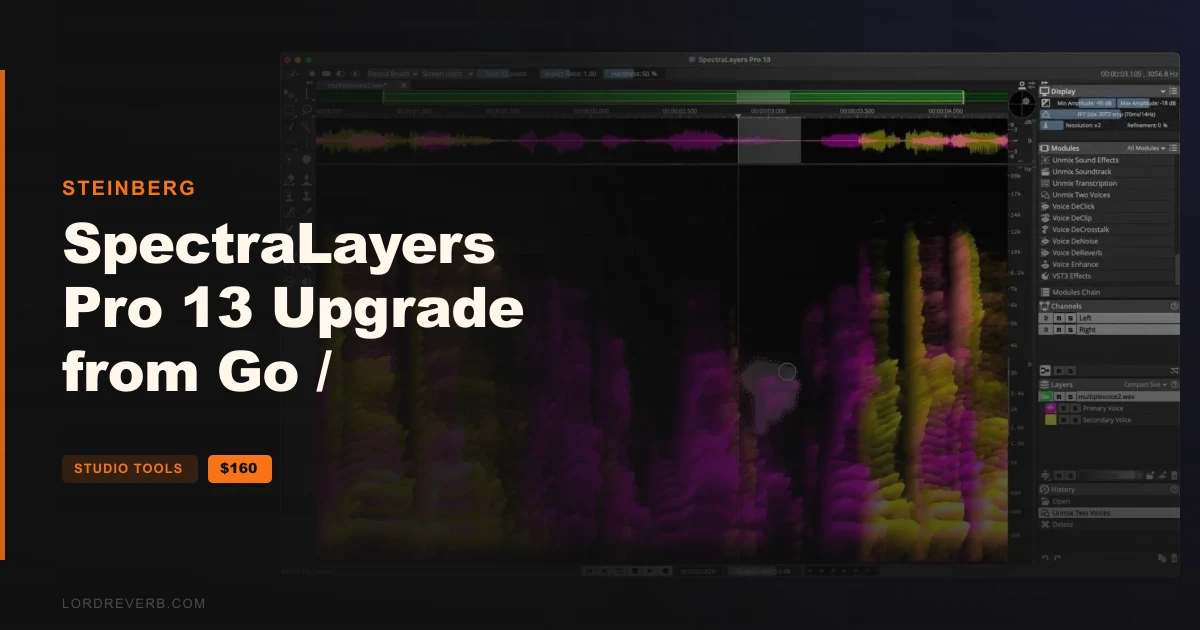
The SpectraLayers Pro 13 Upgrade from Go / Cubase Pro/Artist 15-14 or Nuendo 15-14 Black Friday deal is 49% off at $160 until Dec 10, 2026, and it is made for people who already own SpectraLayers Go, Cubase Pro or Artist 15 or 14, or Nuendo 15 or 14.
SpectraLayers Pro is Steinberg's spectral editor and unmixing application. Version 13 adds new tools for creative unmixing, speech refinement, audio reconstruction and noise control.
The maker also says selections in the spectrum are easier to work with now, with new options for sizing, fading and pasting.
The headline modules in this release are:
Unmix Sound Effects pulls a sound onto its own layer and leaves the background texture in place, so you can shape and smooth it with the other new processes. Ambience Heal works the other way round. Where a voice was extracted from a source layer, it fills the gap with the room tone or environment already in that layer, using the foreground layers you designate as its reference.
ReConstruct analyses and rebuilds tones, transients and noise, and the amount is adjustable for each of the three. Attenuate bases its reduction on the maximum spectral power of the surrounding content, which is meant to help the edit blend with whatever sits next to the selection.
Voice DeCrosstalk separates non-target voices from the primary voice, even when they overlap, in the foreground or the background.
Voice DeClick removes mouth noises such as lip smacks and tongue clicks, with threshold, pixel width and reduction ratio controls for fine-tuning.
Unmix Two Voices separates two speakers automatically, with no voice profiles to register first.
Level Check calculates loudness data including True Peak and a range of LU measurements. It updates automatically and works on spectral selections or any combination of layers. Clicking a field in the module moves the playhead to the exact project location where that reading was taken.
The Fade module applies fades to selections within a single layer or crossfades between two layers, with four fade types. It can pick fade in or fade out for you based on where the selection sits in the timeline.
DeNoise stays noiseprint-based and gains controls for more precision and variable spectral smoothness. Unmix Components is reworked for more accurate detection and separation of discrete tones, transients and noise.
On the workflow side, you get:
If you do post-production work, the Unmix Transcription export now covers frame rates such as 23.976.
Yes. The Black Friday deal takes 49% off, bringing the upgrade to $160, and it runs until Dec 10, 2026. It is meant for owners of SpectraLayers Go, Cubase Pro/Artist 15 or 14, or Nuendo 15 or 14.
Version 13 adds Unmix Sound Effects, Ambience Heal, ReConstruct, Attenuate, Voice DeClick, Voice DeCrosstalk, Unmix Two Voices, Level Check and a Fade module. DeNoise and Unmix Components are improved, and the spectrum selection tools gain new sizing, fading and pasting options.
Yes. Unmix Two Voices separates two speakers automatically, with no voice profiles to register. Voice DeCrosstalk pulls non-target voices away from the primary voice even when they overlap, and Voice DeClick removes lip smacks and tongue clicks.
DeNoise is noiseprint-based, with added precision and variable spectral smoothness controls. Unmix Sound Effects isolates short sounds from ambience such as wind, crowd and traffic, and Ambience Heal fills gaps left by unmixing with the surrounding room tone or environment.
Prices and end dates are checked at publishing time and can change, so confirm them at the store before you buy.