Affiliate disclosure: the buy button is an affiliate link to the store. If you buy through it we earn a commission at no extra cost to you. Full policy

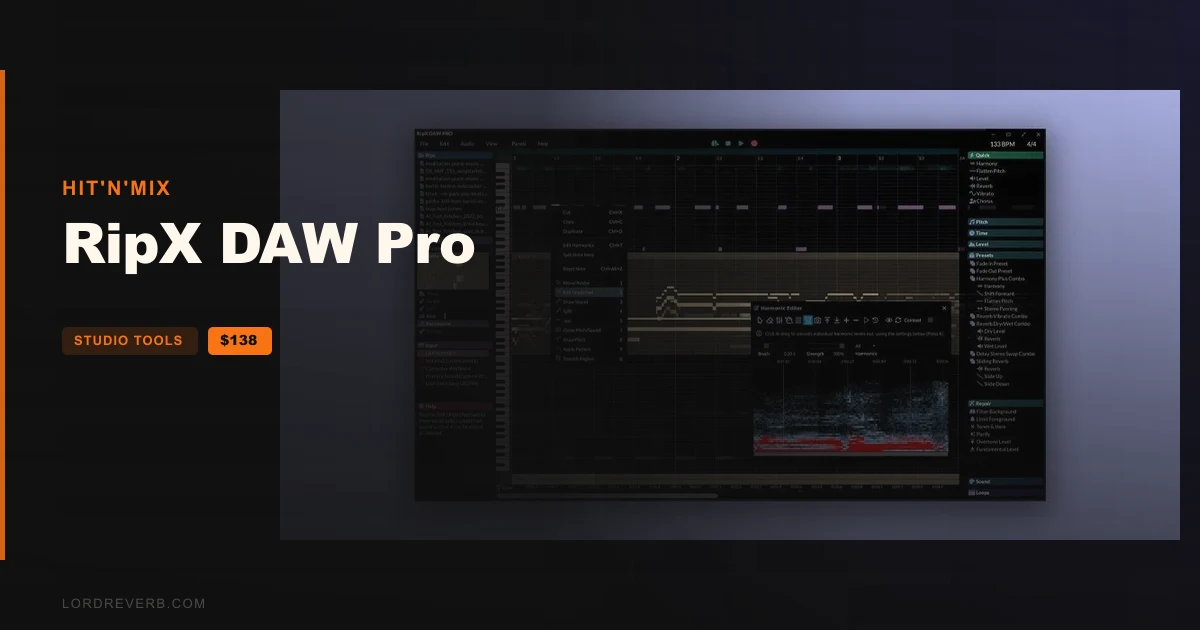
RipX DAW Pro Black Friday pricing is $138 after 30% off, running until Dec 1, 2026, for Hit'N'Mix's AI-driven DAW that edits audio at the level of individual notes.
The maker calls it the first of its kind. Audio is stored in the Rip format, which Hit'N'Mix describes as a big step up from waveforms, with control over every aspect of the sound.
You can mix parts from different tracks, then try other tempos, effects, pitches and keys or scales. Time-stretching, stereo panning (including on mono tracks), volume and EQ are all editable.
Loops can be built and edited during playback. Copy a part from one track to another and the tempo is matched automatically.
Pro adds everything in RipX DAW plus advanced stem clean-up and audio manipulation tools:
Track Starter generates original dynamic loops that fit the scale or chord progression. RipLoops adds generated loops and transitions, and chord progressions now sit in the Scale & Chords menu.
Eleven effects arrive: RipTone, RipTrip, RipVibe, Pitch To Chord, Transient Shaper, Auto-Pan, Hall Reverb, Tape Echo, Shimmer, Bitcrush and Granular.
Switch an effect or sound off and its parameters and automation are remembered, which makes A/B testing quick. Double tap to reset to defaults.
Master in the Layers panel also gets a Row View for a more traditional DAW editing layout.
Compatibility with RipX for iPhone and iPad is included. REACT FX & Sounds let you set effect and sound levels that change as a listener tilts the device, so you could swap instruments or mute parts that way.
For music producers, the RipLink VST3/ARA2 and AudioSuite plug-in connects the app to major DAWs. You can edit or remove notes inside polyphonic vocal, instrument and percussion recordings, and pull out stray sounds such as knocks, coughs or bleed.
Draw Pitch helps with correcting individual guitar strings. Because separation goes down to the harmonic level, a single note's tone can be adjusted, or blended with other sounds.
DJs and remixers can clean messy acapellas and digitize crackly vinyl. Audio post professionals can extract dialogue from noisy footage and edit audio to video on macOS only.
Sound designers get Clone Pitch/Sound, Harmonic Editor and RipScript, plus live effects from Reverse to Delay to Vibrato.
On Mac, the system requirements are macOS 10.12 or later (2012 models and newer, including M1 onwards), a 2-core 2.5GHz CPU, 8 GB RAM and 20 GB of free disc space.
Yes, the RipX DAW Pro Black Friday deal takes 30% off Hit'N'Mix's AI DAW, bringing it to $138. The offer ends Dec 1, 2026.
RipX DAW Pro includes every RipX DAW feature, then adds advanced stem clean-up and audio manipulation tools: Audioshop tools, an unpitched audio editor, the Harmonic Editor and the RipScript scripting language.
Yes. The RipLink VST3/ARA2 and AudioSuite plug-in gives an efficient workflow with major DAWs, so you can bring RipX DAW Pro's note-level editing into the DAW you already use.
You can set the scale or key yourself, or click Detect and let the software find it. Notes snap to the scale when you drag them, Auto Pitch To Scale keeps the result natural, and Randomize plays a loop back in different scales.
Prices and end dates are checked at publishing time and can change, so confirm them at the store before you buy.
Not signed in to Spotify? You hear 30 second previews. Signed in, you hear the full tracks.
Send your track and tick the Mixtape box. If we pick it, it joins this playlist and plays for everyone who opens the player.