Affiliate disclosure: the "Get this deal" button is an affiliate link to the store. If you buy through it we earn a commission at no extra cost to you. Full policy

Punchy Worm Black Friday pricing gets you 59% off this one-knob punch and saturation enhancer plugin, bringing it to $8 until Nov 29, 2026.
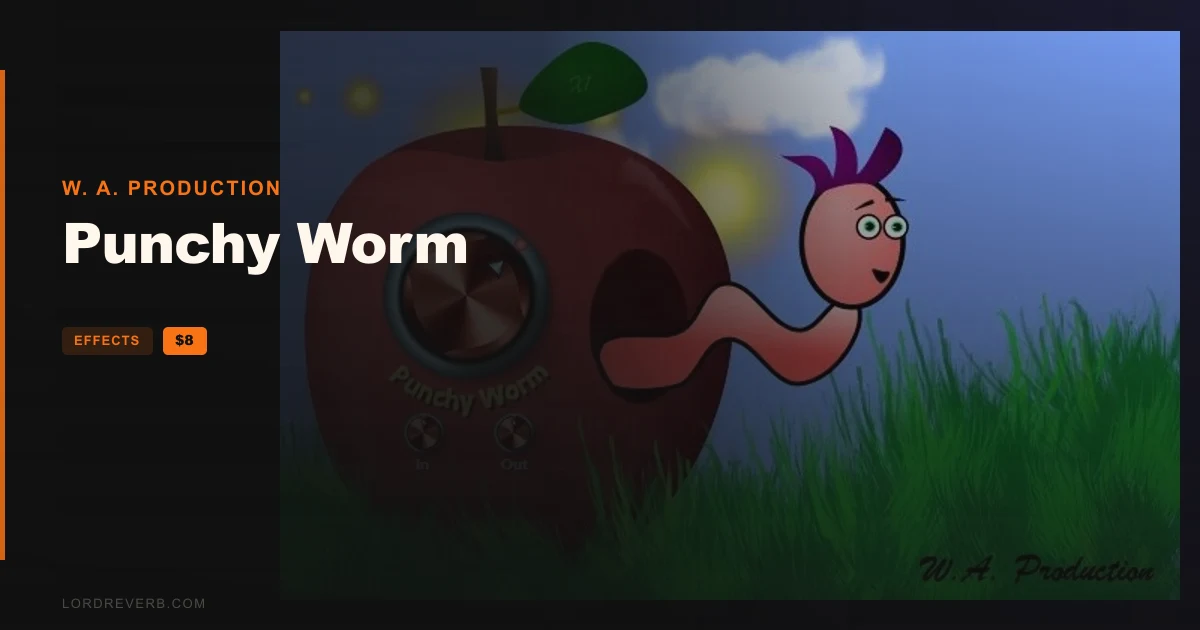
Punchy Worm is a punch and saturation plugin from W. A. Production, and a cartoon worm sits at the center of the interface. He head-bangs along with your audio while the plugin shapes transients and adds harmonics.
The maker says the worm is there because, in these serious times, why not.
Everything runs from one main dial. Set it left of centre and you get punch. Set it right of centre and you get saturation. Either way, the maker says the processing combines smooth, responsive upward and downward compression.
Subtle settings add presence and power. Pushed harder, you get more brutal transient shaping and saturated harmonics.
Drag the dials to move them and double click to reset to default. The maker's idea is that you trust your ears and keep your attention on the sound.
The Input control drives more signal into the processing. More input means a stronger effect and more aggressive processing, and the worm gets a more frantic freakout.
The Output dial lets you volume match against the original signal. That way you hear what the plugin does to the audio instead of just hearing a louder version of it.
Click the Punchy Worm logo to bypass the plugin for an A/B comparison.
The leaf at the top of the interface is a toggle for oversampling at x1, x2 or x4. The maker says careful use of it reduces unwanted noise from digital aliasing.
If you run a Mac with Apple Silicon, the maker points to a compatibility page for this plugin that you should read before buying.
W. A. Production describes itself as a team of real-life producers making creative plugins for quick, studio-quality processing.

Yes. The Punchy Worm Black Friday deal takes 59% off, bringing the plugin to $8 until Nov 29, 2026. It is a one-knob punch and saturation enhancer from W. A. Production.
Use the main dial. Left of centre gives you punch, right of centre gives you saturation. Both are paired with smooth, responsive upward and downward compression. Subtle settings add presence, and harder settings give more brutal transient shaping and saturated harmonics.
The leaf at the top of the interface toggles oversampling between x1, x2 and x4. The maker says careful use of it reduces unwanted noise from digital aliasing. Higher settings are there for when you push the processing harder.
Punchy Worm runs on Windows 8 or higher (32 and 64-bit) and macOS 10.13 and later (64-bit only). The AAX format needs Pro Tools 11 or higher. Apple Silicon Mac users should read the maker's compatibility page before buying.
Prices and end dates are checked at publishing time and can change, so confirm them at the store before you buy.