Affiliate disclosure: the "Get this deal" button is an affiliate link to the store. If you buy through it we earn a commission at no extra cost to you. Full policy

The omnitec 67a Black Friday deal is 51% off at $19 until Nov 22, 2026, on Black Rooster Audio's vintage tube preamp plugin inspired by the Altec 1567A.
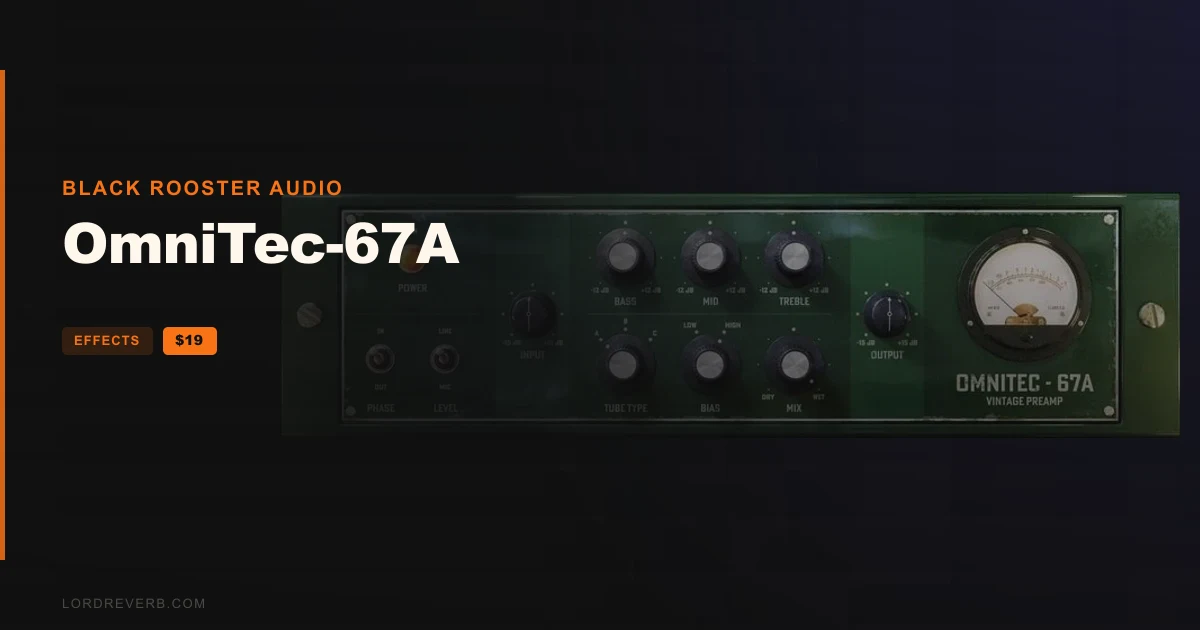
The OmniTec-67A is a tube preamp plugin for adding saturation, harmonics and subtle distortion to vocal, bass and drum tracks. The maker says it can turn a sterile signal into something dense and rich, with the 1567A sparkle on top.
It is a vintage emulation plugin from Black Rooster Audio, modelled on a unit that came out in the early 1960s. That original was a rack-mounted tube mixer with a simple two-knob EQ and 97 dB of gain.
The hardware wore a signature green plate and was known for grit, density and character.
The maker ties the 1567A to Motown, where it shaped the deliberately distorted, oversaturated brass, electric piano, bass and vocals on hits by The Supremes and The Temptations. Engineers Russ Terrana and Matt Wallace used it. After that era it stayed around as a go-to for coloured tube sound.
Black Rooster Audio adds its own twist to the classic design. The main controls and features:
The plugin auto-compensates at the output stage, so flipping the line/mic switch does not leave you chasing level.
Bias sets how the tubes are driven and affects their temperature and resistance. Over-biased tubes run cold and sound thin. Under-biased tubes run hot and oversaturate.
You pick between 2 options and dial in the tone that suits the track.
On Mac, you need OSX 10.9 or newer, with M1/M2 supported. That means an Intel Core CPU or an Apple Silicon M1/M2 processor, 1GB of RAM and a 64-bit host in VST, VST3, AU or AAX format.
On Windows, you need Windows 7 or newer, an SSE2 compatible processor (Intel Core recommended) and 1GB of RAM. The host must be VST, VST3 or AAX compatible.
Both platforms call for a display resolution of 1280x1024 pixels or more. On Windows, your DAW manual will tell you whether it supports high DPI.
Yes. The OmniTec-67A Black Friday deal is 51% off, bringing the plugin to $19, and it ends Nov 22, 2026. It is Black Rooster Audio's tube preamp plugin inspired by the Altec 1567A.
You get 3 tube types, a line/mic switch, a vintage 3-band EQ added beyond the original unit, and 2 bias voltage options. It also has SSE2 optimized code and High DPI/Retina support on Windows and Mac.
On Mac it runs as VST, VST3, AU or AAX in a 64-bit host. On Windows it runs as VST, VST3 or AAX. Mac needs OSX 10.9 or newer, with M1/M2 supported. Windows needs 7 or newer.
It lets you pick the source type for basic gain staging. Mic impedance and line impedance each have their own frequency response and behaviour. The plugin auto-compensates at the output stage, so the level stays consistent when you switch.
Prices and end dates are checked at publishing time and can change, so confirm them at the store before you buy.