Affiliate disclosure: the buy button is an affiliate link to the store. If you buy through it we earn a commission at no extra cost to you. Full policy

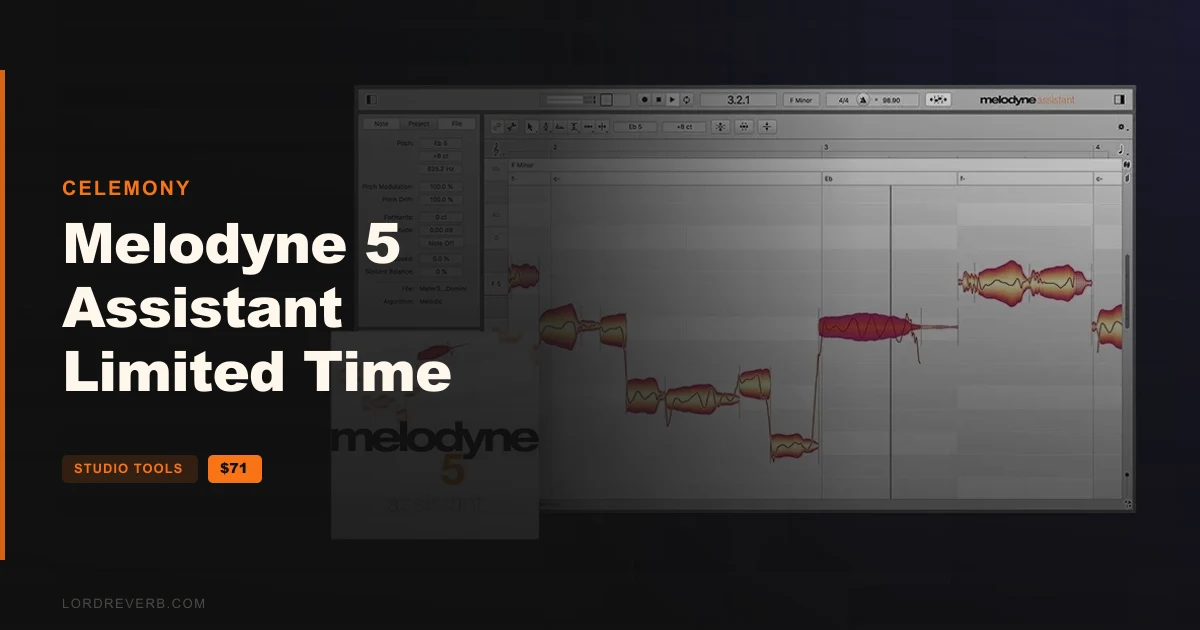
Melodyne 5 Assistant is Celemony's note-based audio editor, offered here as a discounted package on black friday.
Assistant is the edition Celemony pitches as the path to professional vocals. It carries the full Melodyne toolkit for pitch, timing, vibrato, phrasing, formants and dynamics.
It runs as VST3, AU, AAX or stand-alone. Where your DAW supports it, ARA (Audio Random Access) integration is available too.
This edition handles all of Melodyne's editing tools: three algorithms (Melodic with Sibilant Detection, Percussive and Universal), macros for pitch correction, timing quantization and levelling, a Chord Track plus Chord Grid that identify chords automatically, tempo detection, and inspectors that put every parameter within quick reach. Celemony calls the note-based workflow exceptionally musical and intuitive, and the technology has won a Grammy Award.
The maker says the Melodic algorithm was fundamentally improved. It now splits the unpitched, noise-like parts of a note, such as sibilants like "s" and breath sounds, from the pitched parts, even where they overlap.
Pitch and timing changes on the pitched part work as before. Sibilants follow separate rules that Celemony says copy the natural behaviour of the human voice, so you no longer isolate each one by hand.
The Sibilant Tool sets the balance between sibilants and pitched content. You can attenuate, mute, emphasize or isolate them, which works as a de-esser that only touches the problem spots.
Pitch analysis changed too. Celemony says only short segments of a note make it sound sharp or flat, so the offset in the Note Inspector is now measured at those moments, not across the whole note. Double-clicking to zero a note's offset then lands where it should, and the intonation macro uses the same approach.
The Chord Track links to the Pitch Grid in the Note Editor. You can see which pitches fit the current chord and move notes to match.
Chord recognition can read tracks separately or together, up to the entire mix, and fills the Chord Track automatically. It also helps when you want to match a sample harmonically to your music.
The Fade Tool draws fades per note, even inside a chord. The fades belong to the notes, so they follow when you move or copy them. The Leveling Macro pulls loud notes down and quiet ones up, and it works on polyphonic recordings.
A new algorithm, Percussive Pitched, is made for instruments like tabla, berimbau and 808 kicks, where percussive notes still carry a recognizable pitch. The Complex playback type was improved and now handles formants as flexibly as Tonal.
Keyboard shortcuts got a search function and better saving of personalized sets. Detection data no longer goes into separate.mdd files. It is stored in the audio files themselves, which keeps folders tidy and makes sharing projects easier.
The Essential Serial must be registered first. After that you can register your Upgrade to Melodyne Assistant.
Yes. This is the Assistant edition, the version Celemony pitches as a full set of Melodyne tools for editing note pitch, rhythm, vibrato, phrasing, formant character and loudness.
Melodyne 5 Assistant is compatible with VST3, AU and AAX, and it also runs stand-alone. It can integrate through ARA (Audio Random Access) as well, depending on the DAW you use.
It includes the Melodic (with Sibilant Detection), Percussive and Universal algorithms, macros for intonation, timing quantization and levelling, the Chord Track and Chord Grid with automatic chord recognition, tempo detection, and inspectors for quick access to all parameters.
It sets the balance between a note's sibilants and its pitched components. You can attenuate, mute, emphasize or isolate sibilants. Celemony says this doubles as a de-esser that affects only the problem areas, with no side effects on other parts of the vocal.
Prices and end dates are checked at publishing time and can change, so confirm them at the store before you buy.
Not signed in to Spotify? You hear 30 second previews. Signed in, you hear the full tracks.
Send your track and tick the Mixtape box. If we pick it, it joins this playlist and plays for everyone who opens the player.