Affiliate disclosure: the buy button is an affiliate link to the store. If you buy through it we earn a commission at no extra cost to you. Full policy

This extract dialogue Black Friday deal covers Extract:Dialogue 2 Upgrade by Acon Digital: 32% off, $33 until Dec 8, 2026, for owners of Acoustica 7 Post Production Suite, Acoustica 7 Premium or Extract:Dialogue 1.
It is a dialogue cleaner plugin that pulls the voice away from background noise and reverb. Acon Digital says it builds on the original Extract Dialogue with reverb reduction, EQ editing per channel and true stereo processing.
Extract:Dialogue 2 Upgrade is the version meant for existing owners of the earlier release. A standard edition exists separately, so make sure you qualify through one of the three products above.
The plugin splits the signal into three components: voice, reverb and noise. Acon Digital says it runs on its latest generation of AI models and delivers broadcast-quality results in real time.
You can leave it at that, or go deeper. The maker describes it as fast to use, with enough precision controls to fine-tune each part of the process.
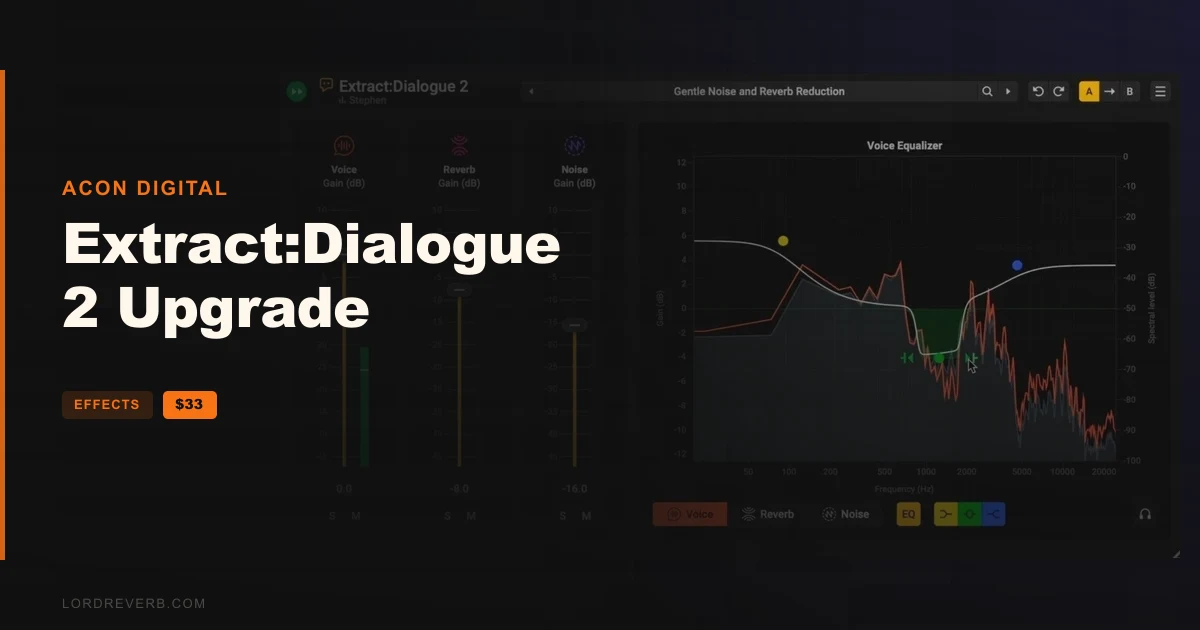
Each element gets its own EQ section, so you can shape tone inside each component. The maker's examples: soften the brightness of the reverb without muting it, or cut low-frequency rumble while keeping the natural ambience.
In stereo, independent AI models process the mid and side channels. The aim is cleaner centre dialogue with the natural width left intact.
All Voice, Reverb and Noise controls can be automated inside your DAW.
Use it live during editing, or as one stage in a larger post-mix chain. You can also export dialogue, reverb and noise stems separately through multi-output routing, handy for advanced mixing or for preparing clean stems for dubbing and foreign-language versions.
The interface is fully resizable. Show the full control set, or shrink it to just the mixer panel for compact layouts.
A real-time spectrum display shows the voice, reverb and noise as separate colour overlays. Each of the three parts can be isolated or silenced with the solo and mute buttons, so you can check them separately.
Acon Digital positions the plugin for several tasks: tidying dialogue in movies, television and streaming work; cutting background noise and room reflections from interviews and documentaries; repairing ADR and on-location recordings; sharpening speech in podcasts, voiceovers and online content; and bringing back understandable speech from archival or field material. The maker adds that professional dialogue editors, mixers and sound designers contributed directly to its design.
Yes. The Extract:Dialogue 2 Upgrade Black Friday deal takes 32% off, which brings it to $33 until Dec 8, 2026. It is an upgrade price for owners of Acoustica 7 Post Production Suite, Acoustica 7 Premium or Extract:Dialogue 1.
The upgrade is for owners of Acoustica 7 Post Production Suite, Acoustica 7 Premium or Extract:Dialogue 1. A separate standard edition exists for everyone else, so match your current license to the upgrade path first.
Acon Digital says version 2 adds reverb reduction, EQ editing per channel and true stereo processing. Mid and side channels run through independent AI models, aiming for cleaner centre dialogue while keeping the natural width.
Yes. Multi-output routing lets you export dialogue, reverb and noise as separate stems for advanced mixing. The plugin works live while you edit, and it can also sit anywhere inside a bigger post-mix chain.
Prices and end dates are checked at publishing time and can change, so confirm them at the store before you buy.
Not signed in to Spotify? You hear 30 second previews. Signed in, you hear the full tracks.
Send your track and tick the Mixtape box. If we pick it, it joins this playlist and plays for everyone who opens the player.