Affiliate disclosure: the "Get this deal" button is an affiliate link to the store. If you buy through it we earn a commission at no extra cost to you. Full policy

The Dodge Pro Black Friday deal takes 60% off this volume shaping plugin, bringing it to $11.60 until Nov 29, 2026.
Dodge Pro is an envelope shaper plugin from W. A. Production. It starts from sidechain ducking, where one signal pulls another down in level, and adds rhythmic motifs, gated rhythms and special FX on top.
You can start from the factory presets or draw your own amplitude shapes with point-and-drag nodes.
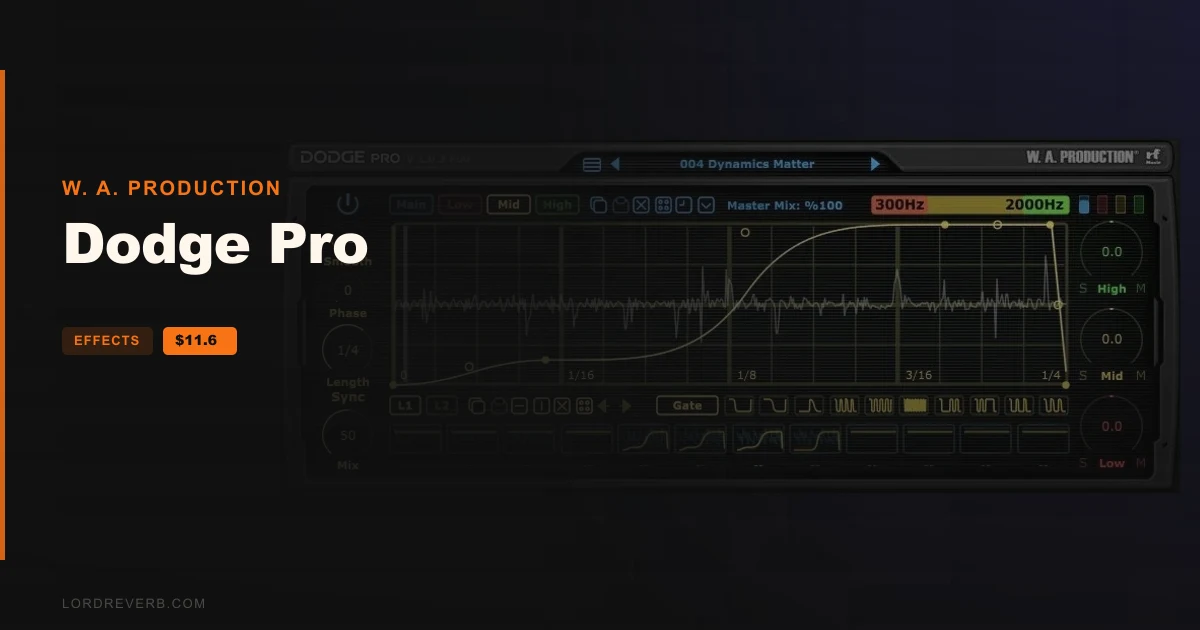
The plugin splits audio into 3 frequency bands, and you set the low, mid and high crossover points by dragging the coloured band graphic at the top right. Each band gets its own automation line.
Every band has independent Volume, Shape, Sync, Length and Mix settings. That lets you duck the lows while gating the highs in the same instance.
A Master Mix control blends the shaped signal with your original audio, so you can dial the effect back for subtler results.
The global presets are grouped by job: sidechain ducking, trance gates, arps and special FX. Each EQ band and the master volume automation also has one-click shortcuts for basic ducking, gating and rhythmic shapes.
In the line editor, you click the line to add a node and drag it to set the shape and curve. Curve types include single and double curves, pulse, wave, saw and step.
Every primary line has a second layer you draw independently, and the two are summed into more complex shapes. Copy/paste for lines and scenes is built in, along with quick transformation buttons.
Scene switching works on the fly, so an external controller can trigger changes in a live set or move through a track.
The maker also lists a full PDF manual and a tutorial video, and describes the plugin as responsive and CPU friendly.
On Mac, Dodge Pro needs macOS 10.13 or later, 64-bit only, and comes as VST2, AU and AAX. On Windows it needs Windows 8 or later, 32 or 64-bit, in VST2 and AAX.
Both platforms ask for a multicore CPU at 2GHz or higher and 2GB of RAM or more. The interface runs at 592 x 234, 888 x 351 or 1184 x 468.
The AAX version needs Pro Tools 11 or higher. If you run Apple Silicon, the maker points to a compatibility page to review before buying.

Yes. The Dodge Pro Black Friday deal takes 60% off W. A. Production's envelope shaper plugin, bringing it to $11.60 until Nov 29, 2026.
Dodge Pro is a volume shaping plugin built on sidechain ducking, with rhythmic motifs, gated rhythms and special FX added. You draw amplitude shapes with nodes, across 3 frequency bands that each get their own automation line.
Mac gets VST2, AU and AAX on macOS 10.13 or later, 64-bit only. Windows gets VST2 and AAX on Windows 8 or later, 32 or 64-bit. AAX needs Pro Tools 11 or higher.
You can program up to 12 completely different scenes and switch between them on the fly with MIDI triggers you choose. That works for changing the shaping through a track or for live performance with an external controller.
Prices and end dates are checked at publishing time and can change, so confirm them at the store before you buy.