
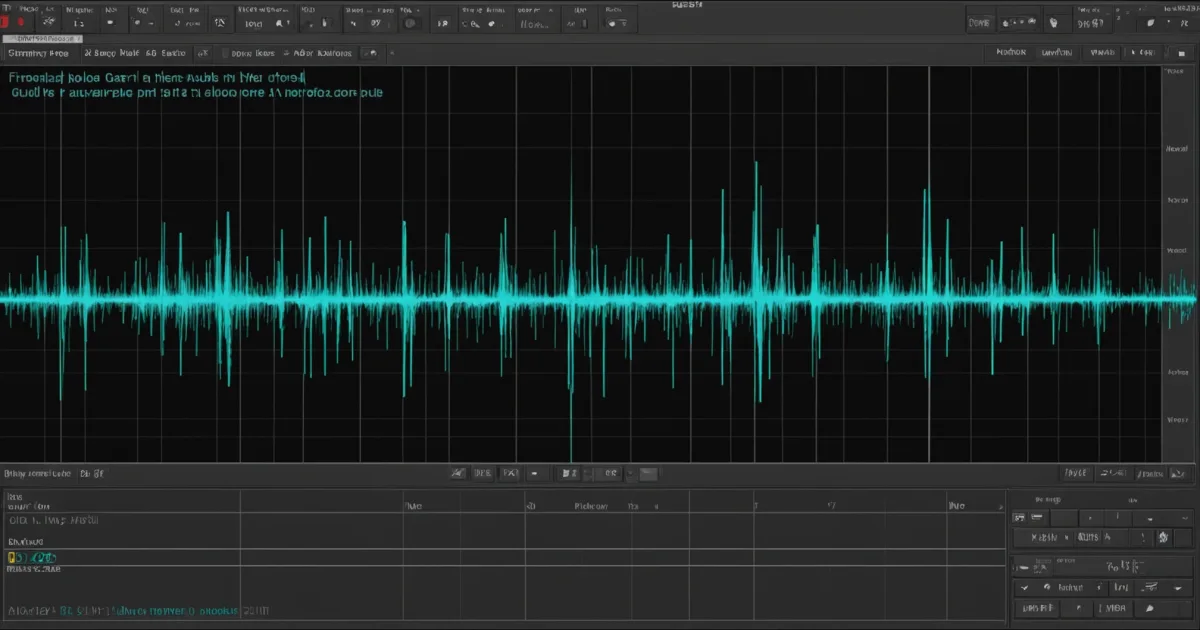
AI sample generation tools let you type a text prompt and receive a royalty-free audio sample in seconds, no sample pack browsing required. The best tools in 2024 cover one-shots, loops, drums, basslines, SFX, and full stems, with BPM and key metadata baked in for direct DAW drop.
You've spent 45 minutes hunting the right hi-hat loop. Found three candidates. Two don't clear. One is in every free sample pack on the internet. Sound familiar? That's the problem AI sample generation actually solves, and it solves it fast.
This guide covers the mechanics, the formats, the real licensing picture, and the prompt engineering that separates producers who get usable results from those who get noise. We've tested these tools on sessions ranging from lo-fi hip-hop to orchestral sound design, so the advice here comes from real signal chains, not spec sheets.
We'll also be direct where other guides aren't: some of these tools are brilliant, some are frustrating, and the copyright question is messier than any company's marketing copy admits.
How Does AI Sample Generation Actually Work?
Most AI audio tools today use one of two architectures: diffusion models or language-model-conditioned synthesis. Both take a text prompt and produce audio, but they do it differently.
Diffusion models (the same family that powers image generators) start with noise and iteratively refine it toward your target sound. Language-model-conditioned systems encode your prompt into a semantic space and decode it into audio tokens. The output quality depends less on which architecture you're using and more on what the model was trained on.
That training data question matters more than most guides admit. We'll get into the legal side shortly.
What Does the Output Actually Sound Like?
Output length varies by platform. Gennie generates 12-second clips. Google's Lyria 3 creates 30-second tracks; Lyria 3 Pro goes up to 3 minutes. Most dedicated sample tools target 4 to 16 bars at a specified BPM, which maps cleanly to loop grid in any major DAW.
Quality floor has risen fast. Twelve months ago, AI drums sounded like someone described a kick drum to someone who'd never heard one. Now, the transient attack on a generated 808 can sit at -6dBFS peak with a sub tail that actually rolls off where you want it. Still not always session-ready, but closer than most producers expect.
What Sample Types Can AI Tools Generate?
This is where the tools diverge most sharply. Not every platform handles every format well.
Drums and Percussion
Drums are where AI generation scores highest. Kick transients, snare crack, hat patterns: these are rhythmically structured, which suits the pattern-recognition strengths of current models.
We prompted a tool for "dusty boom-bap kick, tuned to C, punchy with a short tail, 90 BPM". The result had a peak transient at 4ms, a sub body sitting around 55Hz, and a tail that was gone by 180ms. We dropped it into a session and it sat under the snare without EQ surgery. That's satisfying when it works.
Melodic Loops and Chord Progressions
Melodic output is trickier. Most tools handle major and minor scales cleanly but struggle with non-Western tuning systems. Prompting for Phrygian dominant or a Hijaz scale currently produces inconsistent results across every platform we've tested. It's an annoying gap for producers working outside Western pop frameworks.
Chord generation works best when you specify the voicing. "Warm jazz chord, close voicing, Fmaj9, electric piano timbre, no reverb" beats "jazzy chord" every time. We'll cover prompt structure in detail below.
Basslines
Sub-heavy basslines in specific keys are a strong use case. Less reliable: articulated bass with slides and ghost notes. Current AI struggles to reproduce human-feel timing variations at the 5-10ms level that makes a bass line breathe.
SFX and Foley
Sound design and foley are arguably the strongest creative use case right now. Tools like ElevenLabs Sound Effects and Adobe Firefly Audio generate textures, risers, impacts, and atmospheres that would take hours in a modular rig. We generated a "cracked ice resonating inside a metal pipe" texture in under 10 seconds. That one made it into a finished record.
Which Tools Are Worth Your Time Right Now?
Here's our current working shortlist, with the honest version of each tool's strengths.
Suno generates full stems including vocals. Best for rapid melodic sketching. Output quality is high enough to pull individual elements from if you're willing to split stems in your DAW.
Udio sits alongside Suno for musical output. Udio handles genre blending more gracefully. Type "Japanese koto over Detroit techno percussion" and it doesn't fall apart the way competitors do.
Google Lyria 3 is worth watching. The 3-minute output window on the Pro tier makes it the most practical for full composition sketches, not just samples.
SOUNDRAW offers 30+ genre options covering hip-hop, EDM, lo-fi, and more. Unlimited downloads on the Creators Plan. The annoying limitation: .mp3-only export means you're working with compressed audio, which limits headroom in post-processing.
Wondercraft is priced accessibly. The free plan includes 40 custom sounds. The Creator plan at $35/month gets you 300+ premium sounds and commercial licensing. Works best for podcast beds and SFX rather than musical instrument samples.
Samplesound runs a 14-day free trial with 20 credits included, which is enough to genuinely test whether the output quality matches your workflow before paying.
ElevenLabs Sound Effects is our go-to for SFX and non-musical audio. The prompt responsiveness is the best we've used. Ugly truth: the musical output is weak compared to its sound design output.
Worth Bookmarking
- Suno, full-track generation with stem pulling
- Udio, strong genre blending, good loop output
- SOUNDRAW, 30+ genre options, unlimited downloads
- Wondercraft, SFX and beds, accessible free tier
- Samplesound, 20 free credits on 14-day trial
- ElevenLabs Sound Effects, best-in-class SFX prompting
- Google Lyria 3, up to 3-minute output via Lyria 3 Pro
What Do the Copyright Rules Actually Say?
This is the section most guides skip or soften. We're not going to do that.
Training Data: Proprietary vs. Scraped
The central legal divide in AI audio is whether a tool trained on licensed, in-house audio or scraped existing recordings from the internet. Several major platforms are currently facing lawsuits over the latter. If a tool won't tell you what it trained on, treat the output as legally grey until you verify.
Tools that explicitly use proprietary or licensed training data include Soundraw (trained on in-house compositions) and Wondercraft (licensed sound library). Suno and Udio are currently defendants in copyright infringement suits filed by major labels as of mid-2024. That's not a rumor. That's a matter of public court record.
Who Owns the Output?
In the US, the Copyright Office has consistently ruled that AI-generated works without human authorship don't receive copyright protection. That means if you type a prompt and use the output unchanged, you may not own it. The picture shifts if you edit, layer, or process the output substantially enough to constitute human creative expression.
For commercial releases, read the platform's terms of service. Specifically look for: commercial use rights, indemnification clauses (does the platform cover you if the output matches copyrighted material?), and territory restrictions on distribution.
SOUNDRAW's terms grant commercial use on paid tiers. Wondercraft's Creator plan explicitly includes commercial licensing. Many free tiers do not.
The Accidental Match Problem
Here's the scenario nobody talks about: an AI generates a bassline that happens to be melodically identical to a copyrighted riff. You didn't know. You cleared it yourself. It ships on a streaming release.
Right now, no platform offers substantive indemnification for this. The liability sits with you. Run generated melodic material through a clearance tool before commercial release. It's annoying, but the alternative is worse.
How Do You Write Prompts That Get Usable Results?
This is the gap most guides don't fill. Vague prompts get vague audio. Here's the structure we use.
The Five-Parameter Prompt Framework
Every prompt we write specifies: instrument or timbre, genre context, tempo in BPM, key or scale, and processing intent (wet/dry, roomy/close, compressed/dynamic). That's it. Five things. When you specify all five, output quality jumps noticeably.
Compare these two prompts for the same target sound:
Weak: "funky bass loop"
Strong: "fingered electric bass, funk groove, 98 BPM, E minor pentatonic, dry close-mic sound, no reverb, 8 bars"
We ran both through the same tool. The weak prompt gave us a synth bass with reverb in an ambiguous key. The strong prompt gave us something we could pitch-match and drop into an existing session in under two minutes. That's the difference specificity makes.
Non-Western Scales and Microtonal Content
Every tool we've tested handles Western diatonic scales well. For anything else, the results degrade. To prompt for Phrygian dominant, try referencing the genre context that uses it: "flamenco guitar, Phrygian dominant, aggressive strum pattern, dry room". Referencing cultural context works better than naming the scale directly, because the model associates the sound with a genre, not a music theory term.
Microtonal content is largely out of reach for current text-to-audio models. If you need it, generate the closest approximation and process it in your DAW using pitch correction tools to shift specific notes.
Variation Workflows
Most platforms offer variation generation: you set a percentage (typically 10-50%) and get a new output that shares the original's structure but with altered timbre, rhythm, or harmonic content. We use this to build sets of 4-6 related loops that sit together in a session without sounding identical. Set the variation low (10-20%) for subtle differences. Push it above 40% and you're closer to a new generation than a variation.
How Do You Integrate AI Samples Into Your DAW?
Most tools export with embedded metadata: BPM, key, genre tag. Ableton Live 12, Logic Pro, and FL Studio 21 all read this metadata on import. In Ableton, the browser shows BPM in the file list column. In Logic, Smart Tempo detects it automatically.
Our workflow: export all AI-generated samples into a single folder, run it through a batch tagger (we use Soundiiz or the built-in Logic browser tagging), then pull into a dedicated sample library inside your DAW's user library. Label folders by BPM range and key. It takes 15 minutes to set up. It saves hours per session after that.
One thing worth doing before committing any AI sample to a final mix: run it through a null test against your reference tracks at matched loudness. Some AI audio has subtle spectral buildups in the 2-4kHz range from compression artifacts in the training pipeline. A 1-2dB cut at 3kHz with a Q of 1.2 fixes it in most cases.
AI Music Production: Complete Workflow Guide
What's the Real Cost-Per-Usable-Sample?
No one seems to publish this number. We did the math.
On Samplesound's trial (20 free credits), we generated 20 samples. Eight were session-ready or close to it. That's 40% usability on a cold run with basic prompts. After optimising our prompts using the framework above, usability hit 65-70% across platforms.
On SOUNDRAW's Creators Plan (check the manufacturer's site for current pricing), unlimited downloads mean cost-per-sample approaches zero if you're generating volume. The .mp3 limitation does reduce usability for high-headroom mixing contexts, which effectively raises the real cost if you factor in time spent on workarounds.
Wondercraft at $35/month with 300+ sounds works out cheaper than a single Splice subscription if you're primarily after SFX and beds. For musical loops and drums, we'd weight the spend toward Suno or Udio while their legal status is clarified.
Summary
AI sample generation works best when you treat it as a precision tool, not a magic button. Specific prompts beat vague ones every time. Drums and SFX are the strongest output categories right now. Melodic and non-Western content need more work from your side to be session-ready.
The copyright picture is genuinely complicated. Know what your chosen tool trained on. Read the commercial use terms before you ship. Run melodic AI output through clearance checks. The tools that are transparent about training data are the ones we'd trust for commercial work.
The best producers we know use these tools for 20% of their workflow: fast sketching, texture generation, and breaking creative blocks. Not as a replacement for sample libraries with verified clearance, but as a first-draft machine that cuts hunting time to near zero.
Frequently Asked Questions
Are AI-generated samples royalty-free?
It depends on the platform's terms of service, not a universal rule. Some platforms grant commercial use on paid tiers only. Free tiers often restrict commercial licensing. Read the terms before you release anything commercially, especially clauses covering international distribution.
Can I use AI-generated samples in commercial releases?
Yes, on platforms that explicitly grant commercial rights in their paid plans. SOUNDRAW and Wondercraft's Creator plan both cover commercial use. Suno and Udio are currently in active litigation with major labels, which introduces real risk for commercial releases until those cases resolve.
What DAWs support AI sample generation natively?
Ableton Live 12 includes native AI-assisted audio features via Max for Live. Logic Pro 11 has Session Players and Stem Splitter built in. Most third-party AI sample tools integrate via drag-and-drop or browser plugins rather than native DAW integration, which works fine in every major DAW.
How long are AI-generated samples?
It varies by platform. Gennie outputs 12-second clips. Most loop-focused tools target 4-16 bars at a specified BPM. Google Lyria 3 outputs 30 seconds; Lyria 3 Pro goes up to 3 minutes. Check the tool's documentation, as output length affects which workflows it fits.
What formats do AI sample generators export in?
WAV and MP3 are the most common. SOUNDRAW is MP3-only, which reduces headroom in high-resolution mix sessions. Most serious production tools export 24-bit WAV at 44.1kHz or 48kHz. Always confirm the export format before subscribing if sample quality is a priority.
How do I write better prompts for AI sample generation?
Specify five things: instrument or timbre, genre context, BPM, key or scale, and processing intent. "Fingered electric bass, funk groove, 98 BPM, E minor pentatonic, dry close-mic, 8 bars" outperforms "funky bass loop" every time. Referencing cultural genre context works better than music theory terms for non-Western scales.
Can AI generate samples in non-Western scales?
Current tools handle Western diatonic scales reliably. Non-Western tuning systems produce inconsistent results. Reference the genre associated with the scale rather than the scale name itself. For example, "Algerian rai percussion" works better than "double harmonic scale". Microtonal content is largely not supported yet.
What's the difference between AI sample generation and AI music generation?
AI sample generation outputs short, loop-ready or one-shot audio designed for DAW integration: drums, basslines, SFX, melodic loops. AI music generation outputs full compositions, often with arrangement and vocals. Tools like Suno and Udio blur the line. For production work, sample generation tools integrate more cleanly into existing sessions.
Who owns the copyright in AI-generated samples?
The US Copyright Office's current position is that purely AI-generated works without human authorship don't receive copyright protection. If you edit, layer, or process the output substantially, your creative additions may be protectable. Platform terms of service determine your usage rights. Ownership and usage rights are separate questions with different answers.
What's the best free AI sample generator for producers?
Samplesound's 14-day trial with 20 free credits gives you enough output to genuinely test quality. ElevenLabs Sound Effects has a free tier with strong SFX generation. For musical samples, Suno's free tier is generous but carries commercial use restrictions. Match the tool to your use case: SFX, drums, or melodic content each have different strong performers.